
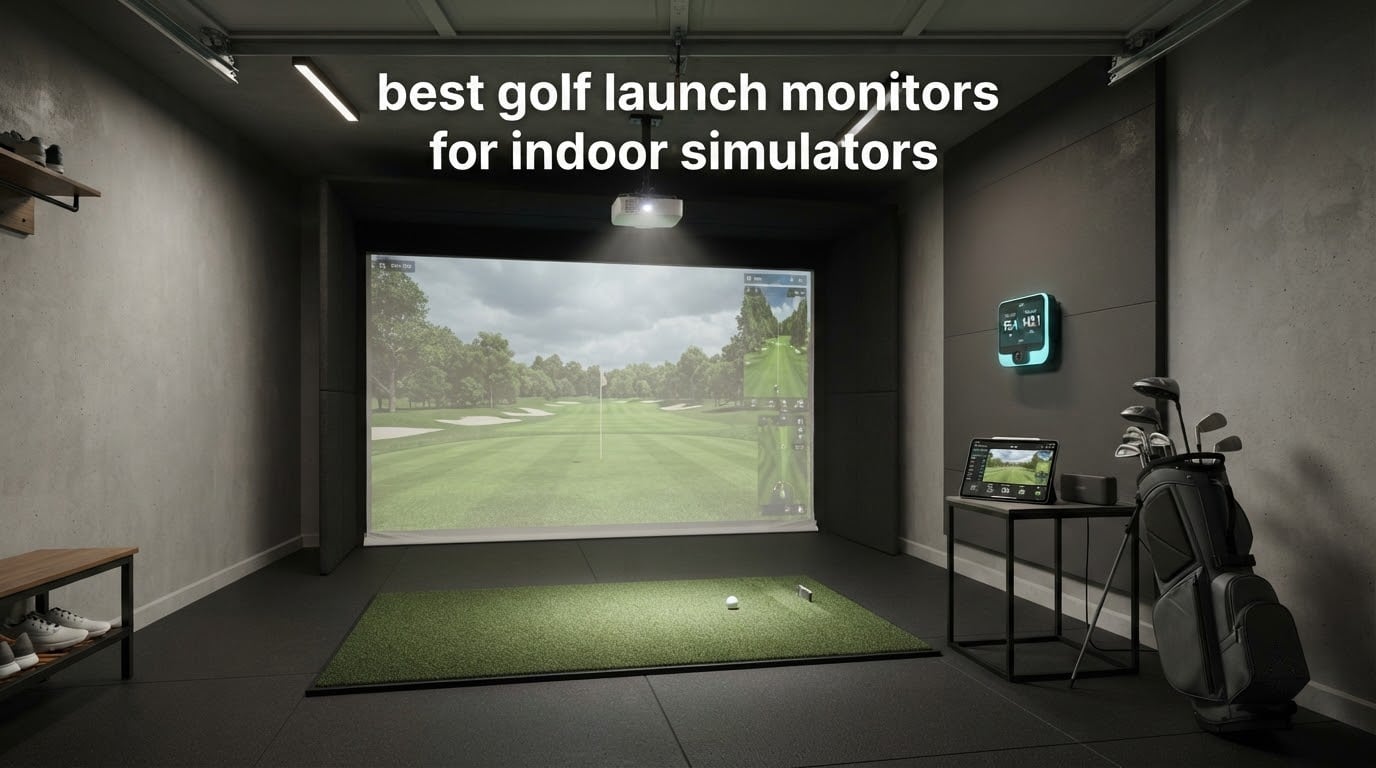
A golf launch monitor tells you what your swing actually did, not what it felt like. For indoor practice that matters more than it does anywhere else, because a short room hides the very errors you are trying to find: whether your 8-iron really goes 150 yards, whether your driver launch angle is too steep, whether you are striking the face consistently or scattering it. Most golfers hit into a net for years without ever seeing a single number. Picking the best golf launch monitors for indoor simulators means choosing the technology that fits your room first and the feature list second.
That is the part most roundups get wrong. They rank monitors on accuracy and then ignore the fact that the most accurate device in the category needs a room you probably do not have. Depth, ceiling height and the swing arc of every person who will use the bay decide more than the sensor does. Our team compared all 14 devices in this guide against the three things indoor buyers actually hit: how much space each one demands, whether it measures spin directly or calculates it, and what the software costs you every year after the box is open.
We also kept the honesty standard high. Each review below names who the device suits and what it gives up, and we flag where owners report reliability problems rather than repeating a spec sheet. If you want a broader read on the hardware side, our [guide to the best golf launch monitors](https://www.patincarrera.com/best-golf-launch-monitors/) covers outdoor and range use; this page is built specifically around the indoor question. Updated for 2026.
Table of Contents
Top 3 Picks for Indoor Simulator Launch Monitors for October 2026

Garmin Approach R10
- Radar tracks speed
- launch and tempo
- 340 g with a 10 hour battery
- Pairs with the Garmin Golf app on your phone

Rapsodo MLM2PRO
- Radar plus dual cameras
- 15 metrics including club path
- Slow-motion impact video

Garmin Approach R50
- Three-camera metric set
- 10 inch built-in touchscreen
- HDMI output for a projector
The R10 takes the top spot because it is the only device here that works in a bay and in a cart park on the same charge. The MLM2PRO earns its place as the value pick for golfers who want spin measured rather than inferred. The R50 is the premium option for a room that has already been built around a simulator.
All 14 Launch Monitors at a Glance for October 2026
| Product | Specs | Action |
|---|---|---|
| Garmin Approach R10 |
|
Check Latest Price |
 PRGR HS 130-A PRGR HS 130-A |
|
Check Latest Price |
 Voice Caddie SC200 Plus Voice Caddie SC200 Plus |
|
Check Latest Price |
| Rapsodo MLM2PRO |
|
Check Latest Price |
 TAGCMC GX-10 TAGCMC GX-10 |
|
Check Latest Price |
| Garmin Approach R50 |
|
Check Latest Price |
 TheStack Radar TheStack Radar |
|
Check Latest Price |
 Uneekor EYE MINI CORE Uneekor EYE MINI CORE |
|
Check Latest Price |
 FlightScope Mevo Gen2 FlightScope Mevo Gen2 |
|
Check Latest Price |
 Izzo Swami Launch Master Pro Izzo Swami Launch Master Pro |
|
Check Latest Price |
 Garmin Approach G82 Garmin Approach G82 |
|
Check Latest Price |
 SkyTrak ST MAX SkyTrak ST MAX |
|
Check Latest Price |
 Uneekor EYE MINI LITE Uneekor EYE MINI LITE |
|
Check Latest Price |
 Swinora GX-03 Swinora GX-03 |
|
Check Latest Price |
1. Garmin Approach R10 – Best Overall Indoor Launch Monitor You Can Carry to the Range
Garmin Approach R10, Portable Golf Launch Monitor, Take Your Game Home, Indoors or to The Driving Range, Up to 10 Hours Battery Life – 010-02356-00
Radar sensor
340 g
Up to 10 hours of battery
Bluetooth to the Garmin Golf app
IPX7 rated
Pros
- Pocket sized at 340 g with a 10 hour battery
- Tracks club speed ball speed tempo and launch angle
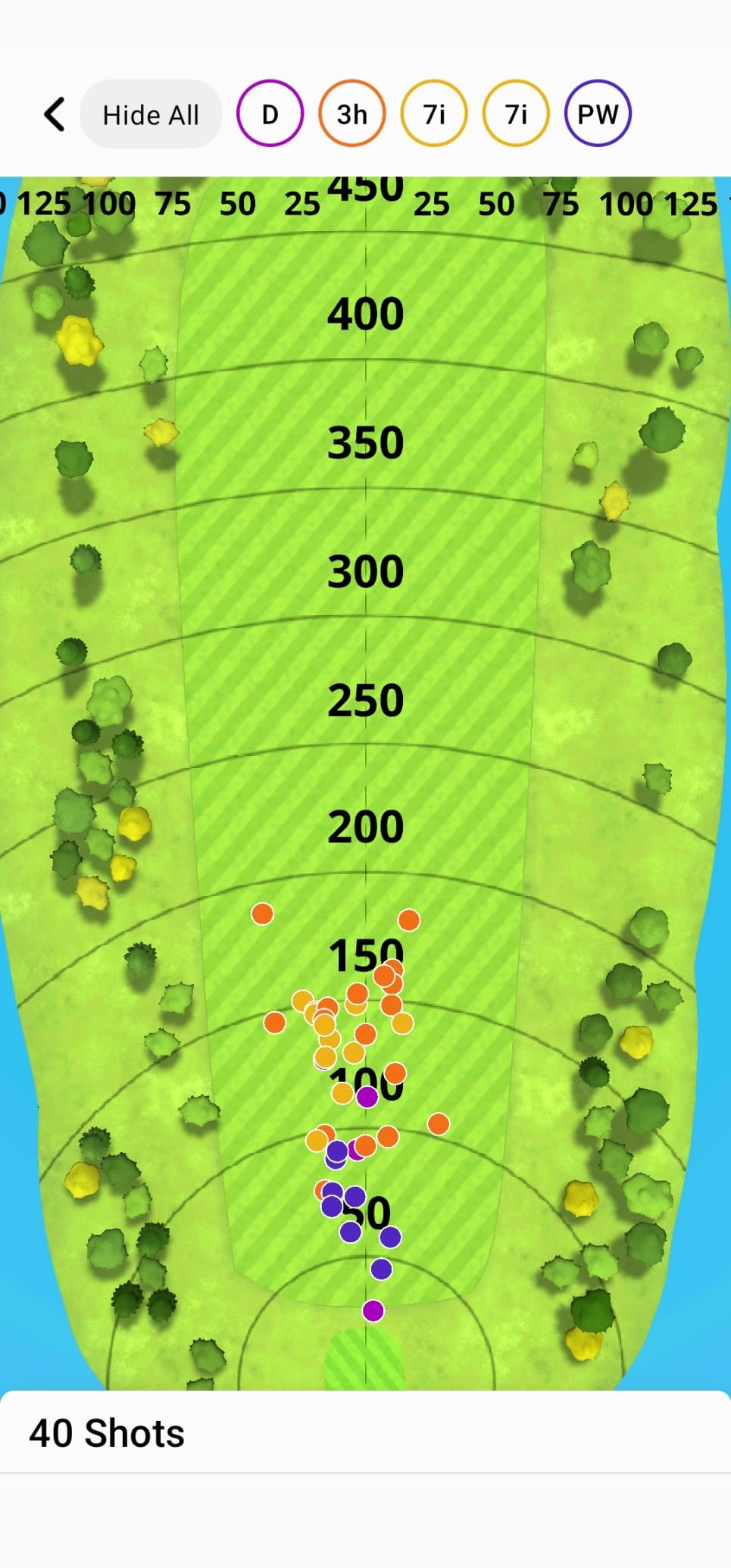
- Per-club stats with a shot dispersion chart
- Video clips recorded automatically with metrics
- Works indoors and outdoors from one device
Cons
- No built-in screen so a phone is required
- Club speed accuracy is about plus or minus 3 mph
- Full course play needs a Garmin Golf membership
I have put the R10 through more indoor sessions than any other unit in this guide, and the reason is simple: it does not care where it is. At 340 g it goes in a golf bag without thought, and the advertised battery life of up to 10 hours means a full winter of twice-weekly sessions without a charger.
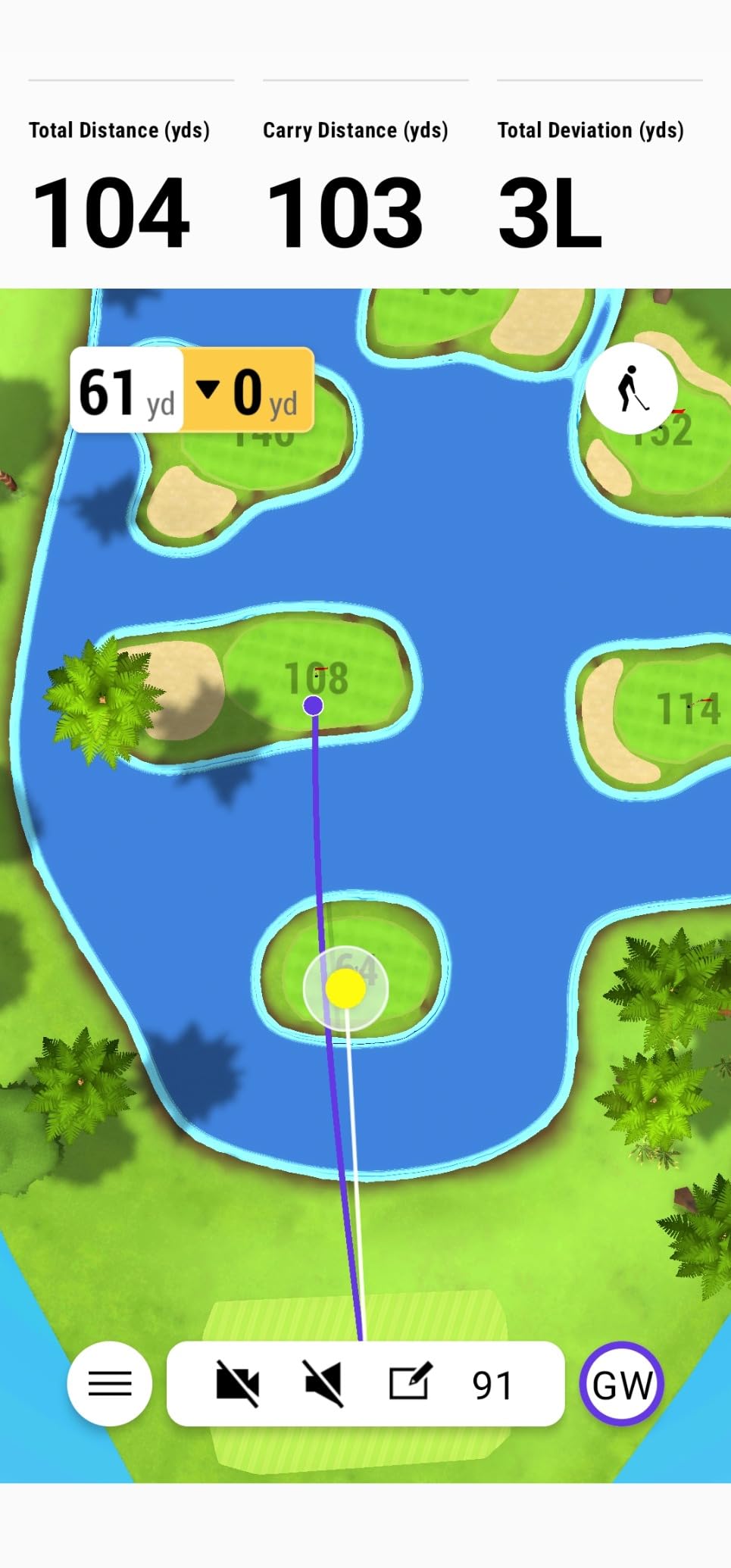
What it gives you is a clean set of radar numbers on your phone. Club head speed, ball speed, swing tempo, spin, launch angle and launch direction all show up in the Garmin Golf app, and the training mode sorts them per club so you can watch your dispersion pattern tighten over weeks. Automatic video clips with the metrics overlaid on each swing make it easy to see the difference between a good strike and a lucky one.
Two details make it work better indoors than its spec list suggests. The included phone mount clips to a bag or tripod so the screen sits where you can glance at it between shots without walking back, and the IPX7 rating means a wet garage or a damp basement is not a worry.
The published accuracy figures are approximate and worth understanding: club head speed within about 3 mph, ball speed within about 1 mph, launch angle within about 1 degree, launch direction within about 1 degree. That is more than tight enough to see a genuine change in your swing over a month of practice, but it is not lab-grade. Do not expect it to settle arguments about a 2 mph difference in driver speed.
How It Behaves in a Garage or Basement Bay
The R10 is radar, so it sits behind the ball and needs roughly 7 to 9 feet of depth behind your hitting position before it can track flight. In a single-car garage bay that is workable if the ball is not planted against the door. In a shallow shed it is tight, and no setting in the app will fix it.
The swing arc is the other constraint. Because the unit is small and low, you can use it without needing extra ceiling clearance, which makes it one of the safer picks for a low-ceiling room. The radar does not need to see the full arc of your swing the way a side-of-ball camera can, so a shorter room is workable where a full-size camera rig would not be.
Where It Falls Short of the Camera Units
Spin is calculated here, not photographed. Indoors, over a flight of roughly 20 feet, that calculation has less raw ball flight to work from than it would outdoors, so your spin figures will move around more than a camera unit’s would. If spin axis and launch window are what you are trying to train, this is not the device that will move them fastest.
There is also no screen of its own. If the shared phone or tablet is busy, or if you are the only person in the house who uses the bay, the extra step of opening an app before every session adds friction. And the full virtual course library sits behind a Garmin Golf membership, so treat that as a running cost, not a free extra.
2. Rapsodo MLM2PRO – Best Value Indoor Monitor With Measured Spin and Club Path
Rapsodo MLM2PRO Mobile Launch Monitor Golf Simulator | 3 Chrome Tour Balls
Radar plus dual cameras
3 inch LCD
15 metrics including club path
45 day premium trial
16 oz
Pros
- Dual cameras plus radar give data reviewers find within a few percent of TrackMan
- Club path measurement is rare at this level
- Included RPT balls improve spin read reliability
- Three-legged tablet stand included
- Frequent software updates add practice value
Cons
- Shared Wi-Fi connection problems reported by many owners
- Direct connection workaround blocks third-party simulator apps
- Course play needs a paid membership after the trial
The MLM2PRO is the unit I recommend to anyone who wants real spin data indoors without stepping up to a four-figure camera system. Radar and two cameras work together, and the combined output covers 15 metrics including spin rate, spin axis, carry distance, club speed and club path.
Club path is the headline. At this level of spending, measured club path is unusual, and it is the number that tells you whether a strike is square or how much you are cutting across the ball. Owners also point to the slow-motion impact view, which shows the club and ball contact directly and is the fastest way to spot a face-open miss.
Three Callaway RPT Chrome Soft X balls are included. That is not filler. Those balls are engineered with markings the cameras read cleanly, and they are the reason the spin numbers indoors are steadier than a generic ball would produce. Owners who switch to an unmarked ball should expect the spin read to get noisier.
The included 45-day premium trial and the stated library of more than 30,000 simulator courses make the software side feel generous at first. The important detail is what happens after the trial: the course library sits behind a paid membership, and you need to keep paying for it to keep playing. Treat that as an annual line item in your budget rather than a free feature.
Indoor Accuracy and Why the Cameras Help Here
The indoor environment is actually favourable to this unit, which is the opposite of the usual advice. Outdoors, a ball thrown at a hitting screen has no tracking data and the cameras fall back on radar. Indoors with RPT balls in a controlled light source, both cameras can see the ball through the early part of its flight, so the spin read is more direct than the outdoor version of the same swing.
The trade-off is placement. This is a radar-plus-camera device that lives behind and slightly to the side of the ball, so you need roughly 7 to 8 feet of depth behind your hitting position and a clear line for the cameras. In a bay built around a net and an impact screen this is easy. In a spare room it dictates the whole layout.
The Connectivity Catch Everyone Should Know About
The dominant complaint in owner reviews is not accuracy. It is Wi-Fi. Numerous buyers report local network drops or failures to record shots, and the common workaround is to put the device on a direct connection instead of shared Wi-Fi. That workaround fixes the drops but takes the unit off the local network, which stops third-party simulator apps such as Awesome Golf from seeing shots at the same time.
On an iPhone only three of the metrics display on screen versus six on an iPad, so pick your tablet deliberately. And chipping and putting reads are unreliable on this unit, with owners reporting degraded results on both. If short game is your focus, this is not the device.
3. Garmin Approach R50 – Best Premium Built-In Simulator With a Touchscreen
Garmin Approach® R50, Premium Golf Launch Monitor & Simulator
Three camera system
10 inch colour touchscreen
4 hours of battery
HDMI output
Built-in barometer
Pros
- Three camera system delivers high precision ball and club metrics
- 10 inch built-in touchscreen removes the need for another device
- Face to path tracking plus improved spin rate and axis
- Built-in barometer corrects carry for pressure
- HDMI output expands viewing for a dedicated bay
Cons
- Virtual rounds and course play require a Garmin Golf membership
- Face to path data needs the included club stickers
- Only about 4 hours of battery
- Very large and heavy footprint for a home bay
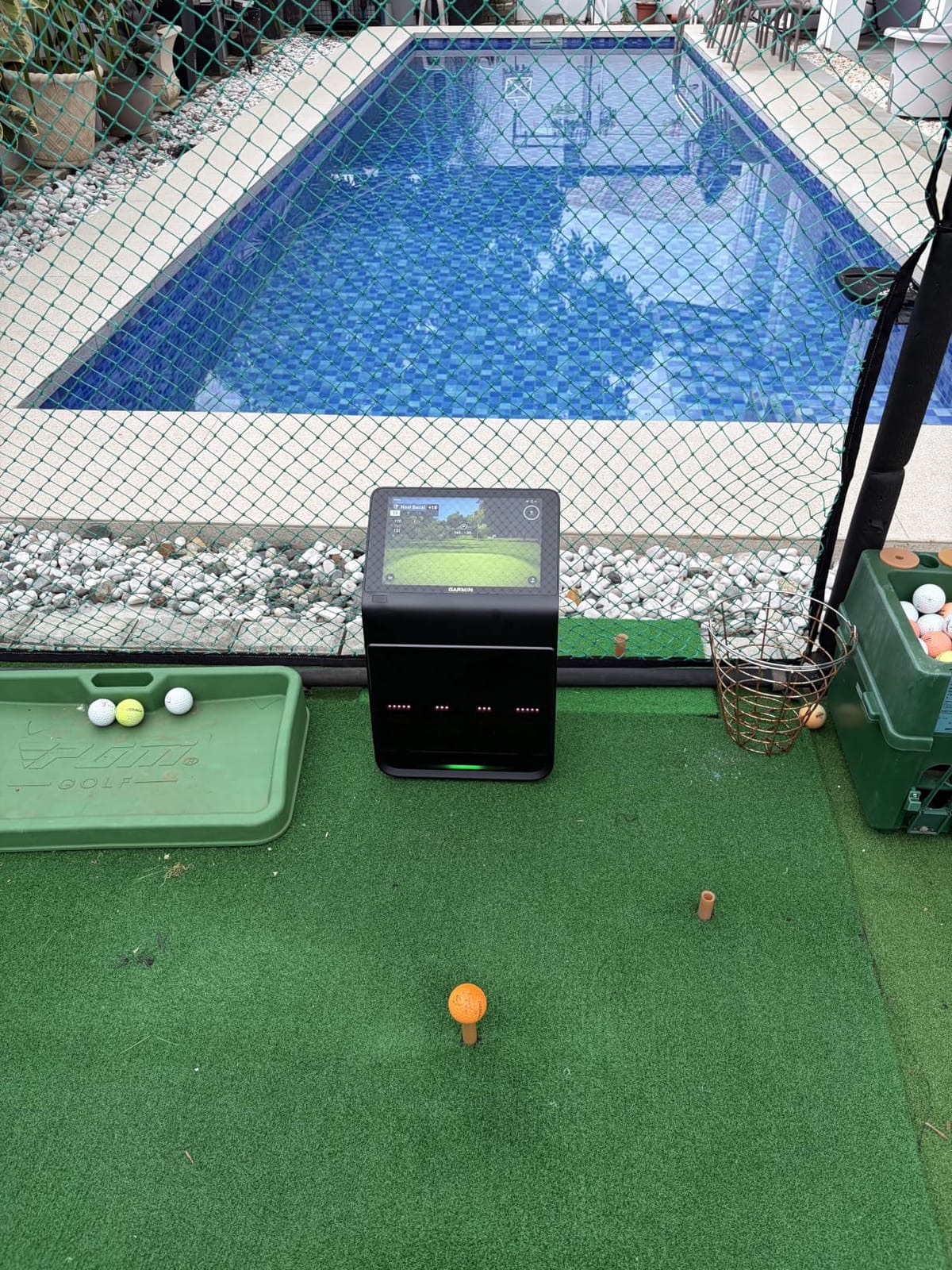
The R50 is the only device in this guide with a proper screen bolted to it. A 10 inch colour capacitive touchscreen means the bay does not depend on a phone, a tablet, or a laptop to show you anything, which removes the single most common point of failure in a home setup.
Underneath, it is a three-camera system reporting ball speed, launch angle, spin rate and spin axis, plus face to path tracking when you fit the included club stickers. The built-in barometer corrects carry distance for atmospheric pressure, which matters indoors more than you would expect in a basement where pressure can shift between seasons.
Training mode tracks per-club statistics and plots an advanced shot dispersion chart, and high-speed impact video gives you the strike quality frame straight away. Owners consistently single out the self-contained feel as the reason the room works, and the R50 draws the strongest rating average among the large multi-camera devices here at 4.4.
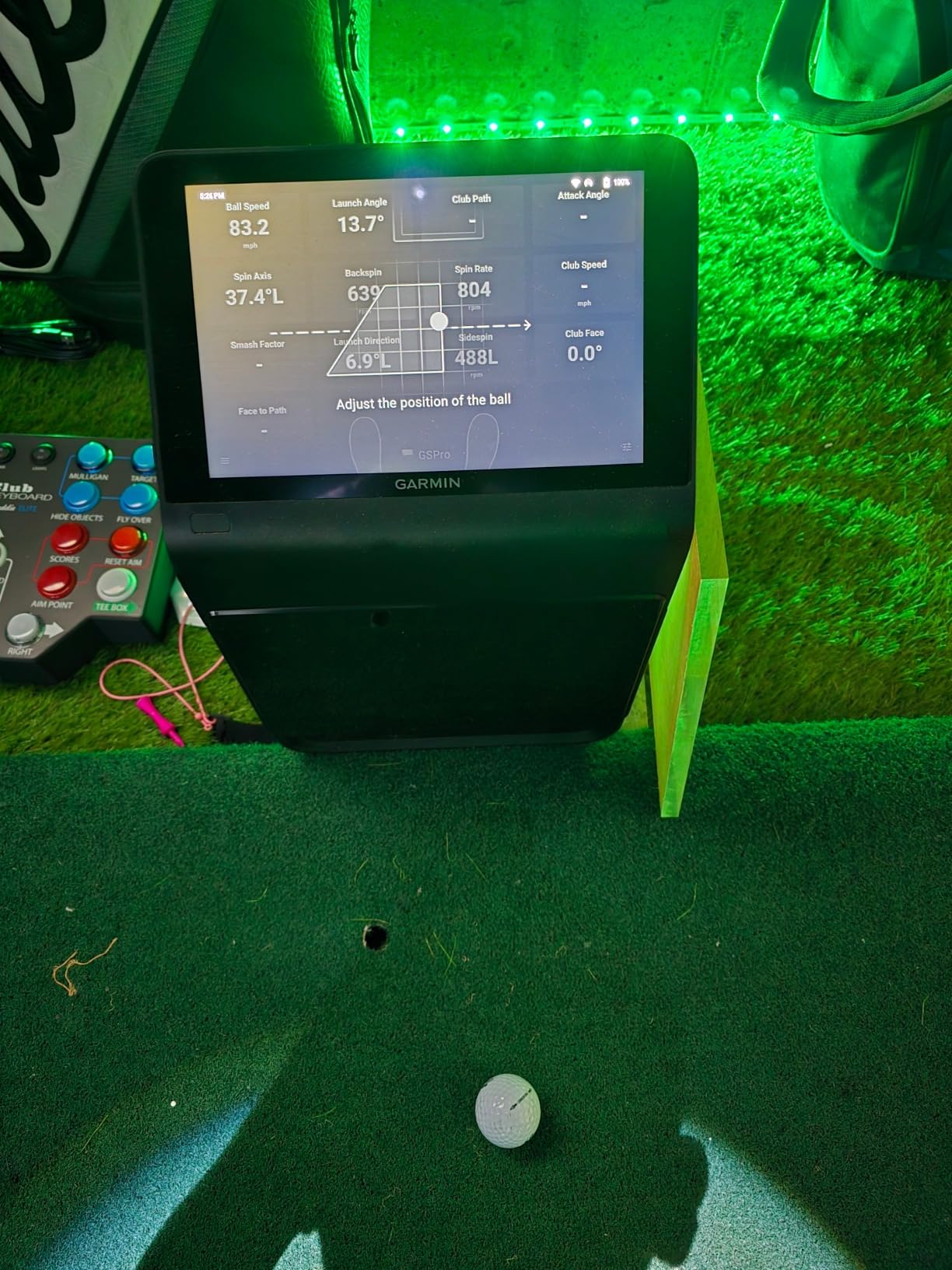
For a dedicated bay, the HDMI output is the feature that changes the maths. You can drive a projector or a large display from the R50 rather than routing everything through a gaming PC, which is exactly how you scale a simulator room from a screen on a stand to a projected course in an enclosure.
Virtual rounds including putting for up to four players run through Home Tee Hero across more than 43,000 courses, with a carrying case, club stickers, AC adapter and power cord in the box. This is a device designed to live in one room rather than travel between locations.
What It Costs You in Space and Battery
At 9 pounds and 10.6 by 7.5 by 16.5 inches, the R50 has the largest footprint of anything in this roundup. It is a floor-standing unit with a screen, not a pocket device, and it needs a stable surface beside the mat rather than a tripod leg.
The 4 hour battery life is genuinely short for a room device. In a home bay with power nearby this is a non-issue because you leave it plugged in, but it means the R50 is close to useless for range work unless you plan your session around a single charge.
The Membership Question and the Stickers
Course play is behind an active Garmin Golf membership, so the headline library is a subscription asset. If you only want data, the R50 works fine without it. If you want to play rounds, add the membership to your running cost from day one.
Face to path is one of the most useful numbers for a serious practice routine, and it only appears when you apply the included tracking stickers to the club faces. Owners sometimes find this undocumented at first, so budget ten minutes to label your irons before judging the metric.
4. PRGR HS 130-A – Best Swing Speed Trainer That Costs Almost Nothing to Run
PRGR HS 130-A Portable Golf Launch Monitor | Doppler Radar Measures Club & Ball Speed, Smash Factor, Total & Carry Distance | Tracks Swing Speed Training Aids
Doppler radar
4.9 oz
Runs on AAA batteries
500 swings stored in memory
IP54 rated
Pros
- Lowest running cost of any unit here with no apps or subscriptions
- Measures club head speed without hitting a ball
- 4.9 oz body and 20 hour style battery simplicity
- Stores 500 past swings for review
- Doubles as a multi-sport speed radar
Cons
- Speed metrics only with no launch angle spin or club path
- No simulator software or virtual course play
- Carry and total distance accuracy is limited
The HS 130-A does one thing properly. It measures club head speed, and it also lets you measure it without a ball, which is the feature that makes it useful in a living room rather than a bay.
Ball speed, smash factor, total and carry distance come from Doppler radar across a stated 135 to 270 yard measuring range. Club speed alone works on the swing stick drills that golfers use to add speed, and the dry practice mode means you can work on tempo and speed without filling a net with balls.
There is nothing to maintain. AAA batteries, no Wi-Fi, no Bluetooth, no app, no account. 500 past swings sit in memory so you can walk away and come back. At 4.9 ounces it lives in a bag and reviewers describe the form factor as genuinely pocketable.
Padraig Harrington is credited with using it for swing speed training, and it also works as a speed radar for baseball, tennis, soccer and hockey. If the household will use it for more than one sport, the effective cost per use drops further.
Why This Belongs in an Indoor Simulator Setup
It belongs as a companion rather than as the sensor for your simulator. Put it in a spare room with a mat and swing stick, work on raw speed, and use one of the camera or radar-plus-camera units for the full metric set in the bay. That combination covers the two things golfers actually chase: faster clubhead speed and better contact.
Because it tracks a moving object with radar and does not need to see the ball in flight, the space requirement is modest. It wants to sit behind the ball in the direction of the swing, but the depth it needs is well under what a flight-tracking unit demands.
What You Give Up Compared With the Full-Stack Units
There is no launch angle, no spin rate, no club path and no face angle. That means it cannot tell you why your ball flight looked the way it did, only how fast it left. For a first step into data or for speed-focused practice it is complete. For gapping, launch window work or dispersion analysis it is not the tool.
Carry and total distance accuracy is limited compared with camera-based systems, so do not use these numbers for club gapping or to build a distance chart you will play with. Treat them as a speed number and nothing more.
5. Voice Caddie SC200 Plus – Best Standalone Indoor Trainer With No Phone and No Fees
Voice Caddie SC200Plus Portable Golf Launch Monitor and Swing Analyzer with Real-Time Shot Data Tracking – 12-Hour Battery Life
Doppler radar
8 oz
Up to 20 hours of battery
Built-in LCD with voice output
Swing speed mode
Pros
- 20 hour battery supports long practice sessions
- Built-in LCD and voice output need no phone
- Swing speed mode allows dry practice without balls
- Adjustable loft angles for different clubs
- Stores shot data and per-club averages
Cons
- Speed and distance metrics only with no spin or club path
- No virtual course play or connected software
- Dated single colour display
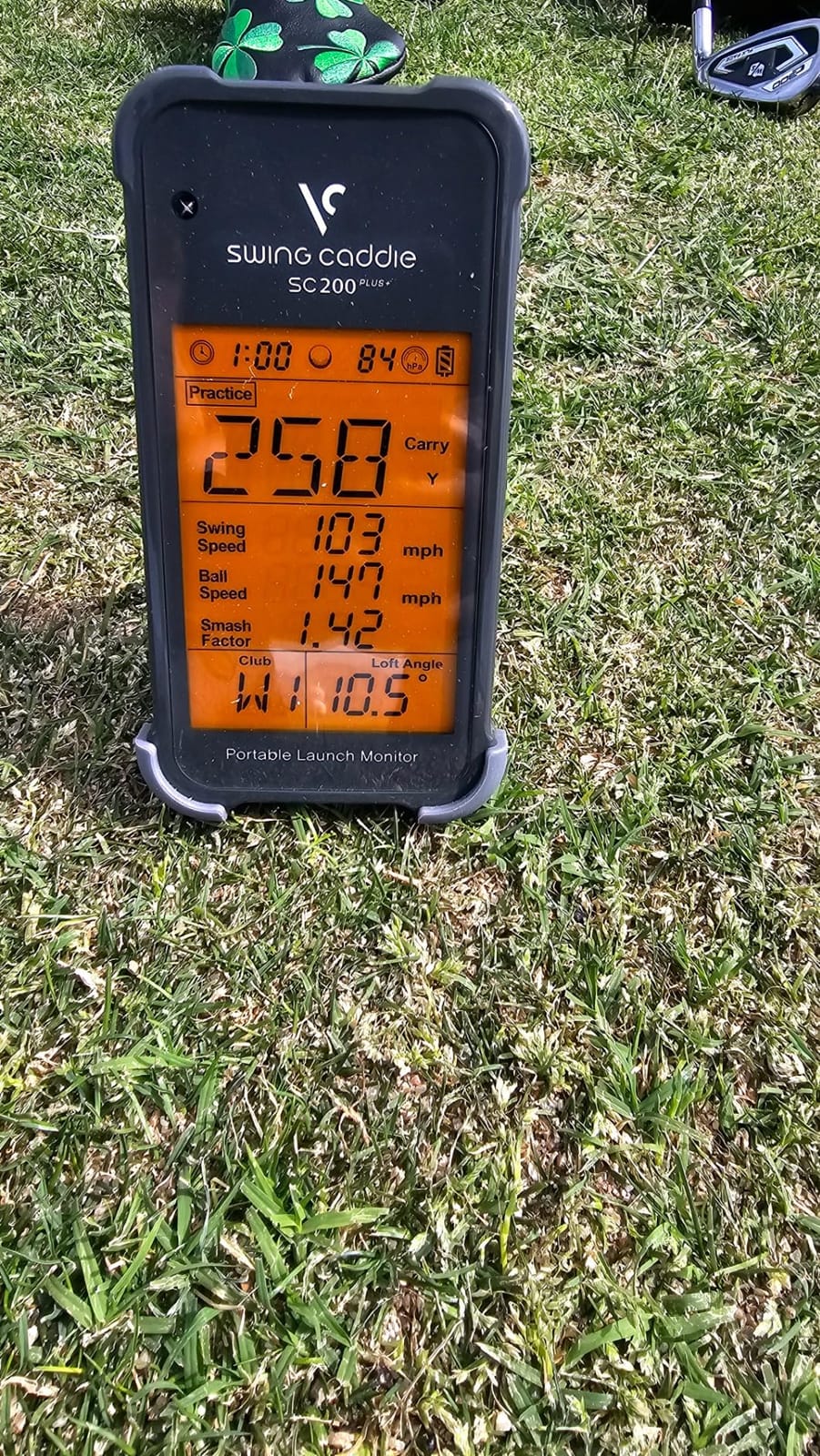
The SC200 Plus has been in the category for years and its reason for existing has not changed: it gives you speed and distance numbers with nothing between you and the feedback. Press a button, hit, and the LCD plus voice output tell you what happened.
Atmospheric pressure calibrating sensors adjust readings for conditions, which is a nice touch in an unheated garage where pressure moves with the weather. Adjustable loft angles let you set a club profile so the distance numbers reflect the iron or wedge you are actually hitting, and the stored statistics give you per-club averages to compare against later.
Reviewers value the battery most. Up to 20 hours means you can leave it on the shelf for weeks and pick it up without thinking about a charger, and the swing speed mode lets you practise without balls at all in the tightest rooms.
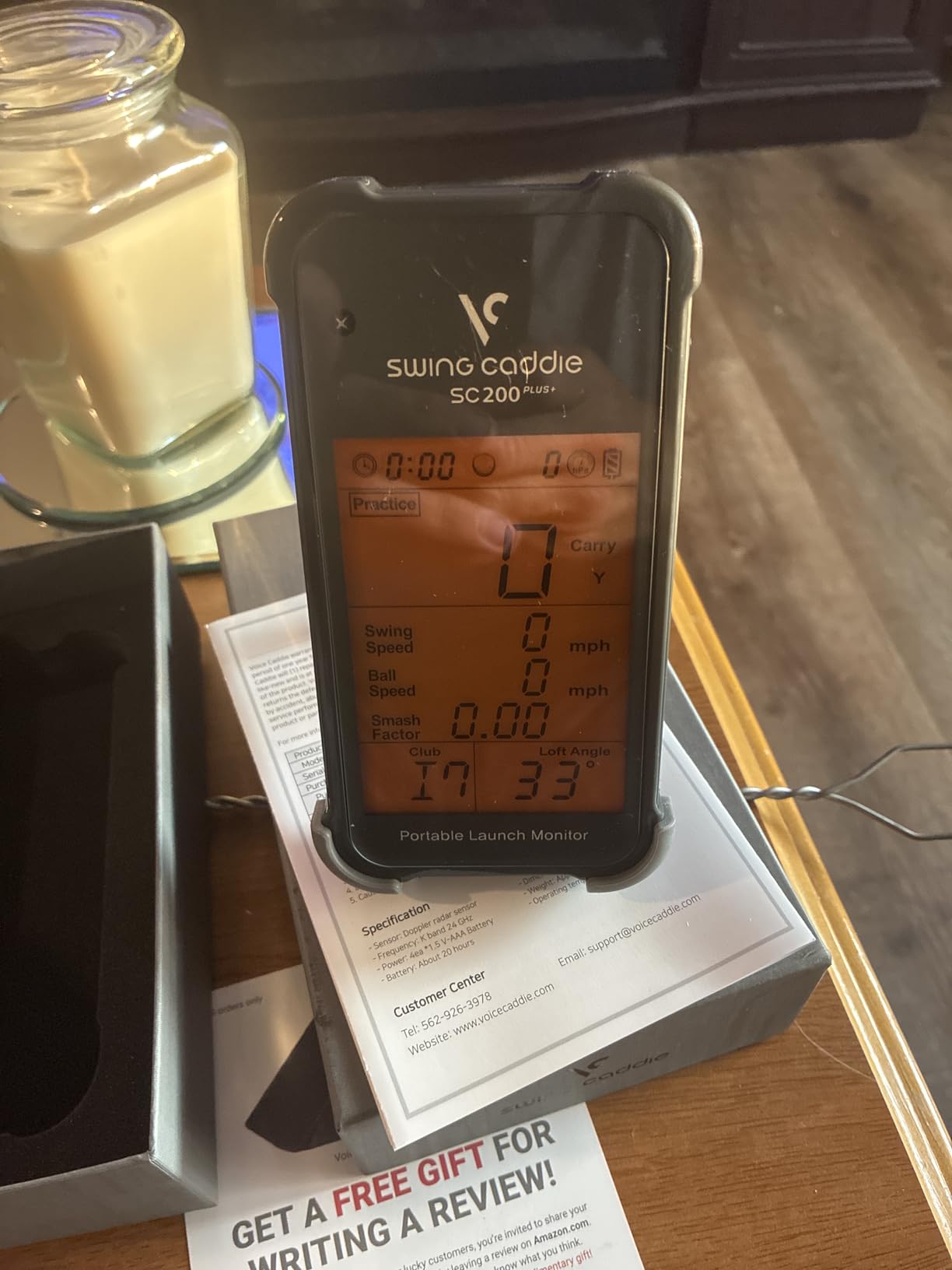
The design is dated and does not pretend otherwise. It is a single-colour LCD, buttons, and a voice callout. There is no video, no course play, no phone pairing and no software to update, which also means there is nothing to go wrong.
Best Use Case: The Shared Family Basement
This is the unit to buy when more than one person will swing and nobody wants to fiddle with an app. It is fast to start, readable from three feet away, and it does not care whose phone is nearby. In a shared basement or a garage that doubles as storage, that simplicity is worth more than a metric list.
The dry swing speed mode makes it the rare device that works in a genuinely small space. No ball, no flight, no net damage, and the numbers still move in a direction that means something.
Where the Limits Bite
This is a speed-and-distance device, not a simulator sensor. No spin, no launch window, no face-to-path data, and no virtual courses of any kind. If your goal is to change ball flight, this will not get you there.
Distance accuracy is radar-derived and limited in the same way the PRGR is, so the numbers are useful for tracking your own progress over a month rather than for absolute yardages you will trust on a course card.
6. TAGCMC GX-10 – Best Full Metric Set With No Subscription App
Golf Launch Monitor & Portable Simulator, Tracks 13+ Metrics Swing Analysis
1.4 lb metal body
Environment sensors
3D trajectory views
No subscription app
Pros
- No subscription needed for the app or the 3D driving range
- Environment sensors auto-adjust shot data to conditions
- Sensitivity can be calibrated against a reference monitor
- 45 and 90 degree views make indoor practice visual
- Compact metal body works across iOS Android and HarmonyOS
Cons
- Out-of-the-box speed readings run high and need adjusting
- Connection and charging problems reported by some buyers
- Small review base of 94 ratings
The GX-10 stands out for one reason: the app costs nothing. There is no membership, no trial that expires into a paid tier, and no premium course library sitting behind a login. The 3D driving range with 45-degree and 90-degree viewing options is included from the first launch.
The metric list is longer than you would expect at this level. It reports spin rate, spin axis, swing speed, attack angle and launch angle, and it includes a swing-only mode plus clubface impact visuals so you can practise without balls.
Built-in temperature, humidity and barometric sensors auto-adjust the data to conditions. In a basement that swings between seasons this is a real feature rather than a spec-sheet line, because your readings on a cold morning should not look worse than on a mild evening for no good reason.
The metal body at 1.4 pounds and 8.58 by 6.65 by 1.89 inches is heavier and more stable than a plastic unit of the same class, which helps when you are hitting from a tee in a room with hard floors.
It runs on iOS 11 or later, Android 11 or later and HarmonyOS 4.0 or later, with English, Chinese and Japanese support, and it connects over Bluetooth. That is a broad device list compared with the Windows-only systems further up this page.
The Calibration Step You Cannot Skip
Out of the box the speed readings run high. Several reviewers dialed the sensitivity down to roughly 93 to 94 percent to match a reference launch monitor they already owned, which is exactly the right procedure and takes about five minutes in the app.
Do this before your first real session rather than after a month of chasing numbers that are offset by a fixed margin. The environmental sensors handle weather, but the sensitivity adjustment handles the unit itself, and the two are separate settings.
What Owners Like and What They Flag
The zero-cost app is the reason most buyers are happy. Gamified 3D trajectory views give an indoor practice session something to look at when there is no screen and no course, which matters if your bay is a net and a mat in an empty garage.
Two caveats are worth knowing. There are no cameras here, so chip and putt reads are limited and short game will not improve much. And a review base of 94 ratings means the long-term reliability record is still short, which matters more for a device you plan to keep for years.
7. TheStack Radar – Top Rated Speed and Wedge Training Tool
TheStack™ Radar – Portable Golf Launch Monitor, Swing Speed & Ball Tracker
Radar at 0.12 kg
Stack Wedging and Putting apps
Swing and ball speed
Pros
- Highest average rating of any unit in this roundup
- Compact 0.12 kg body that clips to a bag or Stack setup
- Measures swing speed ball speed smash factor and estimated carry
- Stack Wedging drills give structured practice
- Sports a 6.89 by 3.23 by 1.38 inch footprint
Cons
- No ball tracking spin data or course play
- Stack Wedging and Stack Putting apps are iOS only
- Carry distance is estimated not measured
The Stack Radar earns its 4.6 average honestly. Seventy-eight percent of its ratings are five star and almost no reviews land in the two-star bucket, which is the cleanest satisfaction profile of any device we looked at.
What it measures is swing speed, ball speed, an estimated carry distance and smash factor, and it sends all of it over Bluetooth to TheStack App on iOS and Android. The Stack Wedging app turns those numbers into gamified, skill-specific practice sessions with a one-month free trial, and access to the Stack Putting guided practice app is bundled in.
At 0.12 kg it is the lightest radar unit here by a wide margin, and it clips into a Stack setup or straight onto a bag. Matt Fitzpatrick, a US Open champion, is associated with it, which tells you what kind of training it is built around.
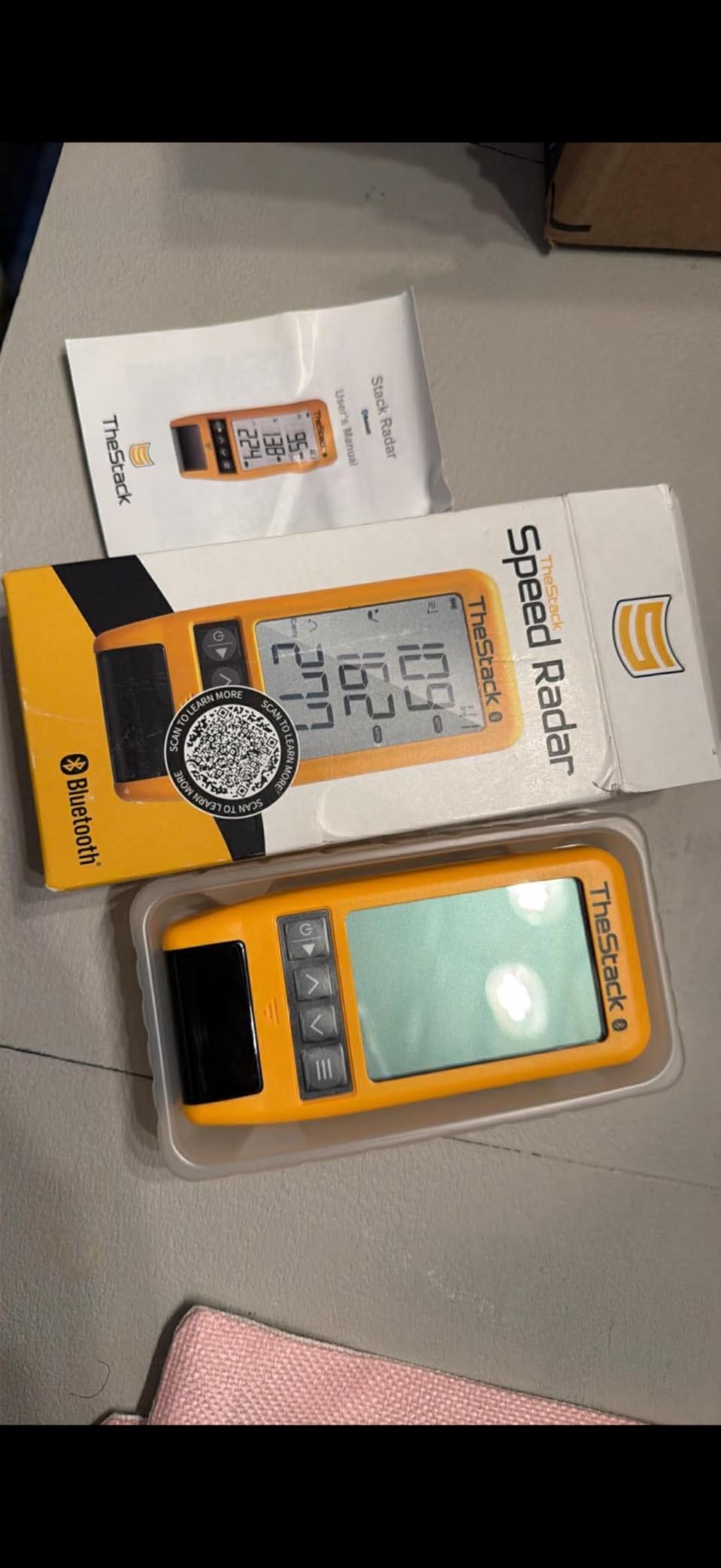
The wedge focus is what separates it from the other speed devices in this guide. Where the PRGR gives you a number and stops, the Stack turns the number into a practice structure. If your goal is controlling your gaps with your wedges, this is the most direct path I have found to a device that costs little and needs no subscription to be useful.

Why It Is Not a Simulator Sensor
Call it a training tool rather than a measurement layer for a simulator room. There is no ball tracking, no spin rate, no club path, no video and no virtual course play. If your bay needs to report launch window or descent angle, you need one of the camera units.
Carry distance is estimated from speed rather than measured from real ball flight, so the number is useful for comparing sessions, not for building a distance chart you will play by. In a small indoor room this is exactly the right compromise: it needs very little space and gives you a consistent trend line.
The iOS Limitation and the Verdict
Stack Wedging requires iOS 15.0 or later and Stack Putting is iOS-only, so Android owners get the speed data but not the wedge and putting apps. The speed training app itself now supports Android, which narrows the gap but does not close it.
Owners are uniformly positive about reliability, which is not something we can say for every unit in this price range. If you are a wedge-and-speed golfer with an iPhone and a small bay, this is the one I would pick first.
8. Uneekor EYE MINI CORE – Best Camera Unit for a Dedicated Simulator Room
Uneekor EYE MINI CORE Golf Launch Monitor & Simulator, 15 Ball Data Points, Near-Zero Latency, Works with GSPro, TGC19 & E6
8.4 lb metal body
Hardwired Ethernet
15 ball data points
Reads any dimple pattern
2 year warranty
Pros
- Metal construction with about twice the hitting area of cheaper camera units
- Virtually no misreads or no-reads reported
- Dimple Optix reads any ball so no stickers are needed
- Ethernet connection gives near-instant results
- Works with GSPro E6 Connect TGC19 and Creative Golf 3D
Cons
- Club data metrics are not included at this level
- Bundled course selection is thin and a subscription is needed for GSPro
- Needs a gaming-class PC and often a second display
The EYE MINI CORE is the first device on this page that I would describe as solving the indoor accuracy problem rather than approximating it. High-speed cameras and infrared sensors deliver near-zero latency, and owners upgrading from cheaper camera systems describe the step up in build quality and read reliability as decisive.
Dimple Optix reads any dimple pattern, which means you can use the balls already in your bucket. No stickers, no premium ball requirement, no separate consumable line in your budget. That alone removes the most common indoor accuracy complaint.
Reviewers report essentially no misreads across large volumes of shots, and the hardwired Ethernet connection is why. No Wi-Fi negotiation, no dropped packets between strike and screen, and a result that appears before you have finished walking to the monitor.
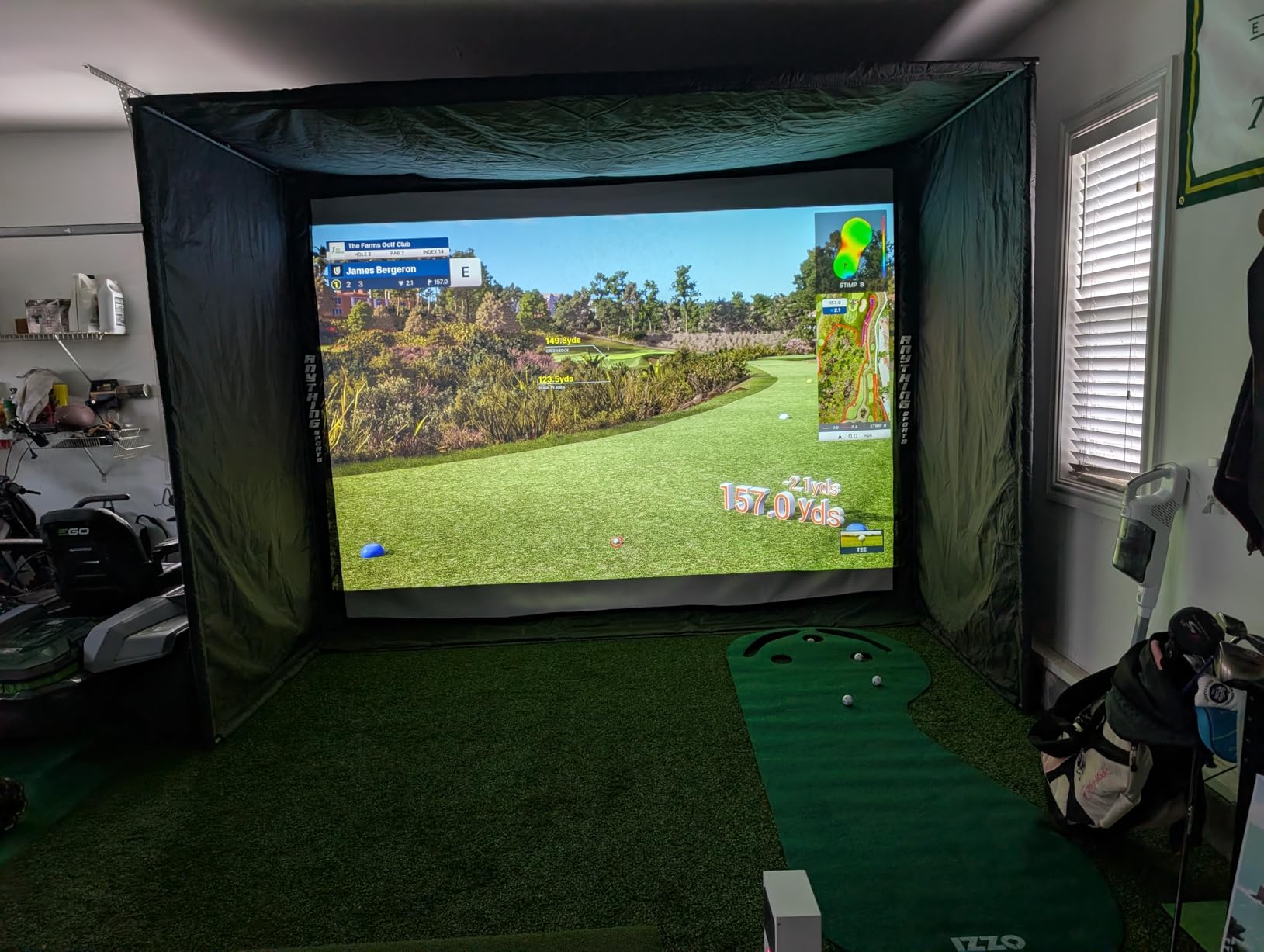
The software is called VIEW and reports 15 ball data points with session reports. It ships with a 3-month trial of the Ultimate Package including GameDay 4K competitive modes, which need dual displays to show properly, and Swing Optix is sold separately if you want AI Trainer feedback.
The compatibility list is the real argument for it: GSPro, E6 Connect, TGC19 and Creative Golf 3D all work with it. If you want your simulator software to be a choice rather than a commitment, this is the device that gives you one. The box includes 20 club sticker sheets, a CAT6 Ethernet cable, a LAN to USB cable and the power cable and adapter.
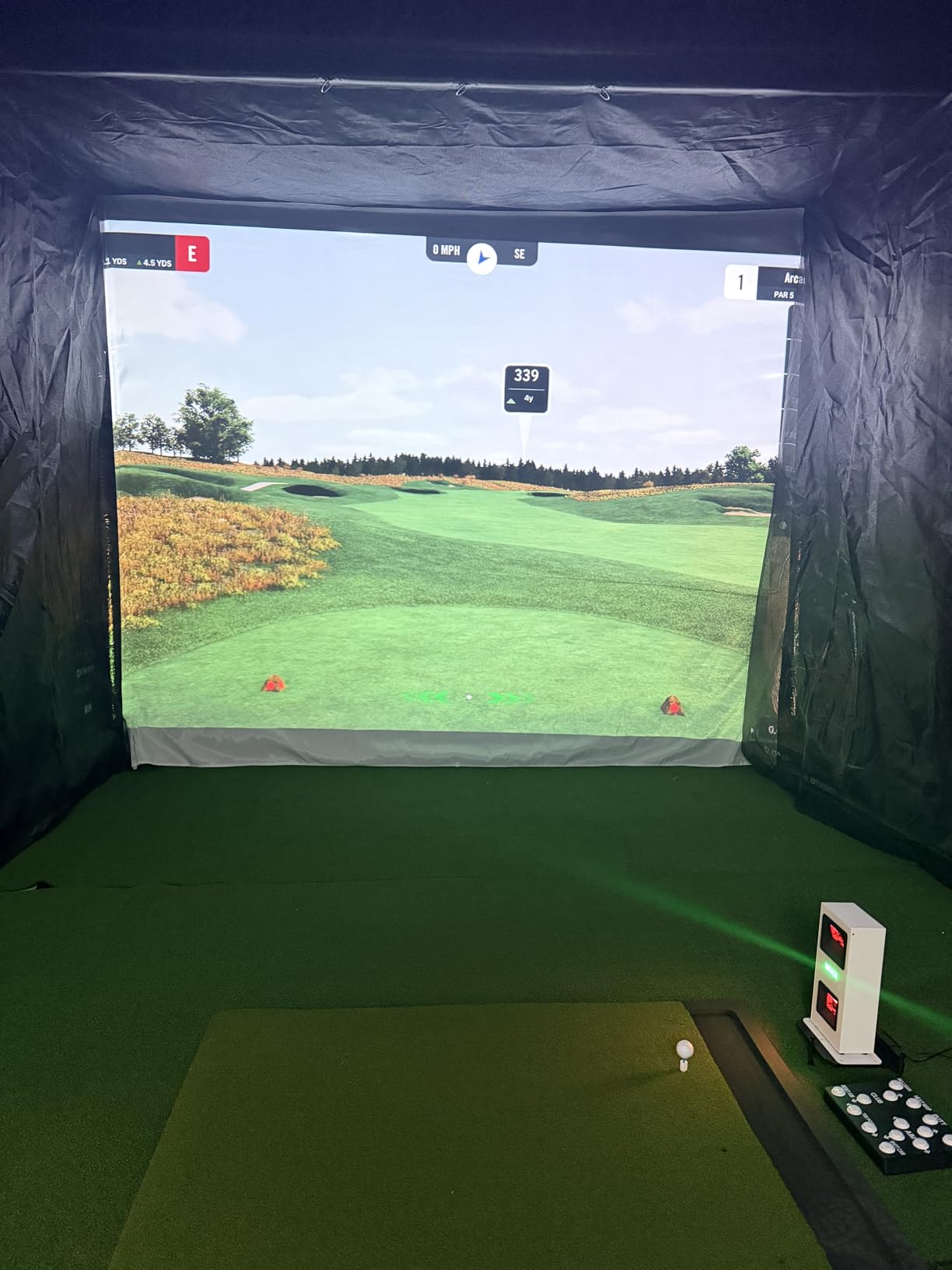
What Your Computer Has to Be
Documented requirements are published, which is more than most rivals offer. For VIEW you need an i5 Gen12 or Ryzen5 equivalent, 16GB RAM, a 256GB SSD, an RTX3060 6GB graphics card, Windows 11, an RJ45 port and a 25Mbps connection. For simulation software the ask rises sharply: i7 Gen12 or Ryzen7, 32GB RAM and an RTX4070 16GB.
That is a gaming PC, not an office machine. Budget for it as part of the room build rather than as an afterthought, because the software will run and look poor on anything less.
Where the Limits Sit
Club data metrics such as swing speed, swing direction and face-to-path are not included at this level. If ball data is your priority, this is strong. If you want club delivery data alongside it, you need to step up.
The bundled course library is thin and GSPro or GameDay need a separate subscription. Putts and delicate chips can fail to read, which is common to camera systems generally and worth knowing before you build your practice plan around them.
9. FlightScope Mevo Gen2 – Best No-Subscription Indoor Monitor With a Lifetime Course Bundle
FlightScope Mevo Gen2 Portable Golf Launch Monitor and Simulator with 18 Swing Data Parameters, Front Facing Camera, 8 E6 Simulation Courses with GPS Overview and Shot Tracer | Indoor and Outdoor
1.1 lb body
Fusion radar plus image processing
Lifetime course bundle
6 hours of battery
Pros
- No subscription and no hidden or annual licence fees
- Lifetime E6 Connect bundle with 8 named courses
- 3D ball flight animation over swing video
- Fusion Tracking combines radar and high-speed image processing
- Front-facing camera with multi-cam support
Cons
- Setup is difficult and some buyers needed hours of support
- Some courses need a stronger graphics card than stated
- Some units captured few shots and lost connection
The Mevo Gen2’s pitch is economic: it is the only unit here with no subscription, no hidden fees and no annual licence. The lifetime E6 Connect bundle includes eight courses such as Kiawah Ocean Course and Torrey Pines, and they stay yours.
Measurement uses patented FlightScope Fusion Tracking, combining 3D Doppler radar with synchronised high-speed image processing across 18 swing, chipping and putting data parameters. That is one of the broadest metric sets in the guide, and it covers putting and chipping, which most rivals at this level do not.
The FlightScope Tracer renders the 3D ball flight path as an animation over your swing video with the data overlaid. For indoor practice where the ball hits a net 12 feet away, seeing the shape of the trajectory is often more instructive than the number itself.
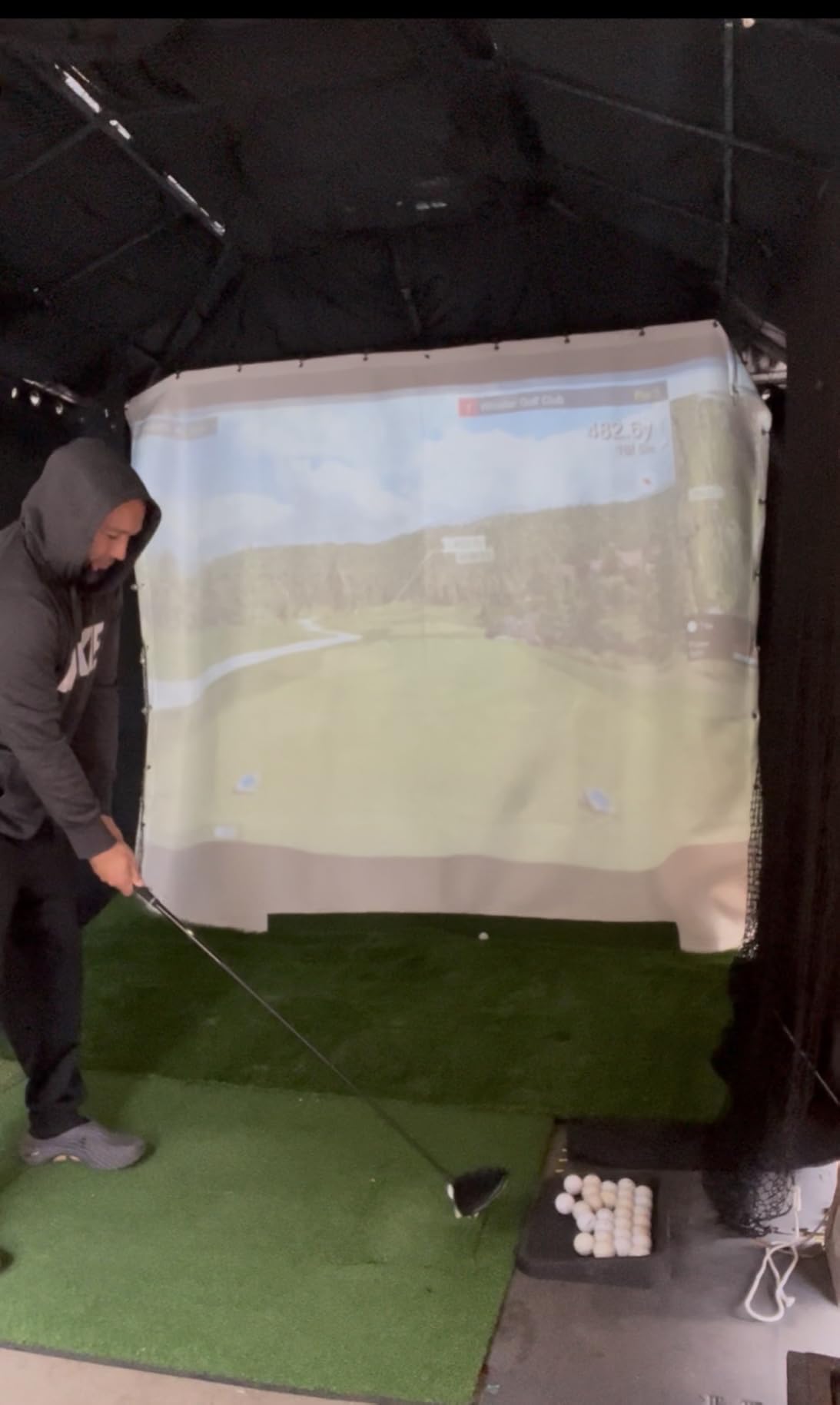
A front-facing camera records you, and multi-cam support handles up to three connected mobile devices for multi-angle video. The body is 1.1 pounds with up to 6 hours of battery, and aluminium club stickers plus a carrying case and charging cable are in the box. A range ball setting improves accuracy when you use driving-range balls outdoors.
Setup Is the Hard Part
Reviews split sharply on execution, and the split is about setup rather than data. Some buyers report accurate, easy data from the first session. Others describe a painful setup, hours of support calls, and units that tracked only a small fraction of shots before losing connection repeatedly.
Two specific issues appear repeatedly. Only one mobile device can connect at a time, so a shared bay with two people hitting alternately will need patience. And some courses need a stronger graphics card than the stated minimum, which means your PC specification quietly sets a ceiling on what you can play.
Who This Suits and Why the Maths Works
Choose it if your objection to premium hardware is the recurring fee rather than the price tag. Over a five-year ownership period, a device with a lifetime bundle and no annual charge ends up in a very different financial place from one whose course library needs renewing every year.
Give it more thought if you are not prepared for setup support. Set aside an evening with the manual, confirm your graphics card against the course list, and run a hundred shots on the range before trusting it indoors.
10. Izzo Swami Launch Master Pro – Best Spec Sheet Per Dollar, Weakest Owner Confidence
Izzo Golf Swami Launch Master Pro Golf Launch Monitor
Doppler radar
30 to 420 yard range
Launch attack and spin data
Live weather sensors
10.5 by 9 inches
Pros
- Wide 30 to 420 yard measuring range
- Reports total carry speed launch attack and spin data plus apex
- Customisable club type and loft settings
- Integrated temperature humidity and altitude sensors
- Flat form factor suited to a net or range bay
Cons
- Lowest average rating in this lineup with an 18 percent two-star share
- Only 27 ratings limits confidence in long-term reliability
- No camera or video capture and no course play
- Unknown brand with a limited published record
On paper this is the most generous data set for the money. Doppler radar sensors report total distance, carry distance, swing speed, ball speed, smash factor, launch angle, attack angle, spin rate and apex. Very few devices in this guide list attack angle and apex alongside spin at this level.
The 30 to 420 yard measuring range covers the full span from a chip to a driver, and customisable club type and loft settings let you tune the outputs per club. Integrated live weather sensors handle temperature, humidity and altitude compensation, so readings stay comparable across a season.
The physical design suits an indoor bay: a flat 10.5 by 9 by 1.25 inch footprint that sits on the floor or a low shelf rather than on a stand, and a digital output that feeds the companion app.
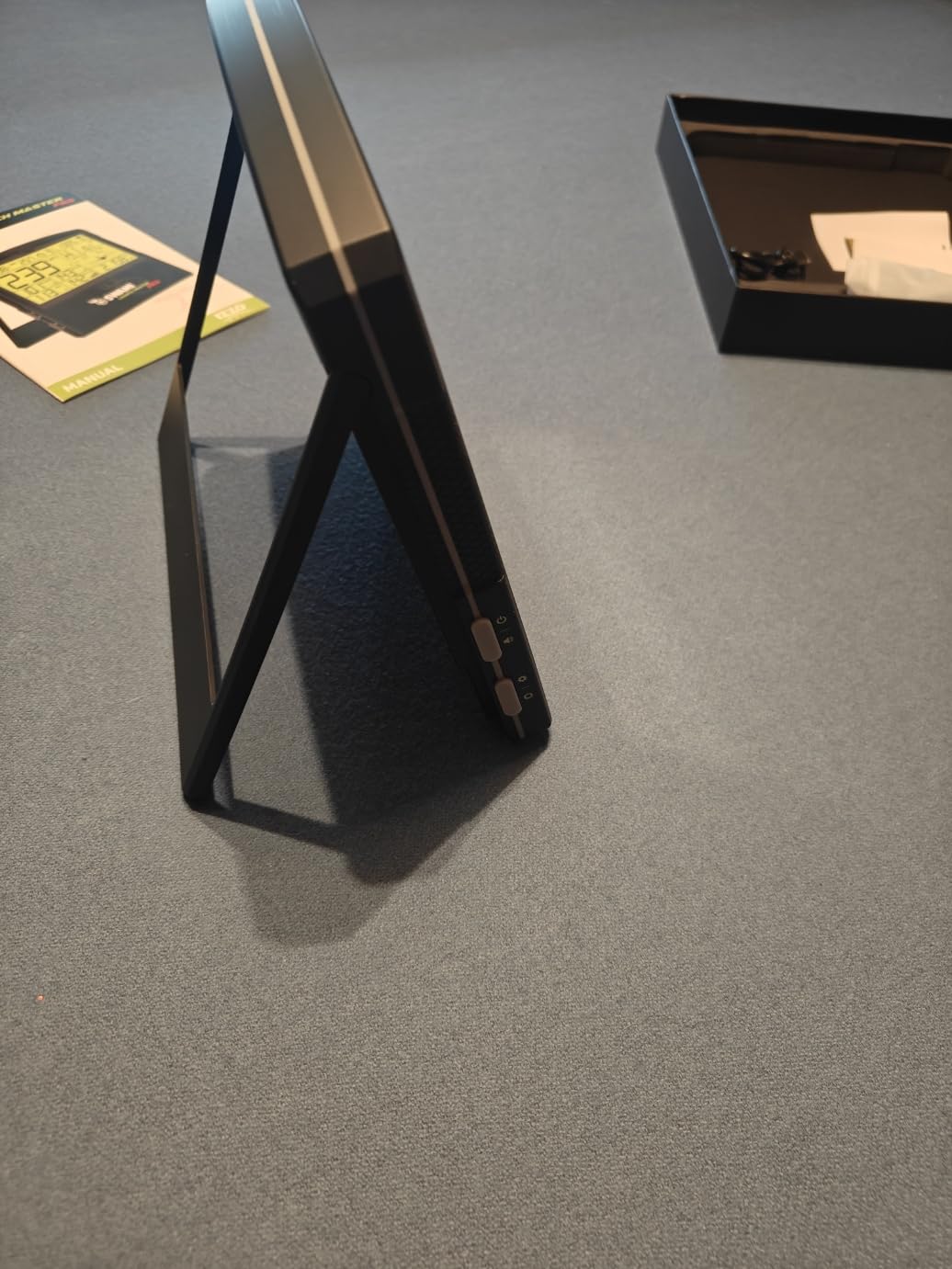
Here is the honest part. Its 3.9 average is the lowest in this roundup, and 18 percent of its ratings are two star, which is a meaningfully higher share than the rest of the field. The review base of 27 ratings is also the second smallest here.
Why We Would Still Consider It
Metric coverage is genuinely broader than several higher-rated devices. If your practice plan is built around attack angle, apex and launch angle together, no other unit at this level of hardware gives you all three without a subscription behind them.
The wide range and weather compensation also make it a sensible range-side or net-side unit where you need to measure both a wedge and a driver without changing settings.
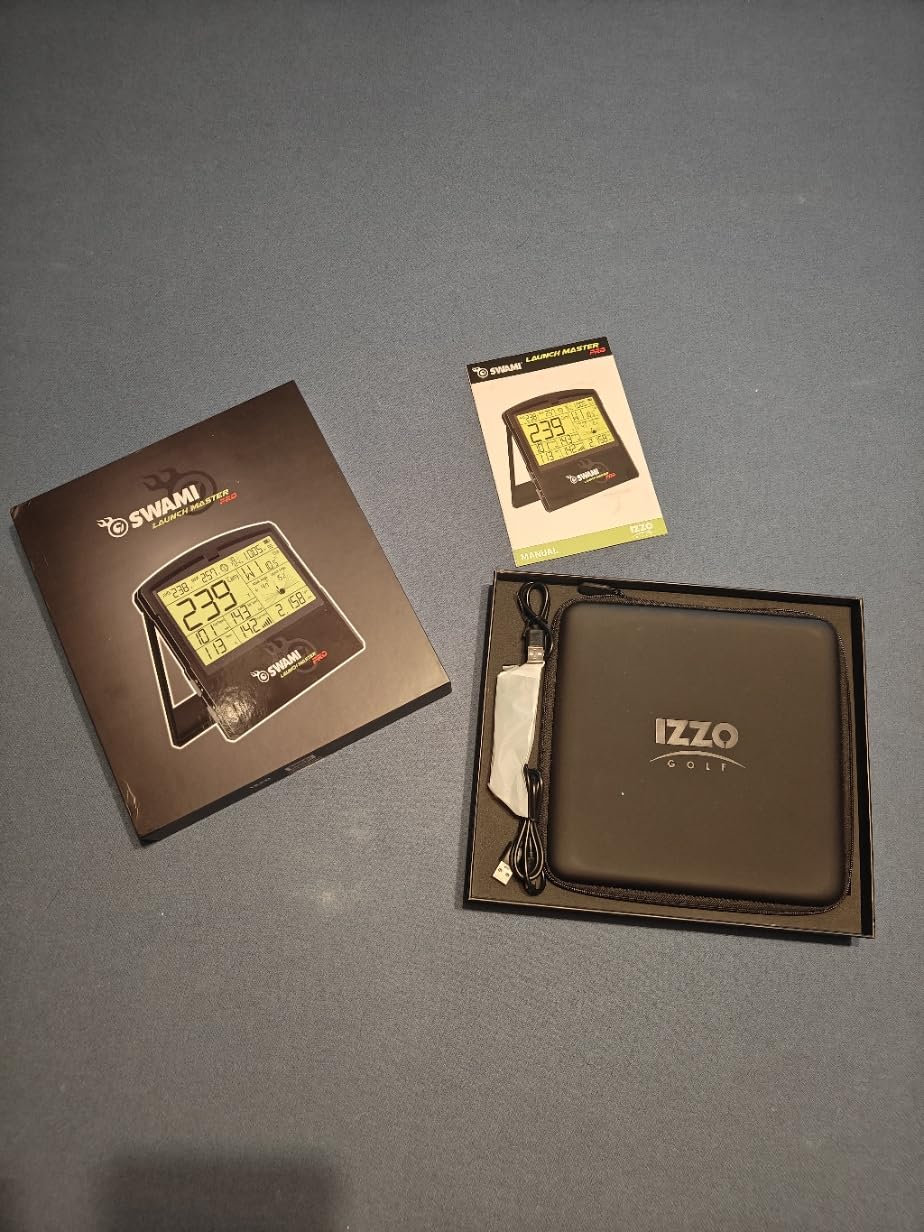
Why We Would Think Twice
Support and software polish are the concern. Buyers should expect less refinement around the app and around help when something does not go right, and a small sample size means the reliability record over five years simply does not exist yet.
There are no cameras and no video, so no swing replay and no course play. If you are building a simulator experience rather than a data tool, that is a real gap rather than a minor one.
11. Garmin Approach G82 – Best Radar Unit That Doubles as an On-Course GPS
Garmin Approach® G82, Portable Golf Launch Monitor & Premium GPS Handheld
5 inch touchscreen
10.9 oz
Radar speed and smash factor
Putting stroke metrics
25 hours in GPS mode
Pros
- Works as a premium GPS handheld with 43000 preloaded courses
- 5 inch high-resolution touchscreen
- Radar reports ball speed club speed smash factor and tempo
- Putting metrics add stroke length and tempo data
- Bag mapping feeds launch data into the virtual caddie
- Up to 25 hours in GPS mode and 8 in radar mode
Cons
- Radar metrics only with no camera spin or course play
- Green contour and aerial data need a Garmin Golf membership
- Approach CT10 club sensors sold separately
The G82 is the odd one out in the best way. It is a premium GPS handheld with 43,000 preloaded courses on a 5 inch touchscreen, and it also contains a working radar launch monitor. Most launch monitors go stale the moment you leave the house.
The radar side measures ball speed, club speed, smash factor and swing tempo, and the integrated launch monitor also captures putting stroke length and tempo along with club and ball speed. Putting metrics are rare on a radar device and genuinely useful for anyone who wants stroke data alongside swing data.
Bag mapping evaluates your clubs and feeds the launch data into the virtual caddie, so a practice session in the garage can inform a club selection on the course. It comes with a radar stand and a carabiner bag clip, plus a magnetic cart mount, at 10.9 ounces.
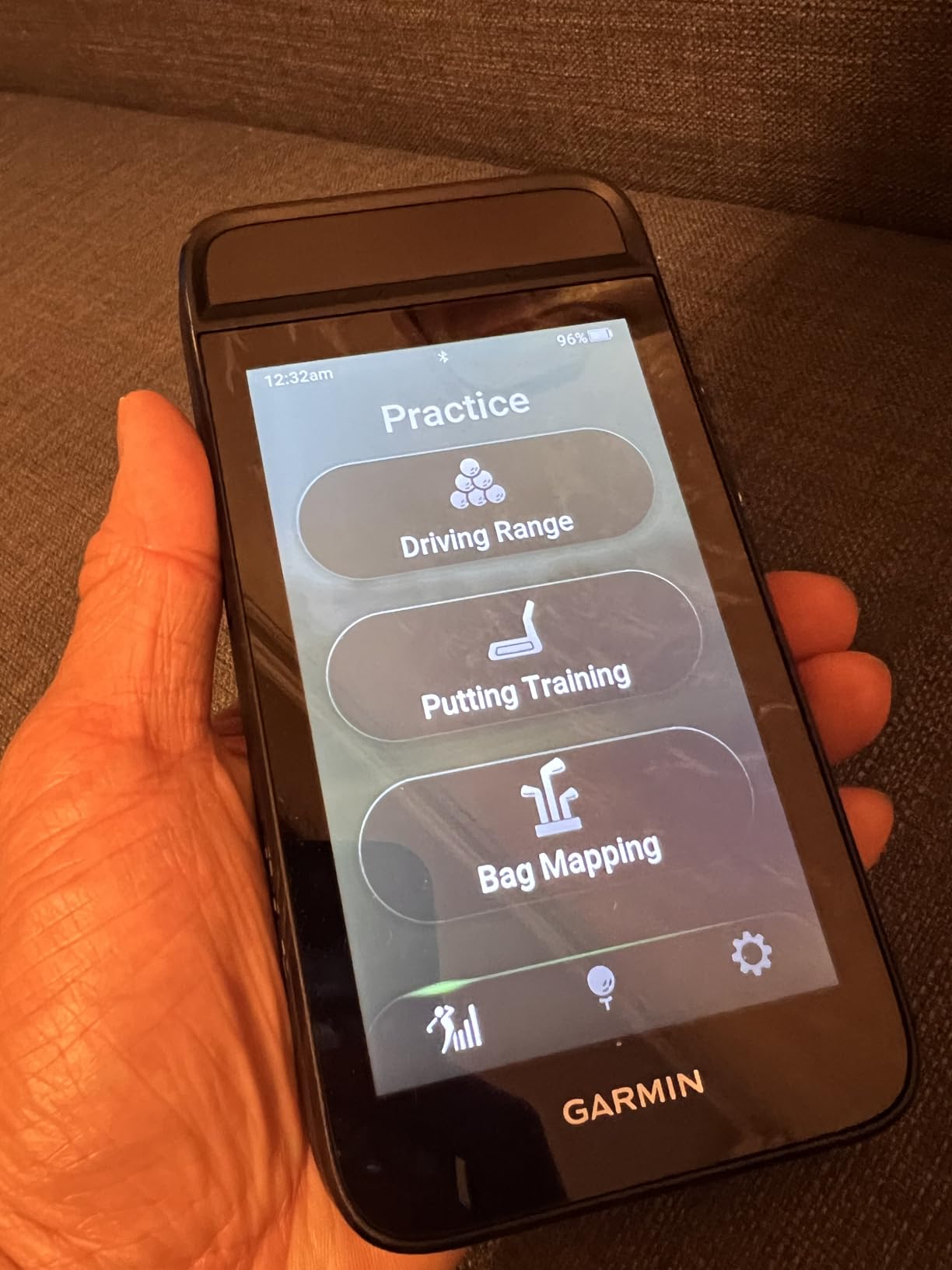
Battery life is the standout spec: up to 25 hours in GPS mode and up to 8 hours in radar mode. In an indoor bay that is irrelevant because the device sits on a shelf, but it is why the G82 works as a genuine two-device purchase.
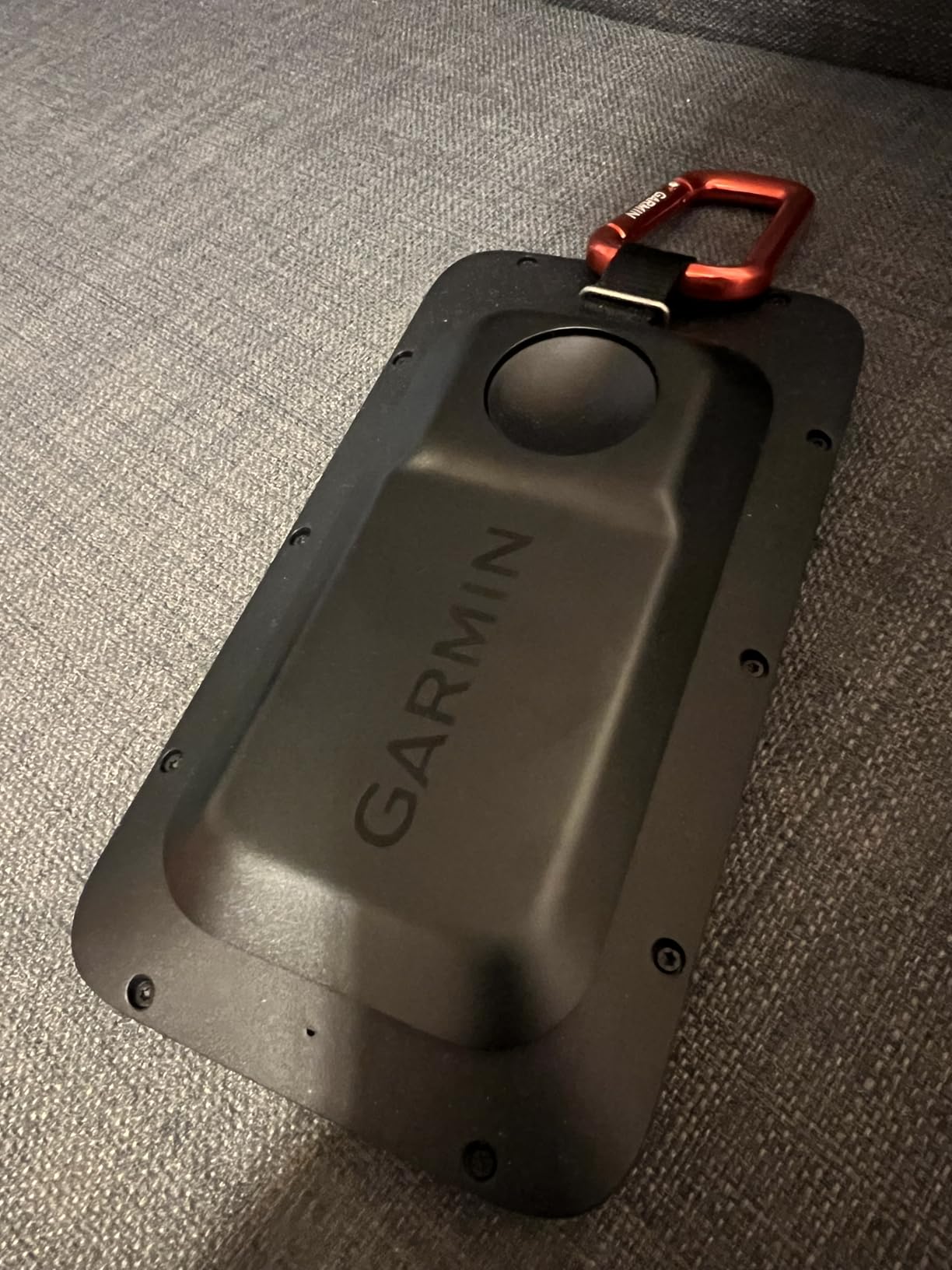
Where It Fits in an Indoor Bay
Treat it as a supplementary sensor rather than the heart of a simulator. Radar speed data is the same family as the R10 and carries the same limitation: spin is derived rather than photographed, and over a short indoor flight the derivation has less to work with.
Its real indoor advantage is the putting data and the screen. A 5 inch touchscreen that doubles as a putting and stroke-length readout gives you something to work on in the short game that most of the radar units here simply cannot offer.
The Costs and the Omissions
There is no camera capture, no spin rate, no ball tracking and no virtual course play. It will not show you a trajectory or a dispersion chart, and it will not replace a simulator sensor.
Green contour data and aerial imagery sit behind an active Garmin Golf membership, and automatic shot mapping needs Approach CT10 club tracking sensors bought separately. If you take the handheld out on course, those two running costs matter more than the radar does.
12. SkyTrak ST MAX – Best Indoor Unit With Built-In Speed Training Drills
SkyTrak ST MAX Golf Launch Monitor with 1-Year Software Included
5 lb body
Dual Doppler radar plus photometric cameras
Built-in speed training
One year software included
Dual USB-C
Pros
- Data quality praised across indoor and outdoor setups
- Only launch monitor with built-in GOLFTEC speed training drills
- Mac compatibility works without workarounds
- Wedge Matrix and Skills Assessments structure practice
- Dual USB-C ports allow charging and data at once
Cons
- Small hitting zone causes frequent no-reads off-centre
- USB wired mode reported to freeze and miss shots
- Course play needs a paid subscription after the trial
- Driver distances read roughly 20 to 30 yards long for some users
- Needs about 10 by 10 feet of clear space
The ST MAX is the only launch monitor in this guide with training built into the hardware rather than added as an app. The GOLFTEC Speed Training module runs guided drills and gives swing insights directly on the unit, which is the difference between a device you record swings with and a device that tells you what to work on.
Measurement combines dual Doppler radar with photometric cameras, and owners describe the data as the most accurate in its class with minimal latency between strike and screen. A modular internal architecture is designed for consistency across long sessions rather than drifting as the unit warms up.
The SkyTrak software adds Skills Assessments, Bag Mapping, Wedge Matrix and Randomized Practice modes. Wedge Matrix is the feature that matters most for indoor golfers, because it turns your wedge shots into a gapping chart you can actually train against. A 14-day free trial is included along with one year of software, and dual USB-C ports let you charge and transfer data at the same time.
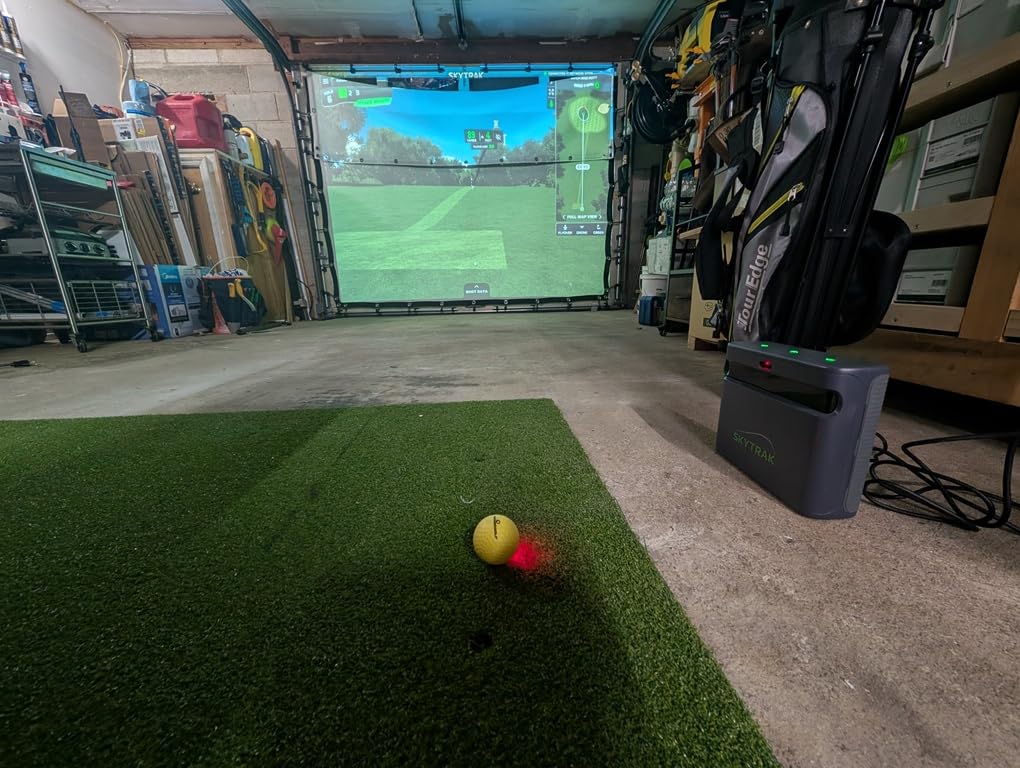
It weighs 5 pounds and needs about 10 by 10 feet of clear space for realistic full swings. One unit is required per hitting bay, so a two-bay room needs two devices.
Mac compatibility works without workarounds, which matters more than it sounds. Several systems on this page need a Windows machine plus a workaround to feed data to third-party software; the ST MAX runs natively on both platforms.
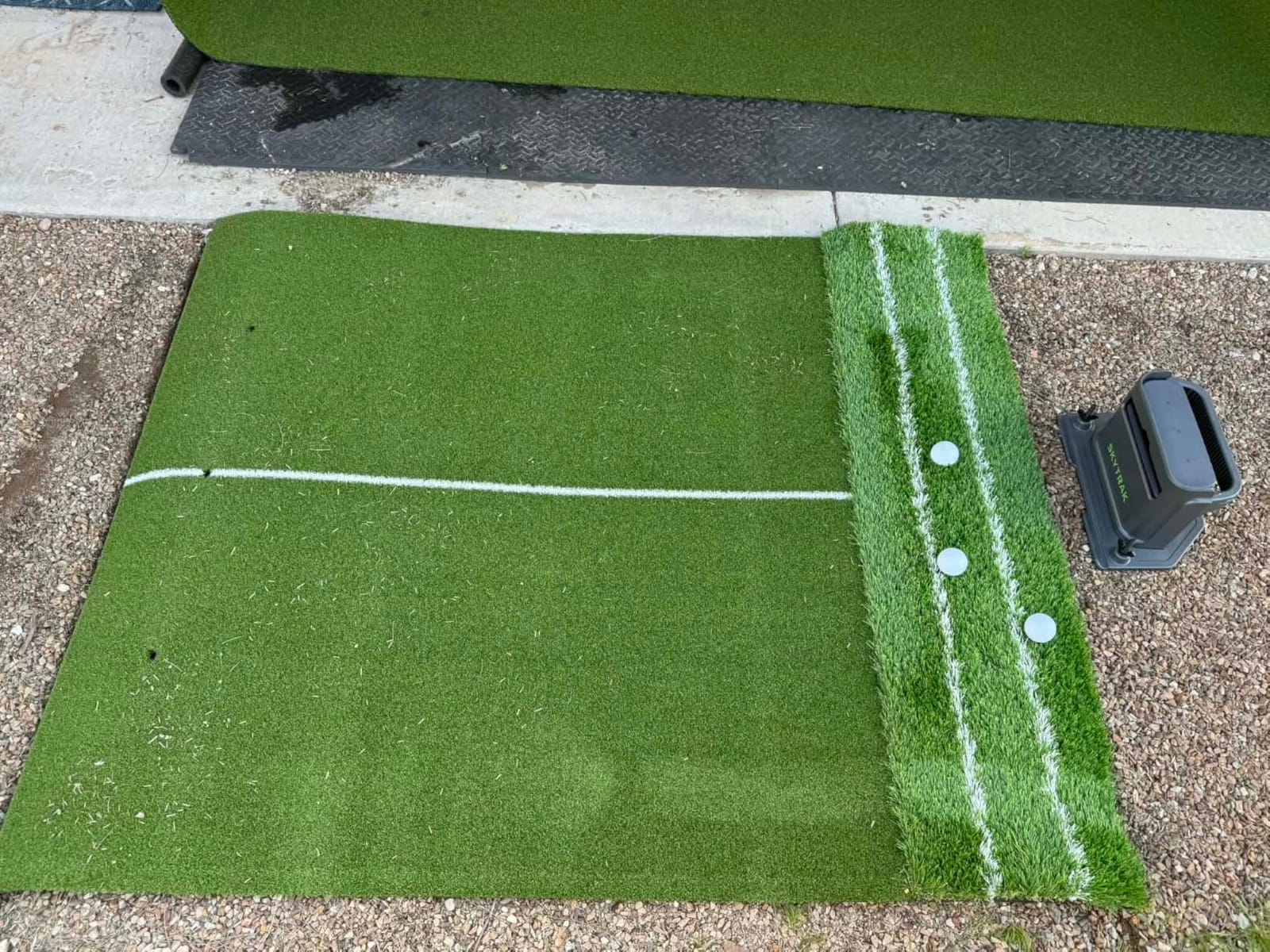
The Hitting Zone Problem in a Small Room
The recurring complaint is the small hitting zone. Off-centre ball placement produces frequent no-reads, and in a confined bay it is easy to be a few inches off centre. That is not a fault you can tune out; it is a physical constraint of the sensing area.
The connection mode matters too. Owners report the USB wired mode freezing mid-round and missing shots, while Wi-Fi direct mode works better but blocks course downloads. Pick one and stay with it rather than switching between them mid-session.
Distance Accuracy and the Subscription
Some buyers report driver distances reading roughly 20 to 30 yards long. If you have trusted its numbers, recalibrate against a track or a known yardage before you use them for anything. This kind of systematic offset is common when any launch monitor is moved from one environment to another.
Course play needs a paid subscription once the trial ends, but the one year included with purchase covers a full season of Wedge Matrix and Skills Assessment work. Buy it for the training module first and treat the subscription as an optional upgrade.
13. Uneekor EYE MINI LITE – Best Dedicated-Room Build With 19 Metrics
Uneekor Eye MINI LITE Indoor Golf Launch Monitor & Simulator 19 Precision Metrics, Near-Zero Latency, Works with GSPro, TGC19, E6, AI Trainer Compatible, Easy Setup, PC/Laptop Required
19 real-time metrics
Hardwired Ethernet and USB
Full HD 1080p HDMI output
Dimple Optix and Club Optix
Reads any ball
Pros
- 19 precision metrics with near-zero latency
- Dimple Optix reads any ball pattern so no stickers are needed
- Works with GSPro E6 Connect TGC19 and Creative Golf 3D
- Club Optix gives real-time club visuals at impact
- Bundled 3 month trial including REFINE+ and GameDay 4K
- Hardwired Ethernet keeps results instant on screen
Cons
- Needs a gaming-class PC and dual displays for the full experience
- No iPad compatibility and must stay hardwired
- Software has a learning curve and is not beginner friendly
- Third-party software such as GSPro needs a separate subscription
- Smallest review base here at 19 ratings
The EYE MINI LITE is the most complete ball-data device in this roundup, reporting 19 real-time metrics with up to 100 session reports through the VIEW Player Package. High-speed cameras and infrared sensors give near-zero latency, so numbers appear on screen essentially with the strike.
Dimple Optix reads any dimple pattern, so no ball stickers and no premium balls are needed. Club Optix adds real-time club visuals at impact, which is how you see face orientation and swing plane at the moment of contact rather than guessing at it afterwards.
The third-party compatibility is the reason to choose it for a dedicated room: GSPro, E6 Connect, TGC19 and Creative Golf 3D all work, and a 3-month trial of the Ultimate Package includes REFINE+ with 20 courses plus GameDay 4K competitive modes. AI Trainer feedback is available through the separately sold Swing Optix add-on.
It outputs Full HD 1080p over HDMI, so a projector in an enclosure is straightforward, and it connects over Ethernet and USB. The box includes club stickers, an Ethernet cable, a USB-LAN adapter and a pair of tweezers for applying the labels.
The Computer Requirement Is the Purchase
Published specifications are clear. For VIEW you need an i5 Gen12 or Ryzen5 equivalent, 16GB RAM, a 256GB SSD, an RTX3060 6GB, Windows 11, an RJ45 port and 25Mbps. For Simulation and AI modes the ask rises to an i7 Gen12 or Ryzen7, 32GB RAM, an RTX4070 16GB and dual displays.
If your computer cannot meet the second tier, you have bought half a simulator. Budget the PC as part of the device rather than a separate project, and check your graphics card against the courses you actually want to play before you commit.
Reliability, Reviews and the Learning Curve
Owners describe accuracy and read reliability as the reason for the upgrade, and the hardwired connection removes the Wi-Fi problem that plagues portable units. Ball data at this level is what the camera technology is for.
Two honest warnings. The review base is the smallest in this guide at 19 ratings, with 20 percent one star, so the long-term record is thin. And the software has a real learning curve; it is not beginner-friendly, and there is no iPad compatibility because the unit must stay hardwired to a compatible system.
14. Swinora GX-03 – Best Compact Metal Unit With No Annual Fees
Swinora Golf Launch Monitor & Portable Swing Analyzer with 13 Metrics
0.65 kg aluminum body
OLED display
Included tripod
15 ft indoor space needed
No annual fees
Pros
- Zero annual subscription fees with every app feature unlocked after one download
- One buyer measured it within 1 percent of a TrackMan indoors
- Metal body OLED display and included tripod feel solid
- Distance Compensation calibrates carry from 80 to 120 percent per club
- Environmental sensors adjust for temperature humidity and pressure
Cons
- Bluetooth connection quality depends on line of sight; phone should sit in front of the device
- Requires 15 ft of indoor space with the unit placed 5 ft behind the ball
- One reviewer reported the measurements were not accurate
The GX-03’s defining feature is the same as the GX-10’s and the Mevo Gen2’s: no annual fee. One download unlocks everything, including all app features, and there is no premium tier waiting behind it.
Measurement covers attack angle, launch angle, spin rate and vertical clubface data. The vertical clubface figure is the interesting one for indoor practice, because it tells you how far open or closed the face is at impact rather than inferring it from the ball’s departure.
The Distance Compensation function calibrates carry distance per club from 80 to 120 percent, and built-in temperature, humidity and barometric modules adjust readings in real time. One buyer running a side-by-side indoor test measured it within 1 percent of a TrackMan, which is a strong result worth noting while keeping in mind it is one report.
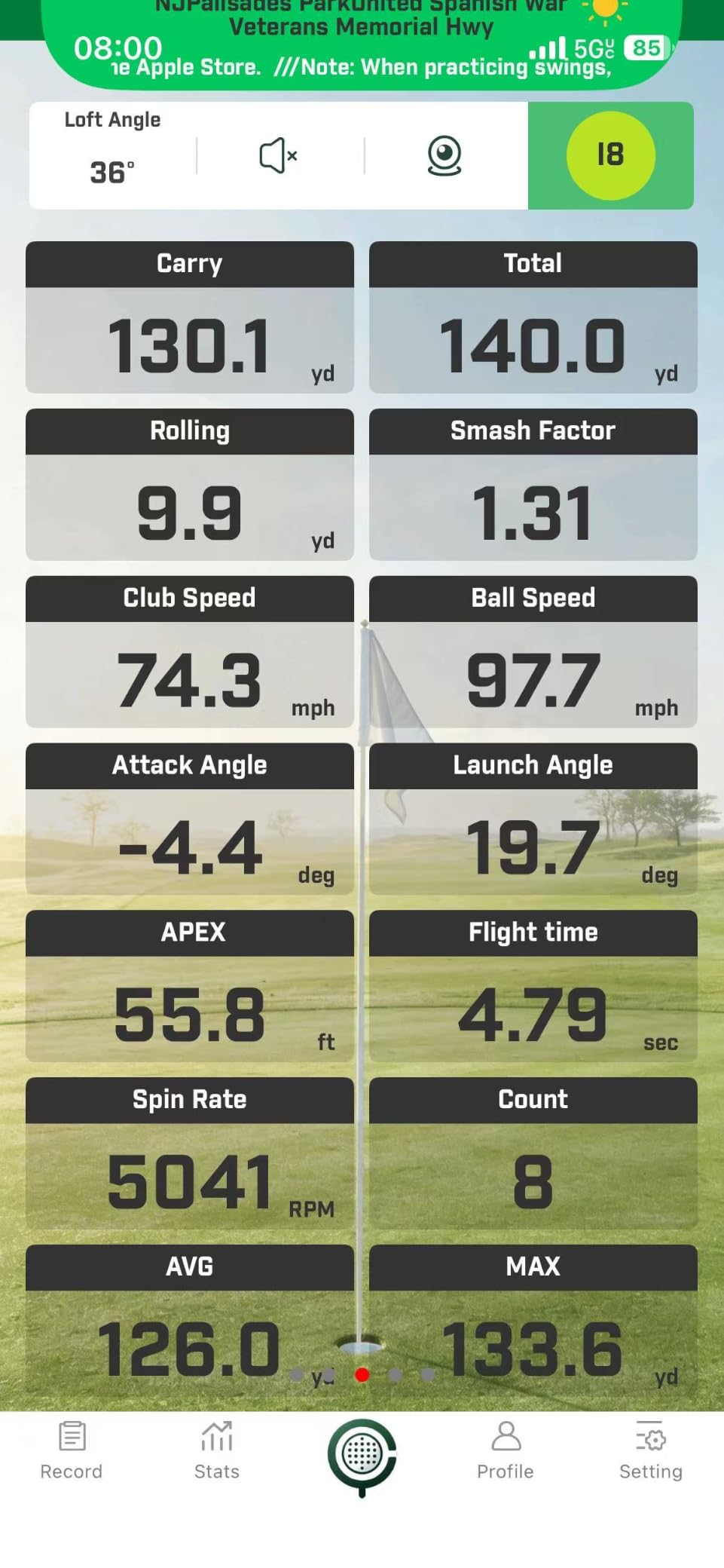
The build is the best in this price bracket. An aluminum body at 0.65 kg, an OLED display, real-time voice feedback and an included tripod at 8.58 by 6.61 by 1.93 inches. It is compact enough to toss into a golf bag, and reviewers mention good battery life between charges.
The 15 Foot Requirement Is Not Negotiable
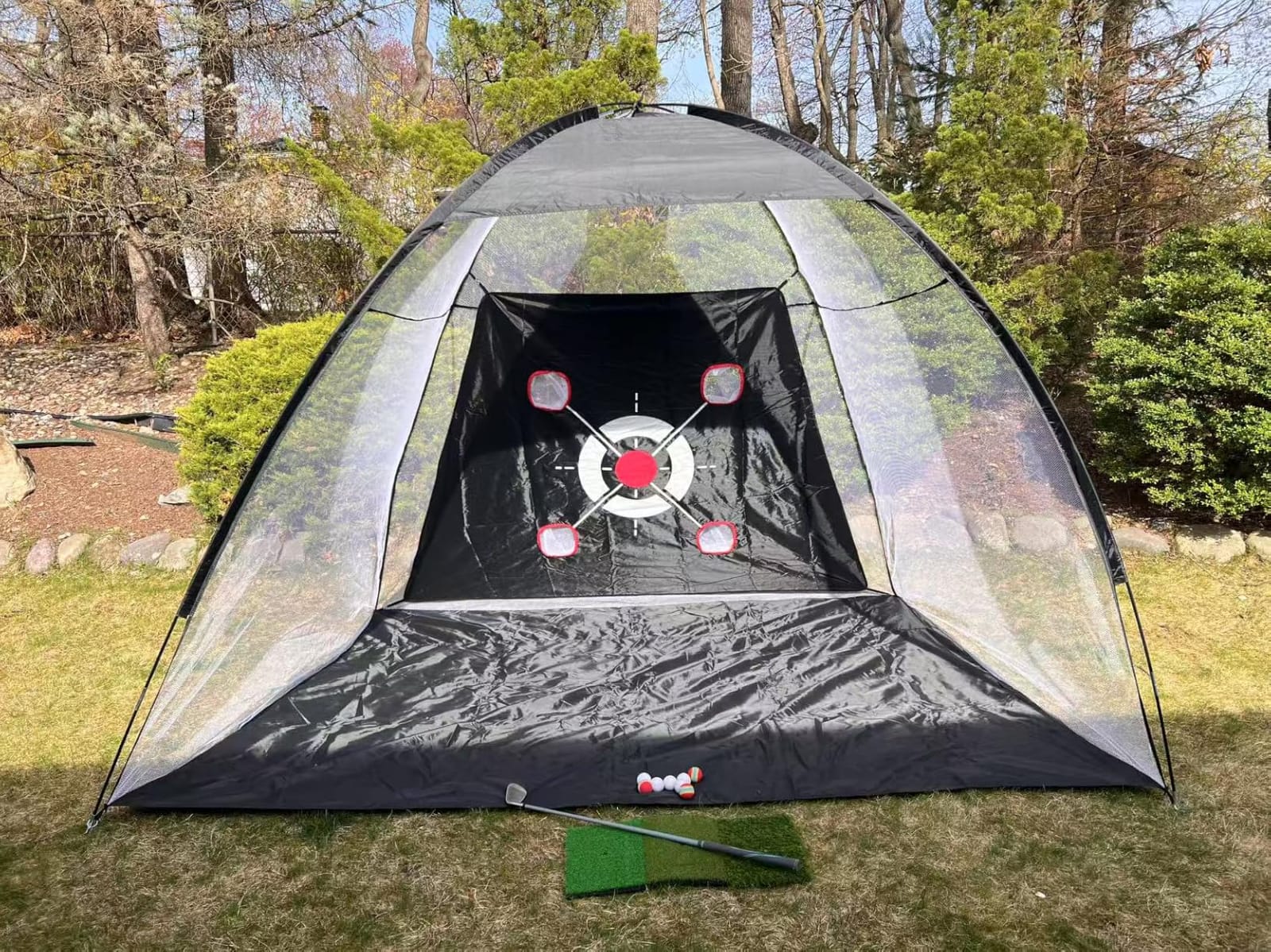
Indoor use needs at least 15 feet of space, with the device placed 5 feet behind the ball to leave 10 feet of ball flight. That is a specific, measurable requirement and you should measure before buying, because it rules out a single-car bay with the car still in it.
Multi-angle practice views at 45 and 90 degrees with shot trajectory display help make that space feel useful. Just be realistic: if you have less depth than this, look at a side-of-ball camera unit instead.
Calibrate It and Check the Bluetooth Placement
Two practical notes. The Bluetooth connection works best with the phone placed in front of the device, which is the opposite of where you would put it on a shelf, so plan the mount accordingly. And calibrate against known yardage markers before trusting the carry numbers, because accuracy claims in this class vary widely from owner to owner.
With only 15 ratings and a 17 percent one-star share, treat the accuracy reports as indicative rather than settled. The no-subscription model and the metal build are the reasons to shortlist it; verify the data against something you already trust before you build your practice plan on it.
What a Golf Launch Monitor Actually Measures Indoors
A golf launch monitor measures your swing and ball flight at the instant of impact, then reports ball speed, launch angle, spin rate and carry distance, with better units adding club path, face angle and descent angle. Two technology families do this: Doppler radar units send out microwave pulses and measure the frequency shift as the club and ball move, while photometric units photograph the ball through the first 6 to 12 inches of flight with two to four high-speed cameras.
That distinction matters indoors. Radar units calculate spin because they never see the ball; photometric units measure it. Over a 20 foot indoor flight, the radar calculation has far less ball flight to work from than it would on a full outdoor shot, which is why the same device can feel excellent at the range and merely adequate in a garage.
The glossary you will meet on every screen: apex is the highest point of the flight, descent angle is how steeply the ball comes down, club path is the direction the clubhead travels relative to the target line, face angle is the orientation of the clubface at impact, angle of attack is the direction the clubface is moving at impact, smash factor is ball speed divided by club speed, and dispersion is the spread of your shot pattern.
Radar vs Photometric vs Hybrid: Which One Fits Your Room
Radar goes behind the ball and needs 7 to 9 feet of depth behind your hitting position, with 16 feet of total room depth for a realistic swing. Photometric camera units sit beside or behind the ball and typically need only 10 to 12 feet. If your room is tight, that sentence decides the category for you before any other consideration.
Hybrid units, like the Rapsodo MLM2PRO and the SkyTrak ST MAX, take ball data from cameras and some club data from radar, which produces more usable metrics without the full space demand of a large multi-camera rig. The tradeoff is a device placed further back than a pure camera unit.
Reliability is worth naming honestly here. Owner communities report that occasional missed or no-read shots happen on almost every device in this category, including the ones marketed as reliable. The units that report fewer of them are the hardwired camera systems, where the Ethernet connection removes the Wi-Fi dropout that causes most failed reads.
How Much Room You Actually Need Before You Buy
Measure four things: total depth from the back wall to where you stand, ceiling height in the swing area, clear width either side of your target line, and where the nearest power and network outlets sit. Write the numbers down. Almost every buying mistake in this category starts with an estimate instead of a tape measure.
Map those numbers to real spaces. A single-car garage bay at 12 feet deep is workable for a radar unit if the ball is not planted against the door, and tight for anything needing 16 feet. A two-car bay at 20 feet or more fits almost anything on this page. A spare room at 10 by 10 by 9 feet fits side-of-ball camera units comfortably, but a 9 foot ceiling gives a tall golfer very little margin on a driver.
Lefty and righty matters more indoors than outdoors. A floor-standing unit or a fixed-position camera has to be moved or re-aimed when the handedness changes, which is friction nobody enjoys. Ceiling-mounted and overhead designs avoid the problem because they are not tied to a side of the ball. Our [guide to the best golf simulators](https://www.patincarrera.com/best-golf-simulators/) covers the room build side of this in more detail.
Which Balls and Markers Each Monitor Needs
Some monitors need nothing extra at all. The Uneekor EYE MINI CORE and EYE MINI LITE use Dimple Optix to read any dimple pattern, so you can hit the balls already in your bucket. The Garmin R50 reads spin without stickers too, though face-to-path data needs the included club tracking stickers applied to your iron faces.
Some need specific balls. The Rapsodo MLM2PRO ships with Callaway RPT Chrome Soft X balls and reads spin noticeably more reliably with those markings than with a generic ball. Camera systems in general respond better to marked or dotted balls, and if you buy stickers or a dotting kit, apply them consistently to the same balls each session.
Some need neither balls nor apps to be useful. The PRGR HS 130-A, the Voice Caddie SC200 Plus, the TheStack Radar and the Garmin G82 measure swing and ball speed with radar and need no consumables and no ball markings whatsoever. They are also the only devices here that work just as well hitting nothing at all.
Subscription Models and Five-Year Cost of Ownership
Subscription models fall into three groups and the difference compounds. Clean means no recurring fee ever. Credit means you pay as you play or buy time in blocks. Buy-once means a lifetime bundle for the software you get on day one.
Clean models: the PRGR, the Voice Caddie SC200 Plus, the TheStack Radar, the TAGCMC GX-10 and the Swinora GX-03 have no recurring software charge at all, and the FlightScope Mevo Gen2 is the only device here with a lifetime course bundle rather than a membership.
Buy-once and trial-then-paid models: the Garmin R10 and R50 put their full course libraries behind a Garmin Golf membership, the Rapsodo MLM2PRO includes a 45-day premium trial with the course library paid afterwards, the SkyTrak ST MAX includes one year of software, and the Uneekor units include three months of their Ultimate Package before REFINE+ and GSPro need a separate subscription.
Work out your own five-year figure by adding the hardware cost to five years of the software you would actually use. Many golfers pay for a year of course play, switch to training modes and never renew, which makes the lifetime options like the Mevo Gen2’s bundle unusually compelling for a data-first buyer.
Software, Computers and What the Software Demands
Four operating paths exist in this roundup and they are not interchangeable. Phone-app units like the R10, TheStack Radar, GX-10 and GX-03 need a phone and nothing else. Tablet units like the MLM2PRO and ST MAX work on iPad or a laptop, with Mac compatibility handled natively on the SkyTrak. Windows PC units like the Uneekor EYE MINI CORE and EYE MINI LITE have published hardware specifications you should treat as mandatory.
For the Uneekor CORE, VIEW mode wants an i5 Gen12 or Ryzen5 equivalent, 16GB RAM, a 256GB SSD and an RTX3060 6GB on Windows 11. Simulation mode on either Uneekor wants an i7 Gen12 or Ryzen7, 32GB RAM, an RTX4070 16GB and dual displays. Those are gaming specifications and a mid-range office desktop will not deliver the experience you paid for.
Third-party software support is the other half. GSPro, E6 Connect, TGC19 and Creative Golf 3D all work with both Uneekor units, the Mevo Gen2 includes a lifetime E6 Connect bundle, and the Garmin units run Home Tee Hero. If you may change simulator software in three years, buy the hardware with an open ecosystem.
Households With Two Different Swing Handednesses
If two people in your home swing opposite ways, buy overhead or ceiling-mounted rather than a floor-standing unit with a fixed camera. A side-of-ball camera has to be physically repositioned and re-aimed every time the handedness changes, and that friction is exactly what makes a shared bay go unused.
Radar units behind the ball suffer the same problem in a milder form, since they usually need re-centring too. The Garmin G82 is worth a look here for a different reason: it carries radar rather than cameras, so it can sit further from the swing line and be used by either golfer with less adjustment.
What Owners Actually Report About Reliability
The most common complaint across owner communities is the occasional missed or no-read shot. One forum thread captured the consensus neatly: nearly everyone has seen a miss or a no-read every once in a while, on any brand. Build your expectation around that and the hardware feels far more solid than you expected.
Connectivity, not optics, is the second most common failure. Local Wi-Fi drops are the dominant MLM2PRO complaint, and the usual workaround of connecting directly fixes the drops while breaking third-party app support. Wired Ethernet on the Uneekor units removes the problem entirely, which is a quiet but decisive advantage for a fixed indoor bay.
The third is calibration drift between environments. Owners report driver distances reading long on some units and speed readings running high on others, which is why we recommend checking any new device against a known distance before you trust its numbers for gapping work.
When You Should Skip a Launch Monitor Entirely
Skip it if you will not commit to at least 10 to 12 feet of depth behind the ball. A radar unit that cannot see a full flight will produce numbers that look authoritative and are not.
Skip it if you only ever hit balls into a net outdoors at the range. You are already getting ball flight and strike feedback from a monitor at the facility, and a second indoor unit would sit unused for most of the year.
Skip it if your real goal is short game. Most units in this category, including the ones we recommend, read putts and delicate chips unreliably. If chipping and putting is the priority, budget for a putting green and a wedge mat instead, and treat a launch monitor as a full-swing tool only.
Frequently Asked Questions
What’s the difference between a golf simulator and a launch monitor?
A launch monitor measures the shot and reports the data. A simulator adds projected courses, a hitting mat, an impact screen and an enclosure around the monitor. One is a single piece of hardware you can carry between rooms; the other is a room build. Most indoor buyers start with a monitor and a net, then add the screen and enclosure later.
Can you use a launch monitor indoors?
Yes, but room depth decides which type works. Radar units sit behind the ball and need roughly 7 to 9 feet behind it with 16 feet of total depth for realistic swings. Side-of-ball camera units need only 10 to 12 feet and are the realistic option in a small garage or shed. Spin accuracy also drops indoors because there is less flight for a radar unit to work from.
Is there a cheaper alternative to a TrackMan-level system?
Yes. The Uneekor EYE MINI CORE and EYE MINI LITE use high-speed cameras with infrared sensors and near-zero latency, and both are a fraction of the cost of the premium tour systems. Owners upgrading from cheaper camera units report near-elimination of misreads. What you give up is the club delivery data and the polish of the established high-end ecosystem.
How much room do I need for a home golf simulator?
Allow at least 10 feet of depth behind the ball for a side-of-ball camera unit, and 16 feet of total room depth if you want a radar unit to track full flight. Ceiling height matters too: a 9 foot room is workable for most golfers but tight on a driver. A single-car garage bay is usually enough for a camera unit, while a two-car bay fits anything on this page.
Do I need Titleist RCT balls for my indoor launch monitor?
Sometimes. Camera-based units read spin more cleanly from marked balls, and the Rapsodo MLM2PRO ships with Callaway RPT balls specifically because the markings improve the read. The Uneekor units use Dimple Optix and read any ball pattern with no stickers or premium balls required, and pure radar units need no markings at all.
Which launch monitors work with GSPro?
The Uneekor EYE MINI CORE and EYE MINI LITE both list GSPro compatibility alongside E6 Connect, TGC19 and Creative Golf 3D. GSPro carries its own subscription, so add that to your running cost if you plan to use it. The FlightScope Mevo Gen2 includes a lifetime E6 Connect bundle with eight courses and no recurring fee, which is the cleanest long-term option in this roundup.
Conclusion: Our Best Indoor Launch Monitor Picks for 2026
The Garmin Approach R10 is our pick for anyone building the best golf launch monitors for indoor simulators list from the ground up, because it works in a bay and at the range from one charge and needs no dedicated screen. The Rapsodo MLM2PRO is the value choice when measured spin and club path are the reason you are buying, and the Garmin Approach R50 is the right call for a room that already exists and wants a proper screen and HDMI output.
For a small garage or a shed, look at the side-of-ball camera units first and measure before you order. For a dedicated bay, the Uneekor EYE MINI CORE and EYE MINI LITE give the most reliable ball data and the widest software choice, provided you are willing to build the computer to their specifications. For anyone who objects to recurring fees, the FlightScope Mevo Gen2 and the Swinora GX-03 have no annual charge at all.
Whatever you choose, calibrate it against a known distance in the first week, hit at least a hundred shots before you trust the numbers, and expect the occasional missed read. If you want a wider look at the hardware beyond the indoor use case, our [launch monitor roundup](https://www.patincarrera.com/best-golf-launch-monitors/) covers the range and outdoor side.