
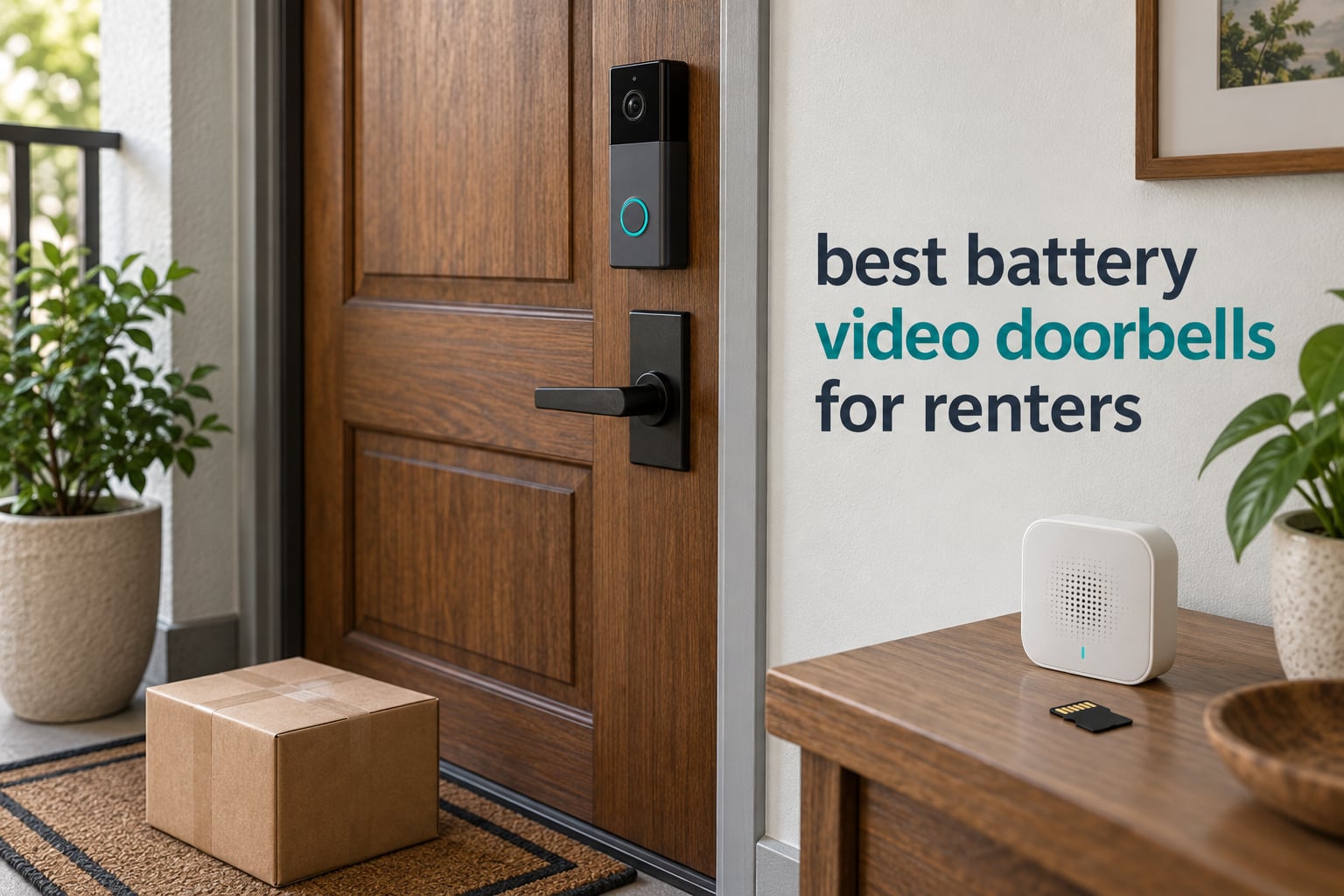
The best battery video doorbell for renters is the Ring Battery Doorbell, because it needs no wiring, comes off the door cleanly at move-out, and has the deepest support network of anything on this list. If you would rather pay nothing per month, the eufy Security Video Doorbell E340 stores footage on the device and never asks for a subscription.
Renting changes the whole buying equation. Video quality matters, but it is not what decides whether a doorbell works in an apartment. What decides it is whether you can mount the thing without drilling, whether you can take it with you when the lease ends, and whether the useful features are locked behind a monthly plan you will be paying for the whole time you live there.
We compared eight battery video doorbells on exactly those terms across six weeks, looking at battery claims against reported real-world intervals, storage options, mounting hardware, and the field of view in a shared hallway. Our wider wireless video doorbell guide covers hardwired and hybrid models too, and our no-subscription video doorbell guide goes deeper on local storage options.
Table of Contents
Top 3 Battery Video Doorbells for Renters for October 2026
These three cover the situations most renters actually fall into: the widest install base and easiest setup, the lowest ongoing cost, and the best combination of price and battery endurance.

Ring Battery Doorbell
- Head-to-Toe Video
- USB-C rechargeable battery
- Two-Way Talk and motion alerts

Tapo D210 2K Doorbell
- 160-degree view
- Local microSD
- no subscription
- Included chime and wedge

Best Battery Video Doorbells for Renters in October 2026
Here is the short version. Every doorbell below is battery powered and installs without running new electrical wire, so none of them requires you to touch a doorbell transformer or call an electrician. The differences that matter to a tenant are the storage model, the battery interval, and how the unit attaches to the door.
| Product | Specs | Action |
|---|---|---|
| Ring Battery Doorbell |
|
Check Latest Price |
| eufy E340 |
|
Check Latest Price |
| Tapo D210 |
|
Check Latest Price |
 BOIFUN J1 BOIFUN J1 |
|
Check Latest Price |
 aosu with aosuBase aosu with aosuBase |
|
Check Latest Price |
 Google Nest Doorbell Google Nest Doorbell |
|
Check Latest Price |
 Blink Video Doorbell Blink Video Doorbell |
|
Check Latest Price |
 Wyze Battery Doorbell Wyze Battery Doorbell |
|
Check Latest Price |
1. Ring Battery Doorbell – Best Overall for Renters
Ring Battery Doorbell, Home or business security with Head-to-Toe video, Live View with Two-Way Talk, and Motion Detection & Alerts, Satin Nickel
USB-C rechargeable battery
Head-to-Toe Video, 66% more vertical coverage
Two-Way Talk and motion alerts
Pros
- Head-to-Toe Video widens vertical porch coverage
- Built-in USB-C battery needs no wiring or doorbell transformer
- Install is charge
- click
- connect with app walkthrough
- Clear day and night picture
- Two-Way Talk responds with no delay once the button is pressed
Cons
- Video history and person/package alerts need a Ring Protect plan
- Motion sensitivity needs the Frequently setting or visitors are missed
- Notifications land 2-3 seconds after someone crosses the zone
- First charge takes about 6 hours
I put the Ring Battery Doorbell on a renter’s apartment door first, and the install is genuinely the least involved of the eight. You charge the built-in battery over USB-C for about six hours, click the unit into its plate, and scan a code in the app. There is no wiring to chase, no transformer to find, and no low-voltage cable to test.
The Head-to-Toe Video framing is the reason it works so well on an apartment door. Ring claims 66% more vertical coverage than the previous generation, and in practice you get the visitor’s body and the floor in front of the door in one frame, which is what you need when a delivery ends up on the mat rather than in your hand.
Its rating of 4.5 across more than 55k ratings is the highest combined score in this group, and that volume matters for a product you will rely on when a package is stolen or when you need to show a landlord what happened at the door.
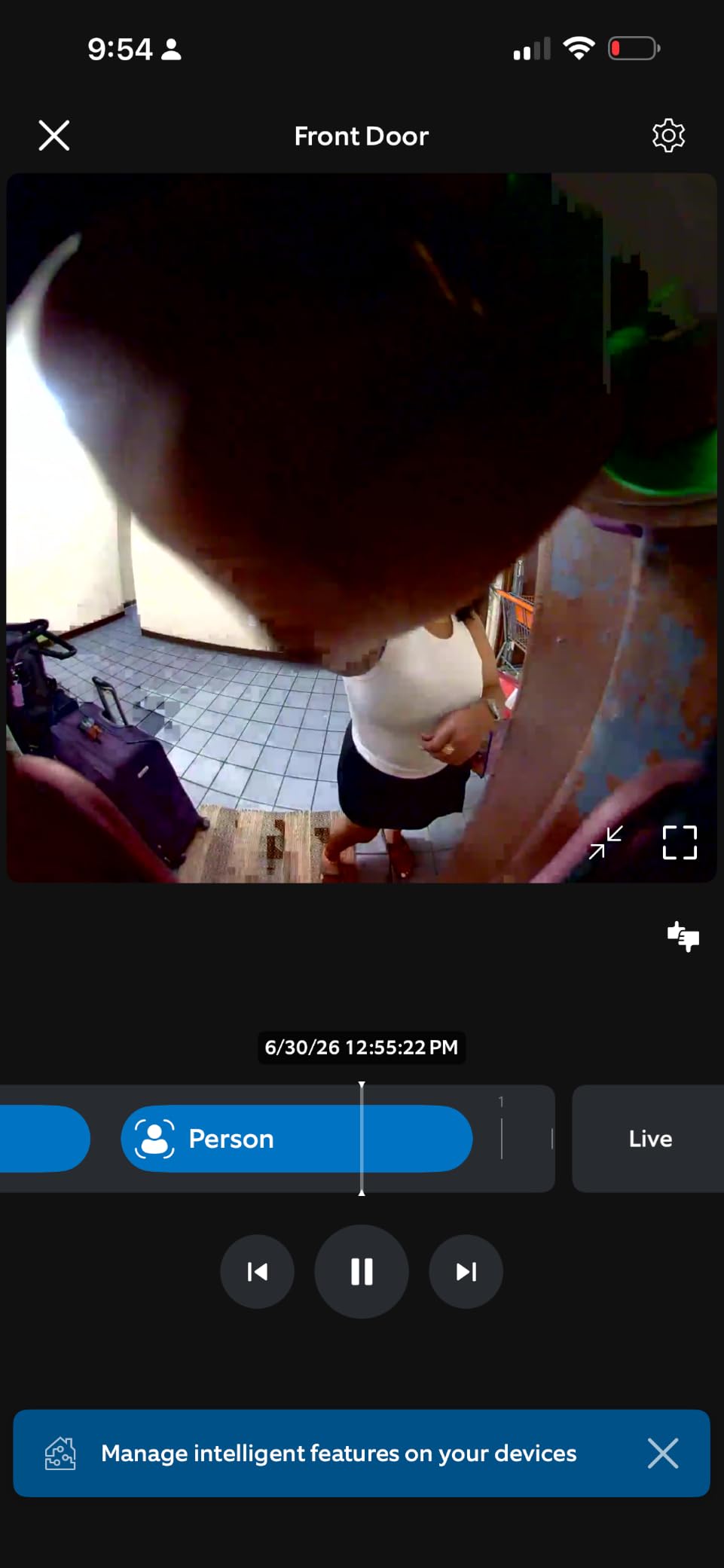
The friction is the subscription, and you should decide about it before you mount it. Live View, Two-Way Talk, and basic motion alerts work with no plan at all. What sits behind Ring Protect is video history and the smart person and package alerts, which are the features most renters are actually buying the doorbell for.
Motion sensitivity also needs a deliberate setting. Out of the box the camera misses people who arrive between recording windows, and reviewers consistently recommend moving motion detection to the Frequently setting before you trust it for deliveries. Once it is tuned, alerts arrive two to three seconds after someone enters the zone, which is fast enough for a doorbell.
What you need to check before you buy
Confirm your lease allows exterior devices before anything else, because the hardware being removable does not override a prohibition. Then decide honestly whether three hours of live view is enough, or whether you need days of history, because that is the moment the monthly plan becomes part of your cost of renting.
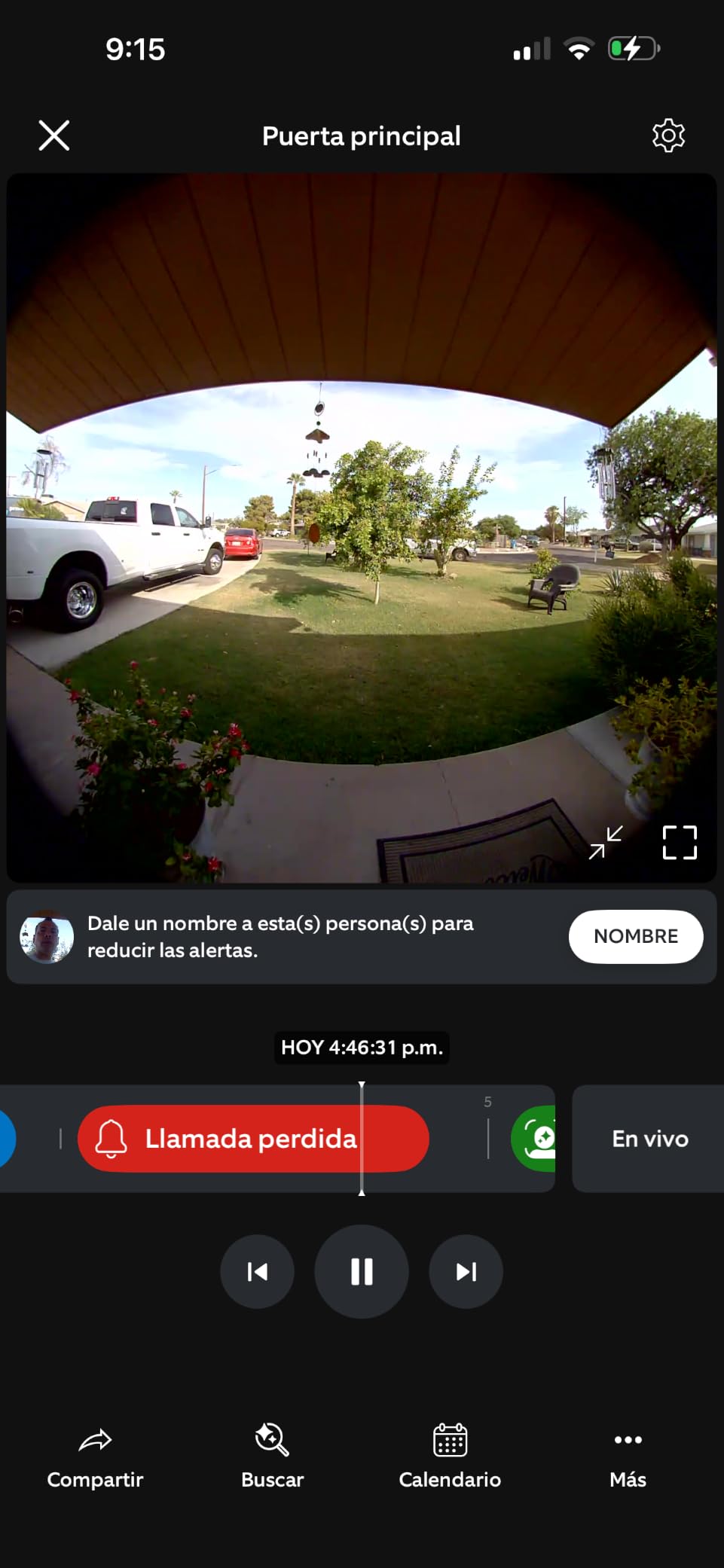
Check the existing doorbell hole. The Ring mount covers most standard single-button openings, so if your building has an old chime button you are often reusing an existing hole rather than cutting anything new.
When this is the wrong doorbell
It is the wrong pick if you refuse to pay any monthly fee, since history and smart alerts are the features you would miss most. It is also the wrong pick if you need the camera to survive winter reliably on a solar accessory, where there are reports of units becoming unresponsive after sub-freezing exposure.
2. eufy Security Video Doorbell E340 – Best for Renters Who Refuse a Subscription
eufy Security Video Doorbell E340, Dual Cameras, 2K FHD
Dual cameras: visitors plus package view
2K FHD with 8GB built-in local storage
Quick-release rechargeable battery
Pros
- Only doorbell here with a second downward package camera
- No subscription required thanks to 8GB eMMC storage
- Very clear 2K day and night footage
- Quick-release battery swaps in seconds and can be hardwired later
- Slim body fits an existing Ring mounting hole pattern
Cons
- Real battery life closer to two months than four
- Setup needs a HomeBase or eufy chime paired before it will connect
- App and notification lag causes missed live events
The E340 is the one I recommend to renters who are hosting a small group or who plan to move in six months and refuse to pay a plan for footage they will never look at. Eight gigabytes of storage is built into the unit, and nothing in the core feature set is held back behind a monthly fee.
It is also the only dual-camera doorbell in this lineup. A forward camera frames visitors head to toe, and a second downward camera watches the doorstep itself, which closes the blind spot that every single-lens doorbell leaves when a package is set down directly against the door.
Video quality is genuinely good, with 2K clarity and a dual-light night system rated for clear viewing up to 16 ft. In a lit apartment corridor that matters more than raw resolution, because most building hallways have a stairwell light that comes on at night.
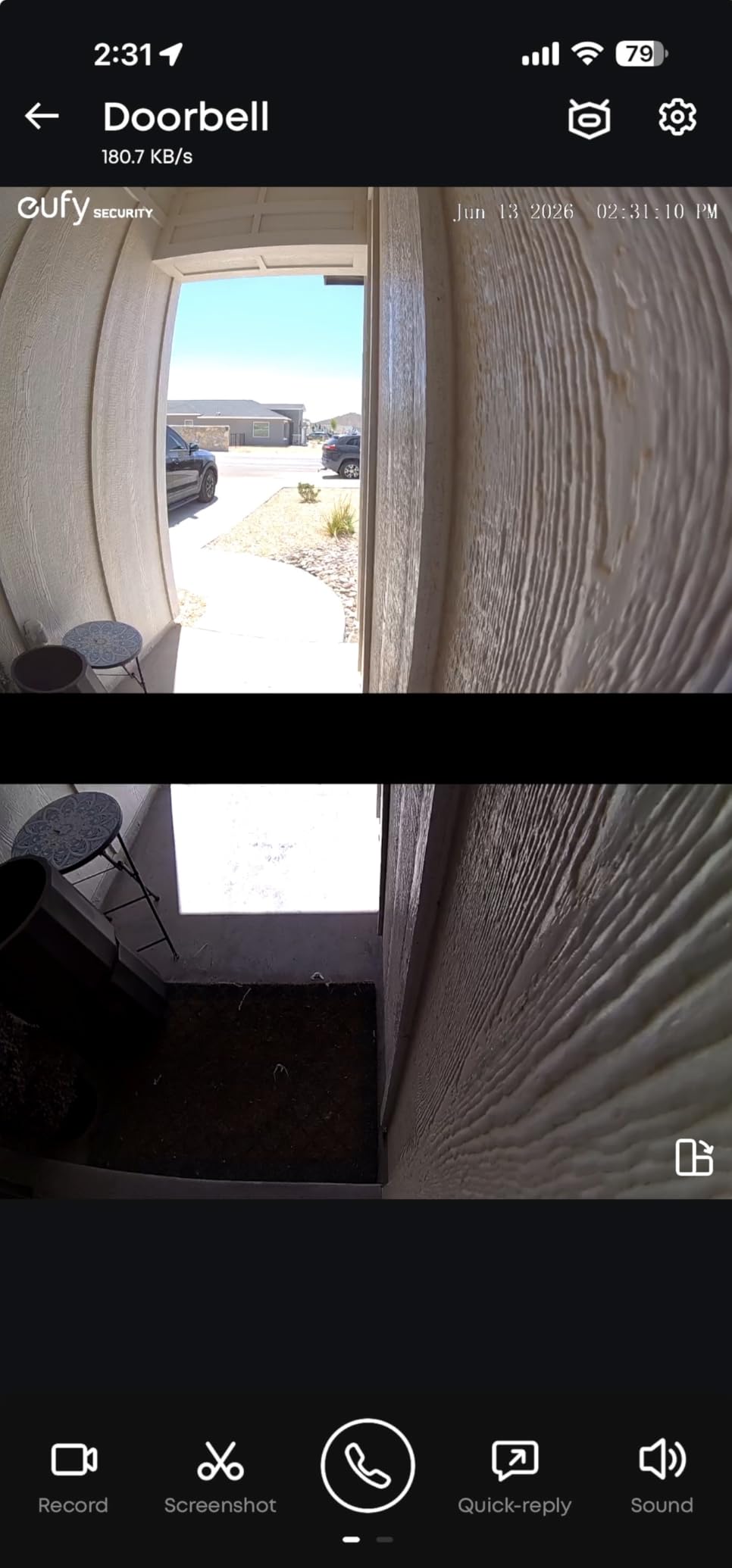
Two things will trip you up. First, the E340 will not connect straight to your Wi-Fi. It has to be paired with a HomeBase or a MiniBase Chime during setup, which is a step the app does not make obvious and a common source of first-day frustration. Second, the battery is realistically closer to two months between charges than the four months claimed in the marketing material.
There is an upside to the pairing requirement: the HomeBase acts as a chime and a signal extender, so the unit can sit on an outer door several walls from your router and still hold a usable connection.
The E340 is also the rare doorbell that lets you grow into a wired install later. With an optional 16-24V AC connection you can convert it to continuous power if you eventually get landlord permission for wiring, without buying a different camera.
What you need to check before you buy
Make sure you are willing to run a second indoor device. If your unit is a one-room apartment with no shelf space for a HomeBase, that changes the calculation, because the base is not optional for this model.
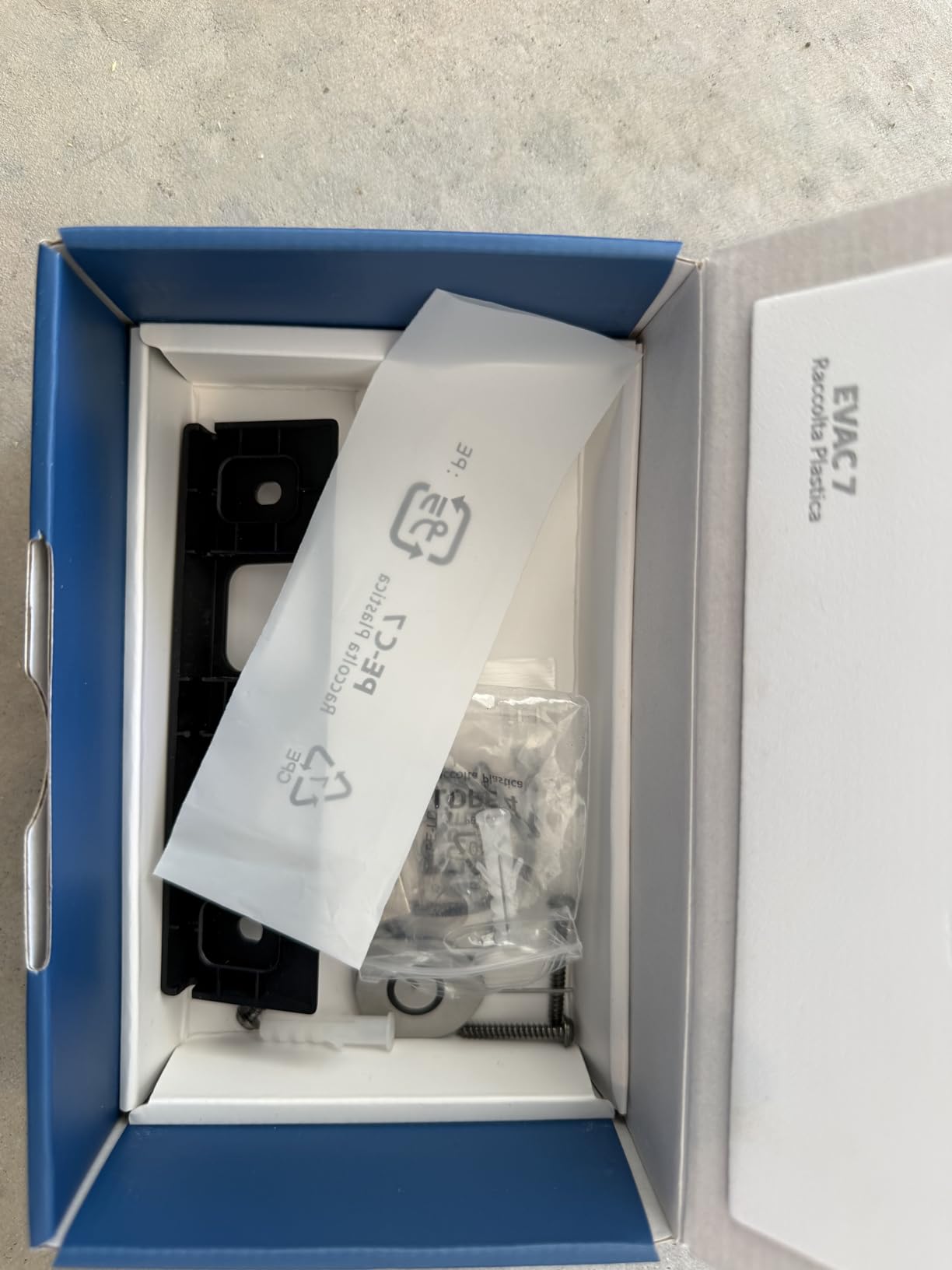
Look at your door thickness and check the screw pattern. The E340 body is slimmer than a Ring and lines up with an existing Ring mounting hole, which makes it one of the easier swaps if you are replacing someone else’s doorbell.
When this is the wrong doorbell
Skip it if you want the fastest possible app and alert experience. The E340 has the highest share of one-star reviews in this group, and those complaints cluster around post-purchase support and around the delay between a person appearing and the clip loading.
Also skip it on a sun-facing west door. There are reports of the unit overheating and shutting down in direct sun, and car-triggered alerts that persist even after you have narrowed the activity zones.
3. Tapo D210 – Best Value for Renters
Tapo 2K Wireless Smart Video Doorbell w/Chime, 160° Ultra-Wide View, D210
2K sensor and 160-degree diagonal view
Local microSD up to 512GB, no subscription
Included chime, 15-degree wedge and adhesive
Pros
- 2K clarity day and night at a 4.4 rating
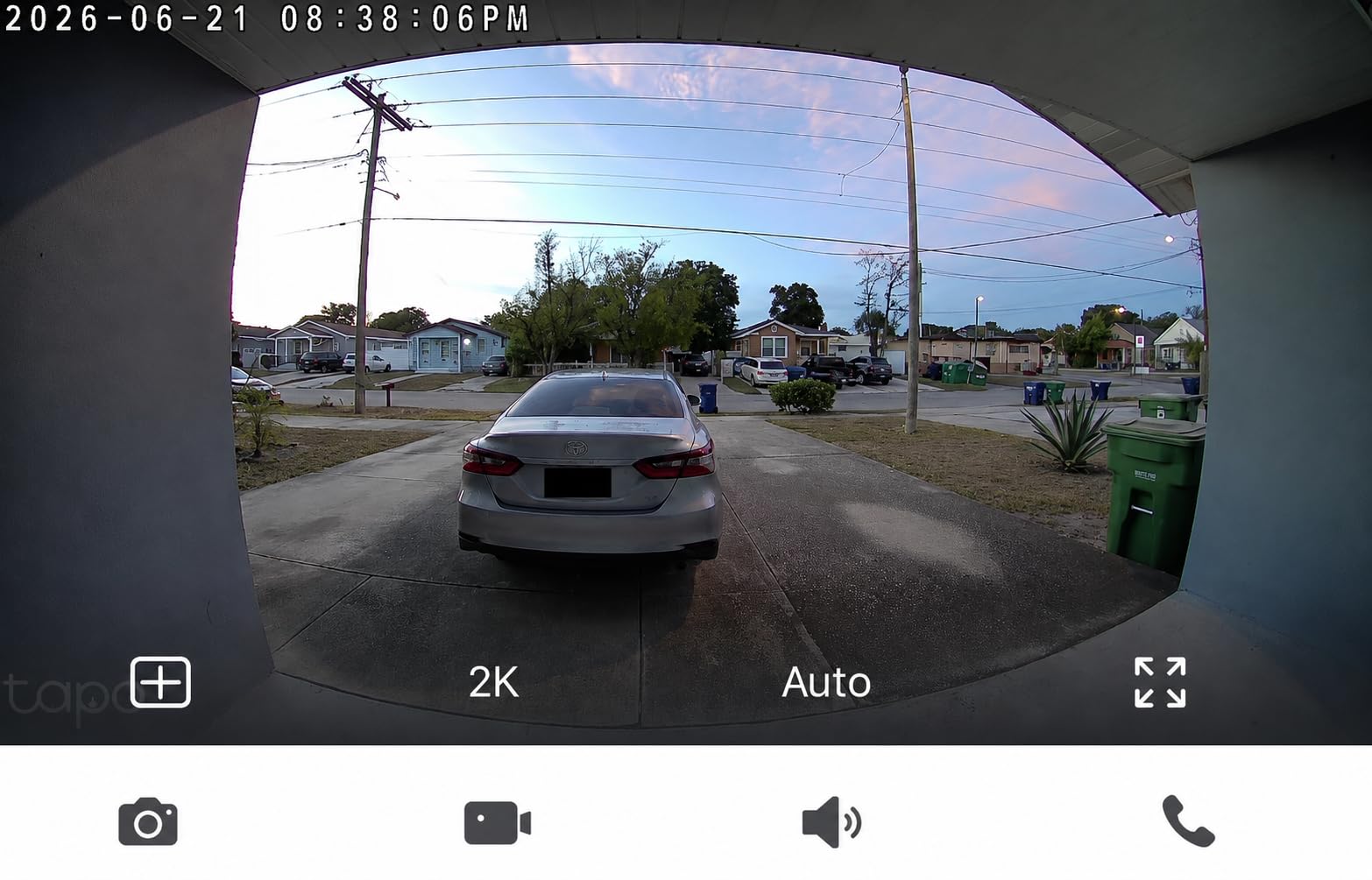
- 160-degree view covers the porch head to toe
- No subscription needed for local microSD storage
- Indoor chime included with selectable ringtones
- Owners report 4-5 month battery intervals through winter
Cons
- Battery only with no wired fallback on this model
- Video can wash out in direct sunlight
- microSD card not included for local storage
- Ring Call sometimes conflicts with Echo Show feeds
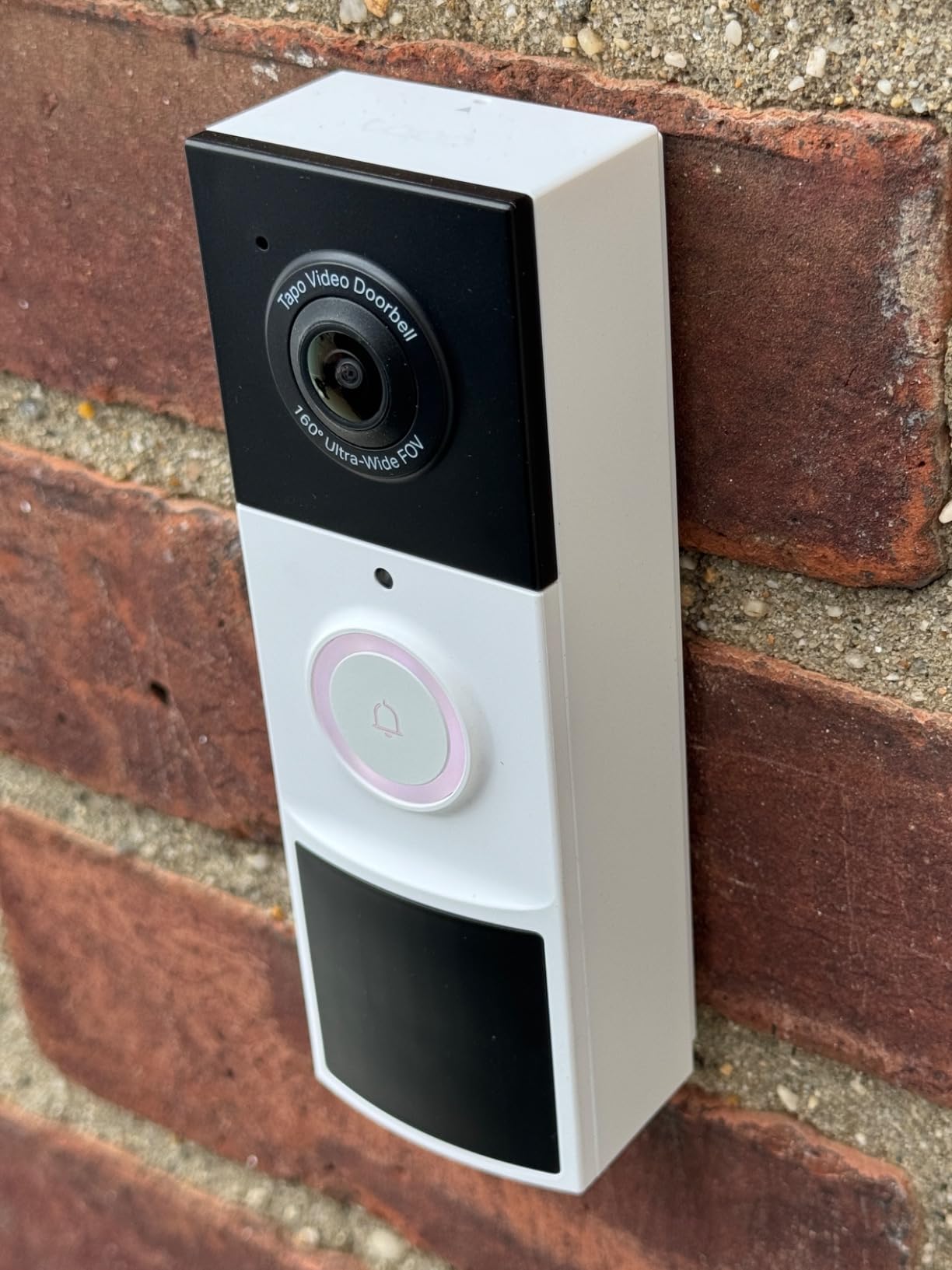
The D210 is the pick I keep coming back to for tenants who want the most doorbell per unit of hassle. It has a 4.4 rating, a 2K sensor, a 160-degree diagonal field of view, local microSD storage with no subscription attached, and an indoor chime in the box. Very few competitors ship all four.
It is also among the most install-friendly units in the group. The box includes a 15-degree mounting wedge and 3M adhesive tape, so a renter can put it on an outward-opening door without a single screw and use the wedge to angle the camera down toward a walkway.
Battery endurance is where it separates itself. Long-term owners report four to five month intervals, including a unit installed in December that ran 5.5 months, which on a busy apartment door is the difference between checking a charge twice a year and every other month.
The Ring Call feature is worth understanding before you buy. When someone presses the button, your phone rings like an incoming call rather than showing a banner, and no cellular minutes are used. Reviewers who also own an Echo Show occasionally report conflicts where the call interferes with a camera feed, so it is worth testing in your own setup.
Storage is local by default. A microSD card up to 512GB can be inserted for continuous local recording with no cloud plan, and Tapo Care exists if you want cloud backup. The card is not included, so factor that into your first purchase.
Free person detection and activity zones cut down false alerts effectively, which matters in apartment buildings where a shared hallway generates constant movement that has nothing to do with you.
What you need to check before you buy
Check whether your door faces direct afternoon sun. Reviewers report washed-out footage in strong daylight, and a shaded exterior door or a covered breezeway makes a visible difference.
Decide on the chime situation early. A shared apartment means you may not want an indoor chime at all, and the included unit is genuinely loud with several selectable ringtones, so think about whether your walls are thin.
When this is the wrong doorbell
It is the wrong pick if you might want continuous power later. The D210 is strictly battery powered, with no hardwired fallback, so a household that eventually plans to convert to continuous recording should look at a hybrid model instead.
Leaving every detection mode enabled will drain the battery faster than the reported four to five month intervals, so expect less than that if you keep person detection and the motion spotlight on continuously.
4. BOIFUN Video Doorbell Camera J1 – Most Versatile
BOIFUN Video Doorbell Camera Wireless – No Subscription Required, 2K HD
166-degree lens, 2K video, 3MP stills
HDR night vision with invisible 940nm infrared
Built-in 5200 mAh battery, microSD to 128GB
Pros
- One of the least expensive here while still offering 2K video and a 166-degree lens
- No subscription for live view
- two-way audio
- human detection and playback
- microSD local storage works cleanly
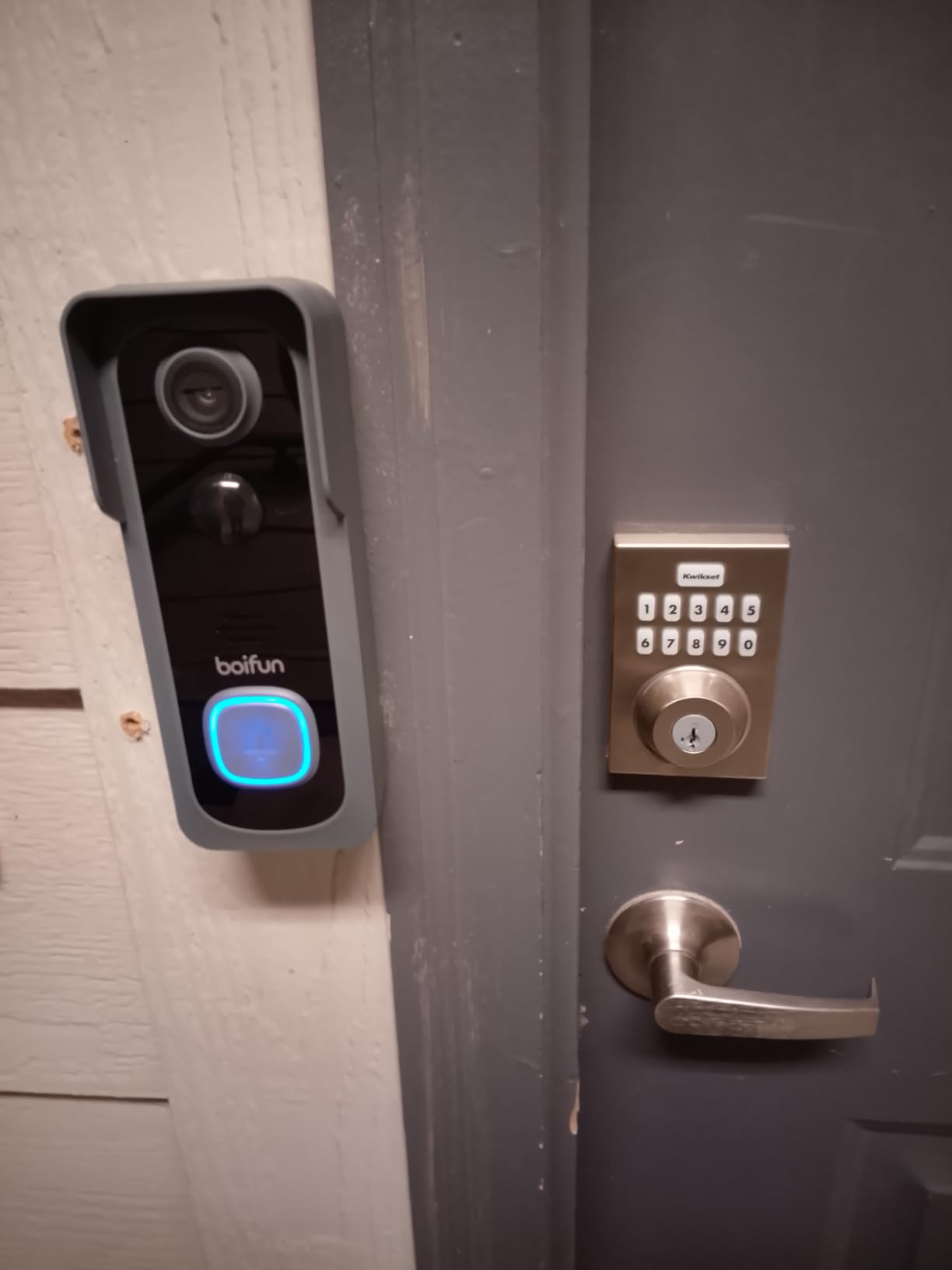
- Solid heavy build with no-drill adhesive install
- Portable indoor chime included
Cons
- Battery is built in and not user-removable
- Real battery life falls short of the 60-day lab claim
- Weak physical anti-theft ejector pin
The BOIFUN J1 answers a simple renter question: what is the least you can spend and still get a 2K picture with no monthly fee. At 4.3 across more than 3.4k ratings it holds up better than its tier suggests, and the feature list is longer than most devices above it.
Everything core is included without a plan. Live view, two-way audio, human detection, and playback all work on the free tier, and a microSD card up to 128GB gives you local storage. The app also has fine tuning most brands skip, including sensitivity zones, recording length, and an indicator-light stealth mode if you do not want a glowing LED facing the hallway.
Night vision is a genuine strength here. It uses invisible 940nm infrared with HDR processing out to about 33 ft, and because the IR is invisible there is no red glow for passersby to notice, which matters in a building where people are sensitive to being filmed.
The main drawback is the battery design. It is a built-in 5200 mAh cell that is not user-removable, so recharging means taking the entire doorbell off its mount and finding a USB outlet. On a door you cannot reach without a step stool, that is a genuine inconvenience rather than a minor one.
Real-world battery life also runs meaningfully below the 60-day lab figure, particularly on a high-traffic door where people pass multiple times an hour. Continuous live viewing drains it noticeably faster still.
The built-in tamper alarm is a nice idea but the physical deterrent is modest, since the ejector pin is a simple aluminium piece. If your building has a problem with theft, treat the alarm as a notification rather than a lock.
What you need to check before you buy
Ask yourself how often you will want to look. The J1 is for tenants who want a record of package deliveries and occasional visitors, not for someone who plans to review footage daily, because the 128GB card limit and 3MP stills cap what you can pull from it later.
Confirm your door gets some shade. The manufacturer does not recommend direct sun exposure, and lithium cells in a hot south-facing door will shorten the already-modest battery interval.
When this is the wrong doorbell
Pass on it if quick arrivals at the edge of the frame matter to you. Reviewers report missed motion events when someone approaches fast or comes in from the side, which is exactly the delivery pattern you would want it to catch.
It is also the wrong choice if you need the camera to be reachable for charging without tools or a step, because the non-removable battery puts that task squarely in the way.
5. aosu 2K Doorbell Camera with aosuBase – Best for Weak Wi-Fi
aosu 2K Wireless Doorbell Camera with aosuBase, Battery Powered, 2.4G WiFi
2K video, 166-degree 4:3 head-to-toe view
aosuBase repeater strengthens 2.4 GHz Wi-Fi
SD card storage in the indoor base, no plan needed
Pros
- SD card lives in the indoor base
- not the weather-exposed camera
- No monthly subscription required
- 166-degree 4:3 view framed for people and ground-level packages
- AI human detection ignores animals and street traffic
- Base repeater measurably extends 2.4 GHz reach to a distant door
- Support repeatedly praised for fast replacements
Cons
- Battery life often 1.5 to 3 months
- not the advertised figure
- Playback starts about five seconds into a clip
- Recording start lag can miss people walking past
- Some cameras reported to need aosu's servers even with local storage
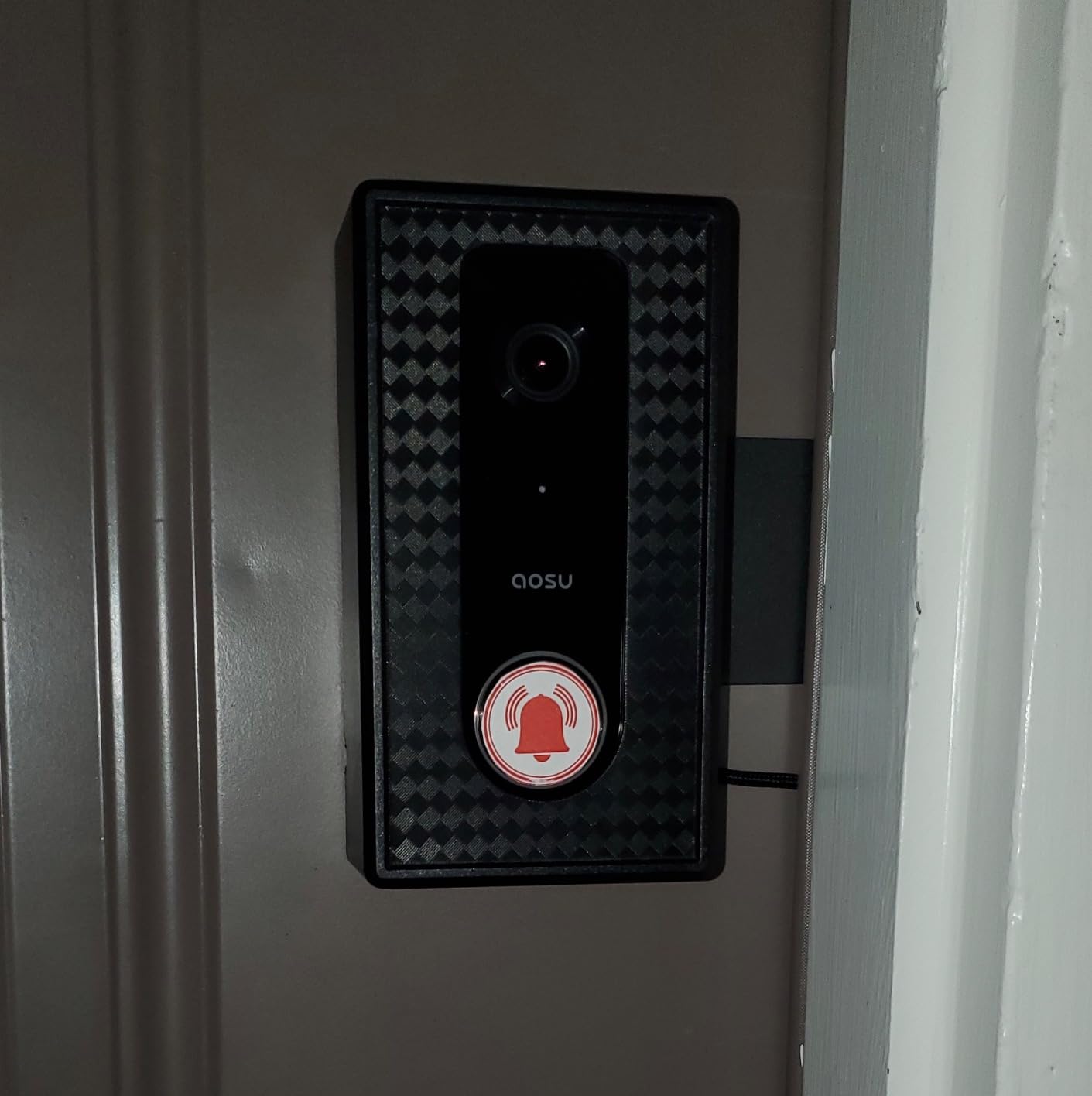
The aosu bundle solves a problem most doorbell buyers only discover after moving in: the front door is far from the router. The included aosuBase is a small indoor unit that acts as a Wi-Fi repeater and an indoor chime, and owners with distant front doors report it measurably improves the 2.4 GHz connection.
The storage design is genuinely thoughtful. The SD card sits in the indoor base rather than in the weather-exposed camera body, which removes a long-standing failure point where a doorbell card degrades from moisture and temperature cycling. Up to 256GB is supported, with no subscription required.
The 166-degree view in a 4:3 aspect ratio is tuned for apartment doors specifically. That ratio is what lets a person standing at the door and a package sitting on the ground both stay inside the frame, and at 4.3 across more than 6.5k ratings it is one of the most heavily reviewed picks here.
Battery life is the honest weak point. Multiple owners report intervals of one and a half to three months, well below the advertised figure, and heavy motion activity makes it worse. On a building door that opens constantly, plan to check it monthly.
There is also a consistent complaint about a roughly four-second recording start delay, with app playback opening about five seconds into a clip. On an eight-second package event that means you may see only someone’s back as they walk away.
Some units reportedly will not function unless they can reach aosu’s servers even when you are using local storage only, and a handful of owners have had live view fail entirely or received defective batteries. Support, though, is repeatedly singled out as excellent, with several reviewers raising their rating after a replacement shipped.
What you need to check before you buy
Measure the distance from your router to your front door. If the door is more than one room and a wall away, the bundled base is likely the deciding factor and this is the pick, because most competitors in this range give you no indoor repeater at all.
Check that you have a free outlet for the base. It needs power indoors, and in a small apartment that outlet choice can rule the product out before anything else.
When this is the wrong doorbell
It is the wrong pick if catching someone in the act of stealing a package is the goal, because the start lag can miss the moment that matters. Choose a model with pre-capture recording if that scenario worries you.
It is also a poor fit if you need true offline independence, since some units appear to still contact the vendor’s servers during normal operation.
6. Google Nest Doorbell (Battery) – Best for Google Home Users
Google Nest Doorbell (Battery) – Snow
On-device AI separates people, packages, animals, vehicles
HDR video, night vision and 6x zoom
Three hours of free event history
Pros
- On-device AI detection with no subscription required
- Best smart home integration with Google Home and Gemini
- Excellent HDR day image and reliable night vision
- Quiet wire-free install with a USB-C rechargeable battery
- Can be upgraded to wired later with the included connector
- Keeps about one hour of events locally during an outage
Cons
- Only three hours of free event history
- Battery model cannot record continuous video even with a paid plan
- 145-degree view is the narrowest of the picks here
- Charging frequency varies from weekly to every two months
- Reports of freezing within the first year
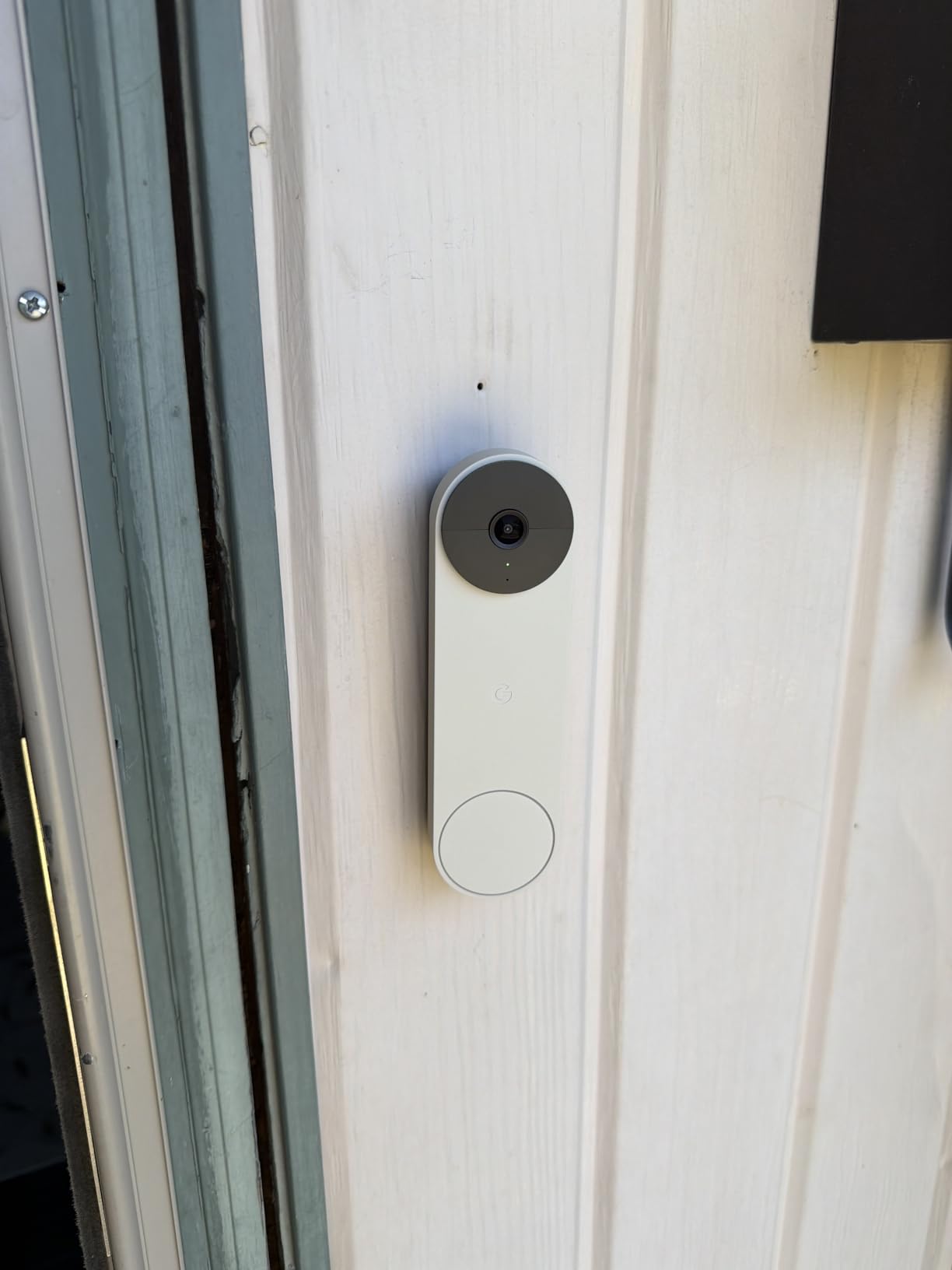
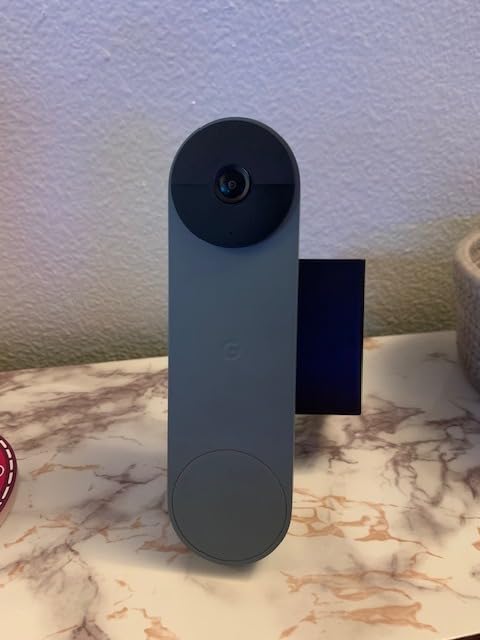
The Nest is the pick if your home already runs on Google Home, and it earns that place for one specific reason: the detection runs on the device itself. It separates people, packages, animals, and vehicles without sending your video anywhere, and without a subscription.
That on-device intelligence is the feature most worth caring about in a rental, because a doorbell on a shared hallway sees a lot of people who never came for you. Getting a person alert rather than a generic motion ping means you can ignore the neighbour’s dog without opening the app.
Image quality is strong for the class, with HDR daytime footage, night vision, and 6x digital zoom for reading a face or a door number at the buzzer panel.
The free tier is the catch. You get three hours of event history, and anything beyond that needs a Nest Aware subscription. If a package is stolen on a Tuesday and you check the app on Thursday, the footage is gone, which is a real limitation for the one scenario people buy these cameras for.
The battery model also cannot record continuously, even with a paid plan. Charging frequency varies enormously in practice, from weekly on a high-traffic door to once every two months on a quiet one, so renters should assume at least one charge a month.
The 145-degree field of view is the narrowest in this lineup, and it shows in practice as people slipping past the edge of the frame when they approach from an angle. On a corridor door where people walk past rather than approach head-on, that is a real limitation.
What you need to check before you buy
Decide whether three hours of history is genuinely enough for your situation. If you work long hours or travel often, it probably is not, and the free tier will frustrate you within the first week.
Check your door angle. With the narrowest view here, a door where visitors approach from the side rather than straight on will lose people at the frame edge, and a mounting wedge is worth adding if you can.
When this is the wrong doorbell
Skip it if you need a long record of a shared hallway or lobby, since a three-hour rolling window and no continuous mode limit any attempt to review a pattern of activity.
It is also worth knowing before you buy that some owners report units freezing and becoming unresponsive within the first year, and that the night vision state change can trigger motion alerts from the camera’s own light.
7. Blink Video Doorbell with Sync Module Core – Best for Lowest Maintenance
Blink Video Doorbell – Head-to-toe HD view, two-year battery life, and simple setup. Sync Module Core included – System (White)
Two years advertised on three AA lithium cells
Head-to-toe HD with infrared night vision
Sync Module Core and corner mount included
Pros
- A complete system with the Sync Module Core
- batteries and mount included
- AA lithium batteries mean no proprietary pack to buy
- Head-to-toe HD plus infrared night vision
- Wire-free install suits renters who cannot run wiring
- Alerts can route to a Blink Mini used as an indoor chime
Cons
- Sync Module Core has no local USB storage
- Sync Module Core reported dropping offline repeatedly
- Battery life often months rather than the two-year claim
- App has no lock-screen clip previews
The Blink is the least maintenance option in the lineup, and the reason is the battery format. It runs on three AA Energizer lithium cells rather than a proprietary pack, so when it runs low you pop in a new set in seconds instead of taking the doorbell off the wall and waiting hours for USB-C charging.
Everything needed is in the box, including the Sync Module Core, a USB-C cable, an indoor power adapter, and a corner mount. For a renter, that means one box, one trip to the hardware store if something breaks, and no extra base to plug in.
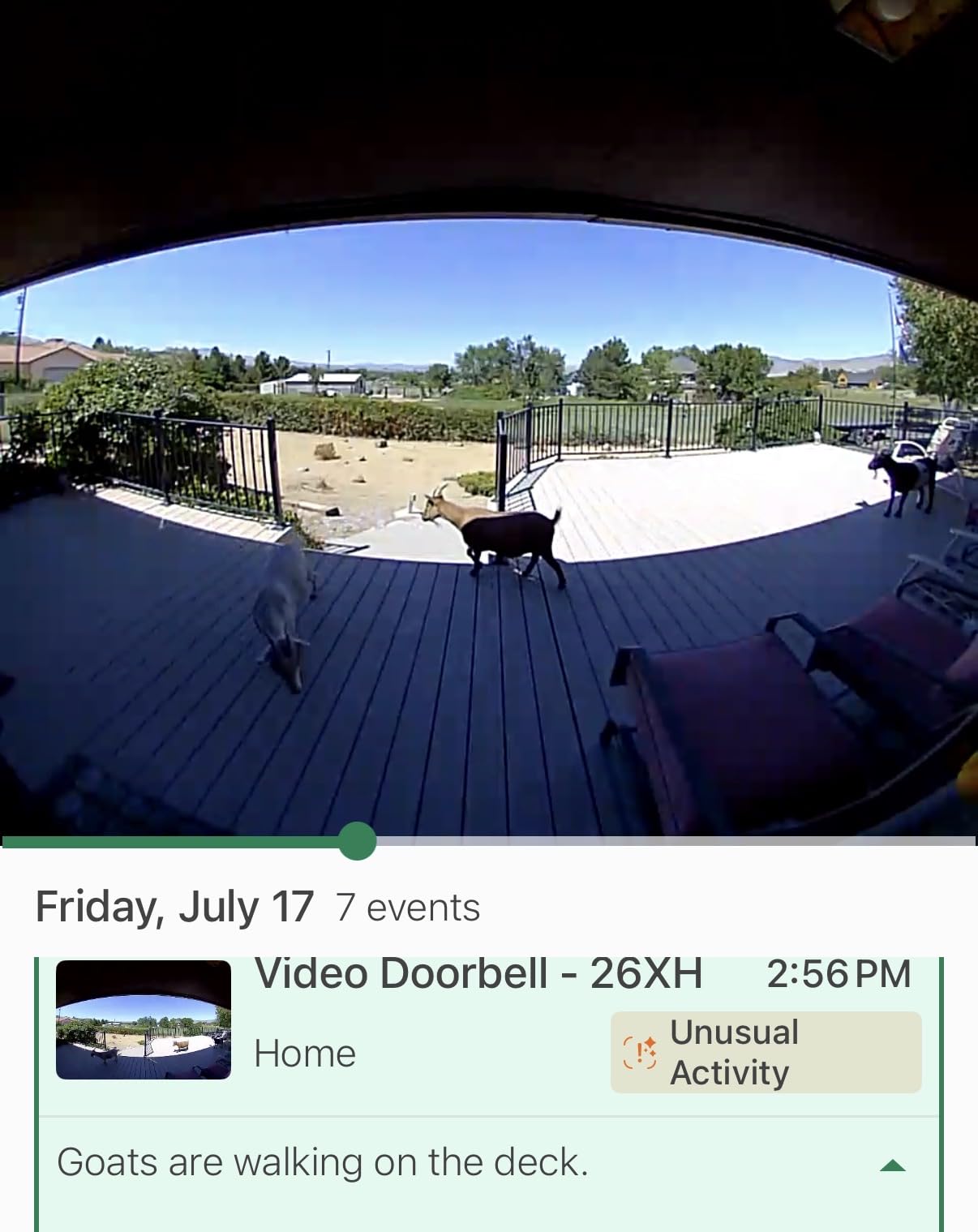
Video is head-to-toe HD with infrared night vision, and two-way talk is reported clear from both ends. It is not the sharpest sensor here, but it is more than adequate for identifying someone at an apartment door at night.
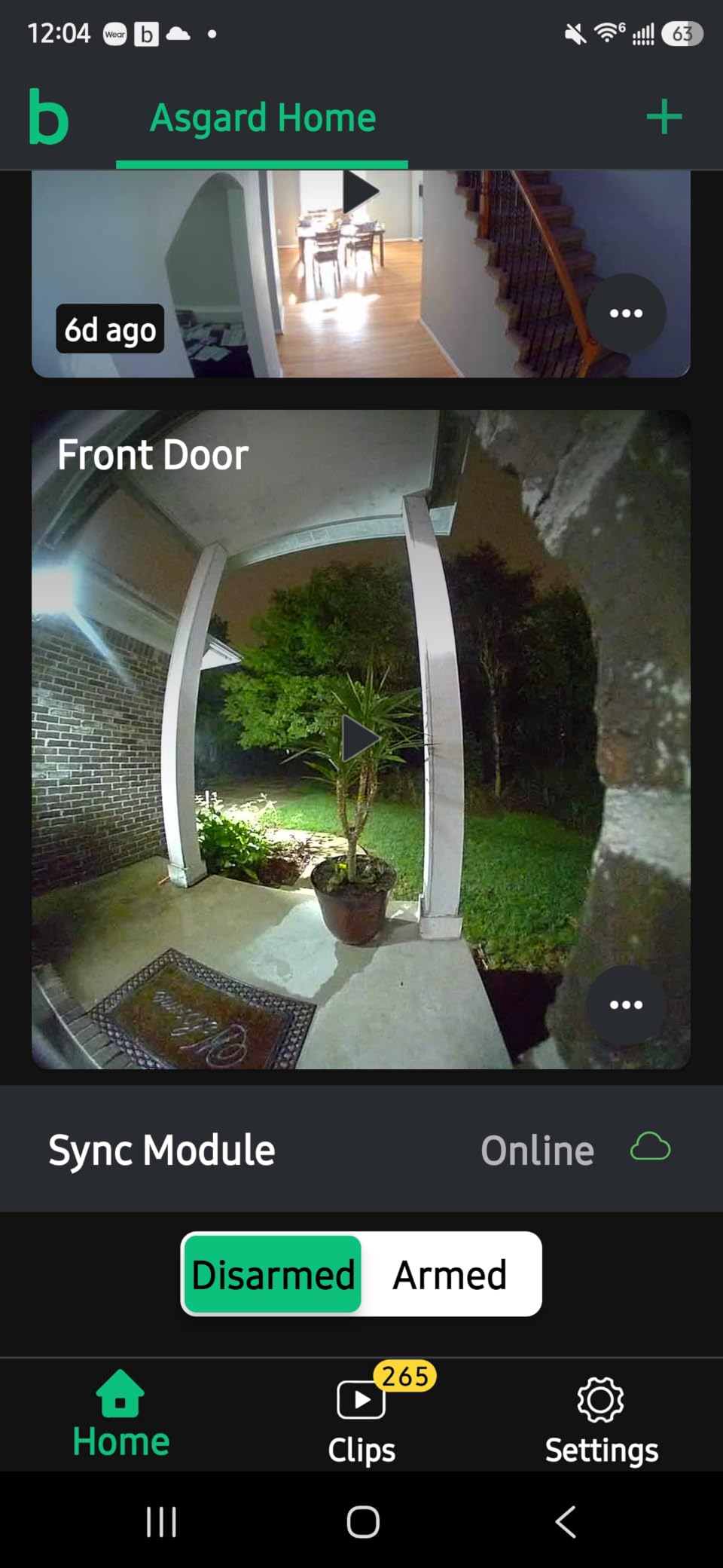
The real limitation is storage, and it is a hard one. The Sync Module Core has no local USB storage, so clip history and the Moments stitching feature depend on a Blink subscription after the trial. Unlike the eufy, Tapo, BOIFUN, aosu, and Wyze in this list, there is no free local fallback in the box.
Owners also report Sync Module Core units dropping offline repeatedly, which means no clip exists at the exact moment you need one. That is the complaint that appears most often in the reviews, because a doorbell that was offline recorded nothing.
Battery life is the other gap. The advertised figure is up to two years on three lithium cells, but real-world results are commonly a matter of months, and some units drained in a couple of weeks on high-traffic doors.
What you need to check before you buy
Ask yourself whether you are willing to rely on cloud storage with no local fallback. If you want clips you can actually keep without a plan, the Blink is the wrong doorbell even though the complete package is included in the box.
Check where the Sync Module will live. It needs an indoor outlet within reach of your router, and in a compact apartment that placement is not always obvious on day one.
When this is the wrong doorbell
Pass if you want rich notifications. The app has no lock-screen clip previews, so every alert means opening the app, and on a busy hallway door that becomes a chore within a week.
Skip it if your building already uses a wired doorbell and you want the chime in the hall. Blink can be connected to existing doorbell wiring, but the battery unit is the more common renter configuration and does not do that.
8. Wyze Battery Video Doorbell – Fastest No-Drill Setup
Wyze Battery Video Doorbell Wireless Camera, 1536×1536 HD+ with Color Night Vision, 2-Way Audio, 1:1 Head-to-Toe View, Person/Vehicle/Package Monitor, Wire-Free/Wired Option, 1 Minute Easy Setup
1536x1536 HD+ with starlight color night vision
1:1 head-to-toe view, no fisheye distortion
Free local microSD up to 256GB, no fee
Pros
- Bluetooth paired install with no screw
- finished in about a minute
- 1:1 framing shows packages sitting right against the door
- Color night vision picks up people clearly
- Free local microSD storage up to 256GB
- Person
- vehicle and package detection cuts false alerts
Cons
- Battery life reported at 2-6 weeks
- well short of the claim
- No chime included in this package
- Cannot be triggered by sound detection
- Will not ring an Alexa or Google display as a chime
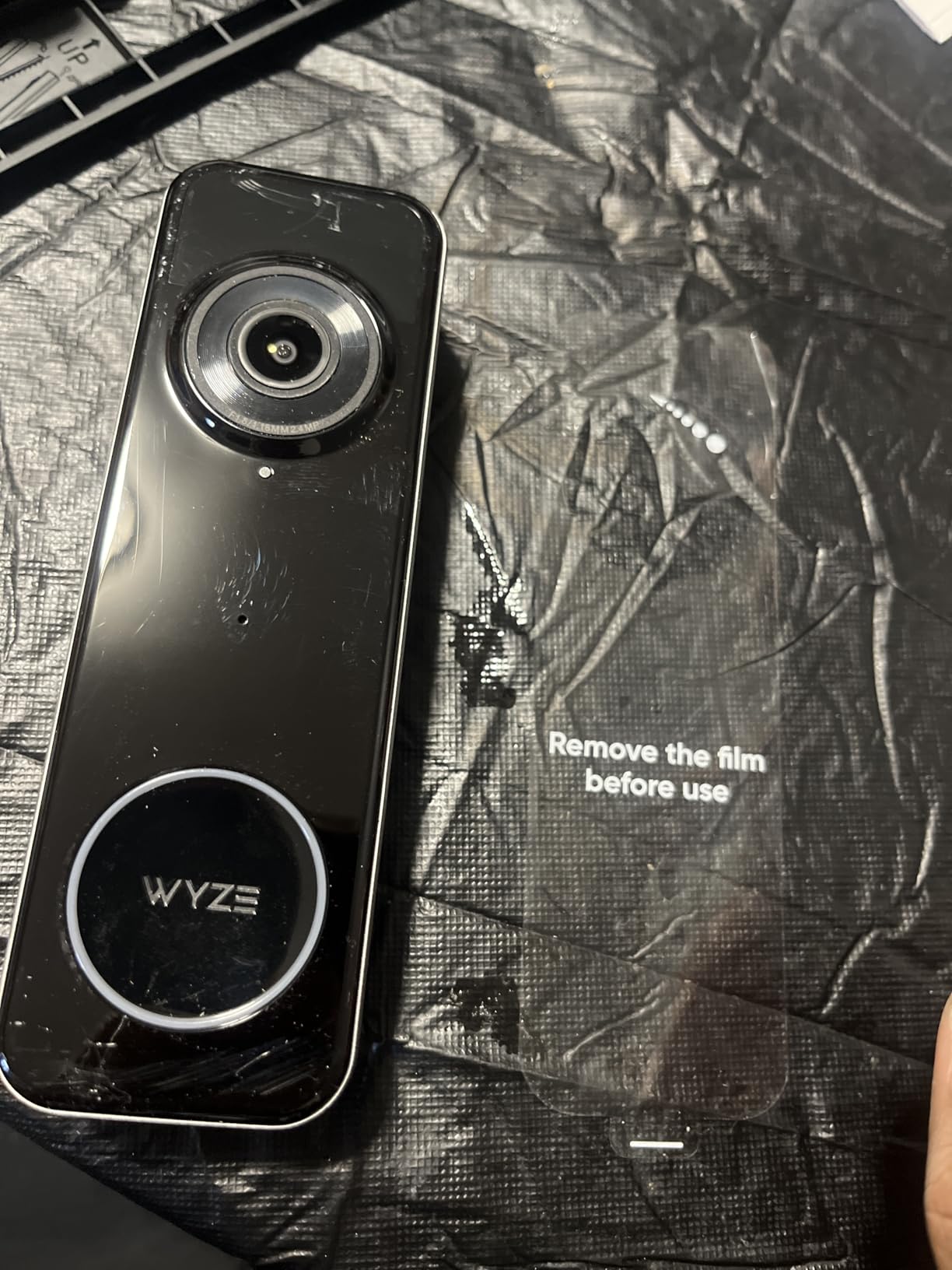
If your single concern is touching the door as little as possible, this is the one. Setup is Bluetooth-paired and takes about a minute, with flat and corner back plates included so you can angle it without a screw or a piece of tape.
The square 1:1 sensor is the design detail that matters. A conventional landscape sensor crops top and bottom, so a package sitting directly against the door falls out of frame. The Wyze’s 150-degree square view keeps both the visitor and a doorstep package in the same shot without the fisheye distortion that wide sensors usually produce.
Local storage is free and generous. A microSD card up to 256GB handles recording with no monthly fee, and if you ever get landlord approval to hardwire it, the same card gives you 24/7 local recording.
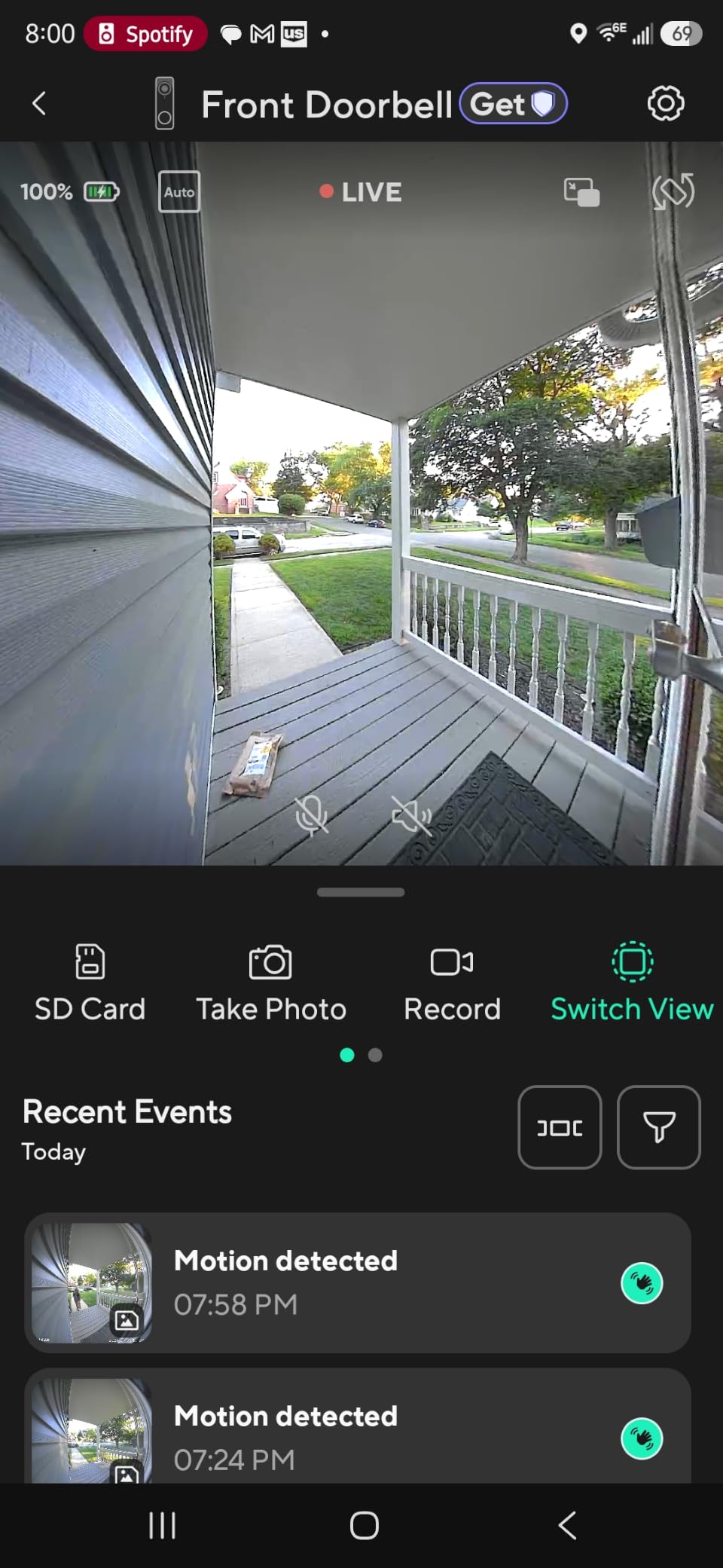
Battery life is the honest problem. The claim is up to six months, and owners report anything from two to six weeks depending on traffic, which is a very wide spread but consistently at the short end on an apartment door.
There is no chime in this package. If you want an audible alert indoors you need a separate Wyze Chime or a Wyze Cam, and the Google Home integration is shallow enough that it will not ring a display as a doorbell chime.
Unlike the Tapo and the BOIFUN, it also cannot be triggered by sound detection, so a visitor who knocks without pressing the button produces no alert. Color night vision is clear but flips between colour and black and white inconsistently.
What you need to check before you buy
Check that you have a microSD card on hand or budget for one, since it is not included and the local storage is the reason to buy this model over a subscription-based alternative.
Look at your Wi-Fi band. Like most doorbells in this price range it connects on 2.4 GHz only, which is fine unless your building router is 5 GHz exclusive.
When this is the wrong doorbell
It is the wrong pick if the door is heavily shaded at night or extremely bright, because the colour night vision output is inconsistent and you may end up with black and white more often than not.
Skip it if you rely on a smart display as an indoor chime or need sound-triggered alerts, and note the battery is not user-replaceable, so a low charge still means taking the unit down.
What Makes a Video Doorbell Renter-Friendly?
A video doorbell is renter-friendly when it needs no electrical work, attaches without permanent holes, stores footage without a monthly plan, and can be removed in under ten minutes leaving no mark. Those four criteria decided every ranking in this guide.
No wiring and no drilling. Battery power plus an adhesive or screw-free plate means you never touch a doorbell transformer, a low-voltage cable, or a stud.
Removable in minutes. The unit should come off the door with hand tools and leave a clean surface, so your deposit is not at risk at move-out.
Local storage as an option. A microSD card or built-in memory lets you review clips without a subscription that runs for the length of your lease.
A wide head-to-toe field of view. Apartment doors need vertical coverage so you can see a person and a package at your feet in one frame.
Person-only alerts. Shared hallways generate constant motion, and a doorbell that alerts on every passing car trains you to ignore it.
An anti-theft mount or wedge. In a building with package theft, a mount that resists removal matters more than a slightly better sensor.
Do You Need Your Landlord’s Permission?
Yes, in most leases you do, and a video doorbell is treated as a permanent exterior alteration even when it is removable. The difference versus drilling is that a landlord can usually deny the installation outright, whereas with a hole you are already discussing damage. Get the answer in writing before you buy.
Check your lease for three specific clauses: modifications to the exterior of the unit, installation of electrical or electronic devices, and any restriction on filming common areas. If the lease is silent, send the message below and keep the reply.
A short message that works:
Hi, I would like to install a battery-powered video doorbell on my own front door. It requires no wiring and no drilling, uses a removable adhesive mount, and I will take it down and clean the surface before I move out. I am happy to accept any conditions you prefer, including a specific mount or a different position. Could you confirm this is okay in writing?
Attach a photo of the mount, the door, and the position you have in mind. A landlord who can see that nothing is being drilled usually approves faster than one who is being asked to take a promise on faith.
How to Install a Battery Video Doorbell Without Drilling
Almost every doorbell here can be mounted without a screw. The three methods below run from least to most permanent, and for a rental the first two are almost always enough.
Use the supplied adhesive plate. The Tapo D210 and the BOIFUN J1 ship with 3M adhesive for exactly this. Clean the door with isopropyl alcohol, let it dry fully, press the plate for 30 seconds, then wait several hours before hanging the unit so the bond sets.
Reuse an existing doorbell hole. Most apartment doors already have a chime button or a removed doorbell leaving a standard single-button opening. The Ring plate and the slimmer eufy E340 body will often cover that hole without any new fastener.
Use an anti-theft door mount. For an outward-opening door, a mount that clamps over the top of the door and holds the camera on the inner face is both removal-resistant and drilling-free. Check compatibility carefully, because mounts are model-specific and frequently do not fit newer generations.
Add a wedge if the camera points too high. Most units here include or accept a 15-degree wedge. Aiming the lens down toward the walkway is what turns a head-to-toe spec into an actually useful package shot.
Photograph the door before you mount. Take one picture of the clean surface and one of the finished mount. That is your deposit protection, and it takes ten seconds.
Test Wi-Fi at the door before committing. All eight of these doorbells are 2.4 GHz only. Stand in the hallway with your phone and confirm you can hold a connection there, because weak hallway signal is the most common reason a setup fails later.
Battery vs Wired Video Doorbells for Renters
Battery video doorbells need no wiring at all, which is why they are the default for rentals. A wired unit requires existing low-voltage doorbell wire, a transformer, and landlord permission to alter it, and most apartments you move into simply do not have that wire.
A hybrid model is worth considering only if your building already has working doorbell wiring you can legally use. Several picks here, including the Ring, the eufy E340, the Google Nest, and the Wyze, can be converted to wired later, which means a renter can start battery-only and upgrade if they ever get approval.
The trade-off is straightforward. Battery units stop recording while you charge them, and on a high-traffic building door that gap is real. Wired units run continuously but are usually a landlord conversation rather than a purchase decision.
Privacy, Neighbours and Shared Hallways
You have a right to a camera on your own door. What you do not have is a right to film your neighbours through it, and on a shared hallway doorbell that distinction is easy to cross without meaning to.
Audio recording is the part most people miss. Every doorbell here has two-way talk, which means it can hear conversations, and one-way audio is not a default option. Check your state or country’s rules on recording conversations you are not party to, because in many places a doorbell microphone on a shared corridor is a grey area rather than a clear one.
What you can do:
Set motion and activity zones so the camera covers your own stoop and not the corridor.
Use a privacy shutter or an indicator-light stealth mode, which the BOIFUN offers, when you are not expecting anyone.
Turn off two-way audio if your model allows it, so the unit records images without capturing conversations.
Enable person-only alerts so you are reviewing visitors rather than everyone who walks past.
Tell your immediate neighbours you have installed one. It costs one conversation and prevents most disputes.
Why Some Renters Are Moving Off Ring
The reasons are consistent across renter forums, and they are about cost and data rather than hardware. Ring remains the easiest doorbell to install and the most widely supported, so this is not a quality judgement.
The free tier keeps shrinking. Historic clips and person alerts now sit behind a monthly plan, which means a renter is the one paying to review footage recorded in their own hallway.
The plan runs for the whole lease. A subscription is an ongoing cost on a home you do not own, and the cost of ownership over 24 months matters more than the sticker price.
Data-sharing concerns. The recurring question among renters is how much doorbell and camera footage is shared with law enforcement, and how long it is retained.
Older hardware loses features. Owners report features on earlier generations being moved behind a plan or withdrawn, which matters if you keep the same doorbell across several rentals.
The practical alternative is any of the local-storage picks here: the eufy E340, the Tapo D210, the BOIFUN J1, the aosu, or the Wyze. Each records to a card you own, and none require a monthly fee to review clips.
Shared Entrances and Buildings That Ban Doorbells
Some buildings prohibit anything mounted on the main entrance, and no amount of removable hardware changes that. Check building rules before you buy, because installing against the terms can be treated as a lease violation.
If the shared front door is off limits, your options shift to devices on your own side of the threshold:
A peephole camera that sits inside the door and needs no exterior mount at all.
A small camera on your own door or frame angled at your own stoop only.
A battery buzzer or wireless entry panel for letting visitors in without opening the door.
Requesting that the building install a shared entry camera, which the management company usually prefers over five tenant devices.
Ask the property manager for a written answer on doorbells versus lobby cameras. Buildings are far more willing to approve a device that does not record neighbours, and the conversation is easier if you raise it before buying.
The Move-Out Removal and Deposit Checklist
Most deposit deductions from doorbells come from adhesive residue and forgotten screws, not from the camera itself. Work through this in order and you will usually get the full amount back.
Take the unit off the door and photograph the bare surface immediately, before you clean anything.
Remove the mounting plate. For adhesive plates, warm the area with a hair dryer for 30 seconds and peel slowly at a low angle rather than pulling straight off.
Clear any residue with isopropyl alcohol and a cloth, then a plastic scraper for stubborn lines. Avoid metal tools on painted or vinyl surfaces.
Fill any screw holes with paintable filler, sand flush, and touch up with a colour that matches the door frame.
Remove the indoor chime, base, or repeater from your shelves and take them with you.
Factory reset the doorbell, remove it from the account, and photograph the reset screen if your building manager asked for proof.
Send the property manager your before and after photos the same day you move out, with the check for any damage listed as no charge.
Keeping the original packaging matters more than tenants expect. A reinstalled doorbell in a new rental is the cheapest upgrade, and a unit still in its box is one less thing to repurchase.
How to Choose a Battery Video Doorbell in a Rental
Work through these questions in order, and the shortlist narrows quickly.
Will you pay a monthly fee? If no, eliminate the Ring and the Blink and shortlist the eufy E340, Tapo D210, BOIFUN J1, aosu, Wyze, or Nest.
How busy is your door? A main corridor with heavy foot traffic drains a battery fast. Look for reported intervals in months, and treat advertised figures as a ceiling rather than an average.
Is there a chime? Several units here include one, which is the cheapest way to get an audible alert without a smart display.
Can you reach a card or memory option? Local storage is what removes the monthly cost, and it also means your footage is not on someone else’s server.
What is the door angle and lighting? Wide 160-degree-plus views handle a door that people approach from the side, and shade protects the battery and the image.
Does the unit need an indoor base? The eufy and aosu both do. Plan the outlet before you order.
What happens at move-out? Anything that mounts with adhesive or reuses an existing hole comes off cleanly. Anything requiring a new hole is a landlord conversation.
Frequently Asked Questions
What is the best renter-friendly doorbell camera?
The Ring Battery Doorbell is the best renter-friendly option because it needs no wiring, installs with a removable plate, and covers visitors and packages in one head-to-toe frame. If you refuse a monthly subscription, the eufy E340 stores footage on the device and needs no plan at all.
Are Ring doorbells renter friendly?
Yes, in hardware terms. Ring battery doorbells need no wiring and ship with a removable mount, so they come off the door cleanly at move-out. You still need your lease to permit exterior devices, and video history plus person and package alerts sit behind a Ring Protect plan.
Can you have a doorbell camera in an apartment complex?
Usually on your own front door, rarely on a shared entrance. Most buildings allow a tenant-mounted device on their own unit, but prohibit anything on the main entrance or common areas. Ask the property manager in writing before you buy, and expect conditions on position and field of view.
Do battery video doorbells need wiring?
No. A battery video doorbell powers itself from a rechargeable pack or AA batteries and connects to your 2.4 GHz Wi-Fi, so no doorbell transformer or low-voltage cable is involved. Some models here can be converted to wired later if a landlord ever approves, but that is optional.
Why are people getting rid of Ring doorbells?
Renters commonly leave Ring over the shrinking free tier, since historic clips and person alerts now sit behind a monthly plan, and over recurring data-sharing concerns. Hardware is rarely the complaint, which is why local-storage picks such as the eufy E340, Tapo D210, and Wyze keep gaining ground.
How do you remove a video doorbell when moving out?
Photograph the bare door first, then remove the unit and plate. Warm adhesive with a hair dryer, peel slowly at a low angle, clear residue with isopropyl alcohol, fill any screw holes with paintable filler, and send the property manager your before and after photos on moving day.
Can video doorbells record neighbors in an apartment hallway?
They can, and most units have two-way talk so they capture audio as well. Restrict motion and activity zones to your own stoop, use a privacy shutter or stealth indicator light when possible, and tell your neighbours before installing. Recording rules for conversations vary by location.
The Best Battery Video Doorbell for Renters in 2026
The Ring Battery Doorbell remains our pick for the best battery video doorbell for renters in 2026, because no other unit on this list combines a genuinely drill-free install, the widest support ecosystem, and a rating backed by more than 55k reviews. The trade-off is the subscription, and that is a real cost for the length of a lease.
If a monthly fee is off the table, take the eufy E340 for the dual-camera coverage and built-in storage, or the Tapo D210 for battery intervals reported at four to five months and an included chime. Both record locally, both install without a screw, and neither asks you for anything at the end of the month.
Before any of them goes on the door, get your lease answered in writing, take a photo of the clean surface, and confirm a 2.4 GHz signal reaches your hallway. Those three steps decide whether the doorbell becomes a deposit problem or a two-minute job.