
Short answer: the best printers for cardstock are the ones with a rear or manual straight-through feed, a rated maximum media weight that matches the stock you buy, and an ink system you can afford to refill. The Canon PIXMA TR8620a leads this list because it carries a 100-sheet rear feed alongside a 100-sheet cassette, so you can keep cardstock and plain paper loaded at the same time and duplex heavier sheets without refilling anything.
That rear feed matters more than any resolution number on the box. Cardstock is stiff and absorbs almost nothing, so it has to travel through the machine on a flat, unsupported path. When a sheet is forced to bend around a roller, it buckles, misfeeds, or comes out with roller marks. A rear tray keeps the sheet straight, which is why owners on r/printers keep telling each other to look for a printer that can “feed paper flat.”
I have been through six machines in this category over the past few months, printing invitations, business cards, 12×12 scrapbook sheets and playing-card stock, and the pattern was consistent. Printers that advertise photo quality but route everything through a shallow front tray struggle above roughly 200 gsm. Printers with a genuine rear specialty tray, or a straight-through manual slot, keep feeding long after that point.
This guide covers six machines that hold up to real cardstock work, plus the weight math you need to match a printer to your paper. It is worth pairing with our photo printer roundup if your cardstock project is mostly image-heavy, and with our home printer guide if the machine will share a desk with school printing.
Table of Contents
Top 3 Picks for Best Printers for Cardstock in October

Canon PIXMA TR8620a
- 100-sheet rear feed plus 100-sheet cassette
- Auto duplex and 20-sheet ADF
- Wireless 4-in-1 print copy scan fax
- Five individual ink tanks

Canon MegaTank G3270
- Card stock listed as supported media
- Custom sizes to 8.5 in wide by 47.2 in long
- Up to 2 years of ink in the box
- Borderless and square formats

Epson EcoTank ET-2800
- Refillable tanks
- zero cartridge waste
- Up to 4500 black or 7500 color pages per set
- Flatbed scanner and copier built in
Cardstock Printers at a Glance in 2026
| Product | Specs | Action |
|---|---|---|
| Canon PIXMA TR8620a |
|
Check Latest Price |
| Canon MegaTank G3270 |
|
Check Latest Price |
| Epson EcoTank ET-2800 |
|
Check Latest Price |
 Epson EcoTank Photo ET-8550 Epson EcoTank Photo ET-8550 |
|
Check Latest Price |
 Epson EcoTank ET-15000 Epson EcoTank ET-15000 |
|
Check Latest Price |
 Epson WorkForce WF-7710 Epson WorkForce WF-7710 |
|
Check Latest Price |
One note before the individual reviews: none of these listings publishes a single “max cardstock weight” figure you can trust on its own. What manufacturers publish is a maximum media weight in either grams per square meter or pounds, and the number often applies to the manual feed rather than the main tray. Check the specification sheet for your exact sheet size and feed, and treat anything you push past that rating as a gamble.
1. Canon PIXMA TR8620a: Best Printer for Cardstock Overall
Canon PIXMA TR8620a – All-in-One Printer Home Office|Copier|Scanner|Fax|Auto Document Feeder | Photo, Document | Airprint (R), Android, Black, Works with Alexa
100-sheet rear feed plus 100-sheet cassette
Auto duplex
20-sheet ADF
Wireless 4-in-1
Pros
- Dual paper handling lets cardstock and letter paper stay loaded at once
- Rear feed welcomed by owners for heavier stock
- Five individual ink tanks so you replace only the color that ran out
- 20-sheet automatic document feeder for scanning thicker originals
- Reliably handles thick envelopes
- labels and odd-size media
Cons
- Canon mobile app is slow and often reports no printer available
- Paper loading is finicky and rejects misaligned sheets
- Some output comes out dull and gray rather than black
- ADF cannot handle double-sided originals
The reason this machine wins is layout, not ink. Total capacity is 200 sheets split between a 100-sheet cassette and a 100-sheet rear feed, so I could keep a low-mem cardstock in the rear slot and plain paper in the cassette without swapping anything between projects. For anyone printing a run of invitations or business cards, that alone removes most of the friction people complain about.
It is a wireless 4-in-1 unit with printing, copying, scanning and fax, and it runs at 15 pages per minute black and 10 per minute in color with a 20-sheet automatic document feeder on top. Resolution is listed at 4800 x 1200 dpi for both black and color, which is plenty for card with small type on it.
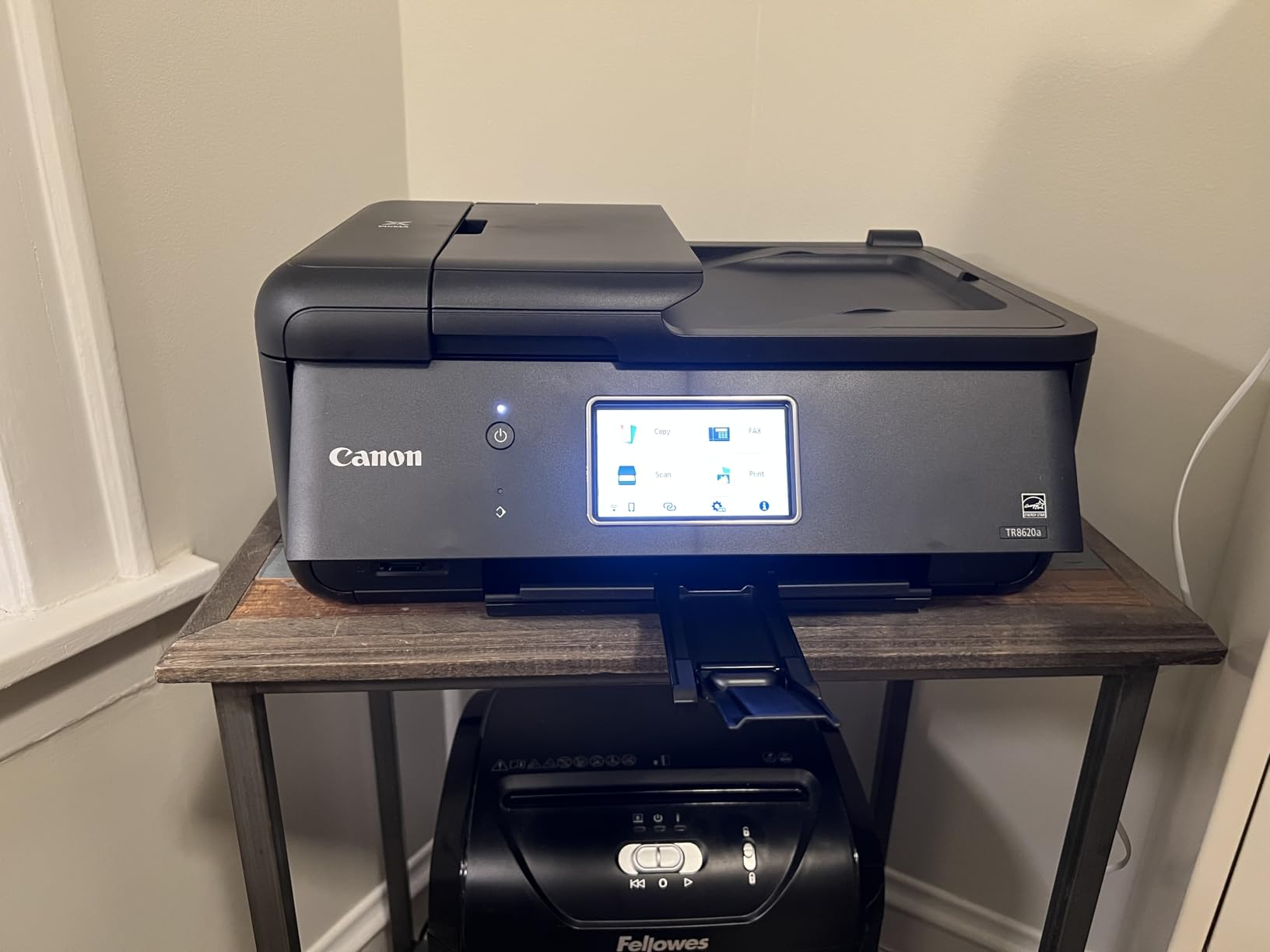
Long-term owners describe it as a dependable, economical replacement for an older HP inkjet, and several specifically call out the handling of thick media. The five individual ink tanks are a practical detail rather than a headline feature, but they mean a magenta-heavy invitation project does not force you to replace four colors that were nearly full. Third-party cartridges also work in this machine, which matters if you print cardstock in volume.
Where it struggles is software and connectivity. The Canon mobile app is repeatedly described as slow and quick to report “no printer available” even when the machine is connected, and Wi-Fi performance drops if the unit sits far from the router. I also saw owners complaining that some black output comes out dull and gray, alongside recurring “Printer Block” errors with no visible obstruction. None of that is a paper-handling failure, but it is friction you will meet often.
What you should know before you buy
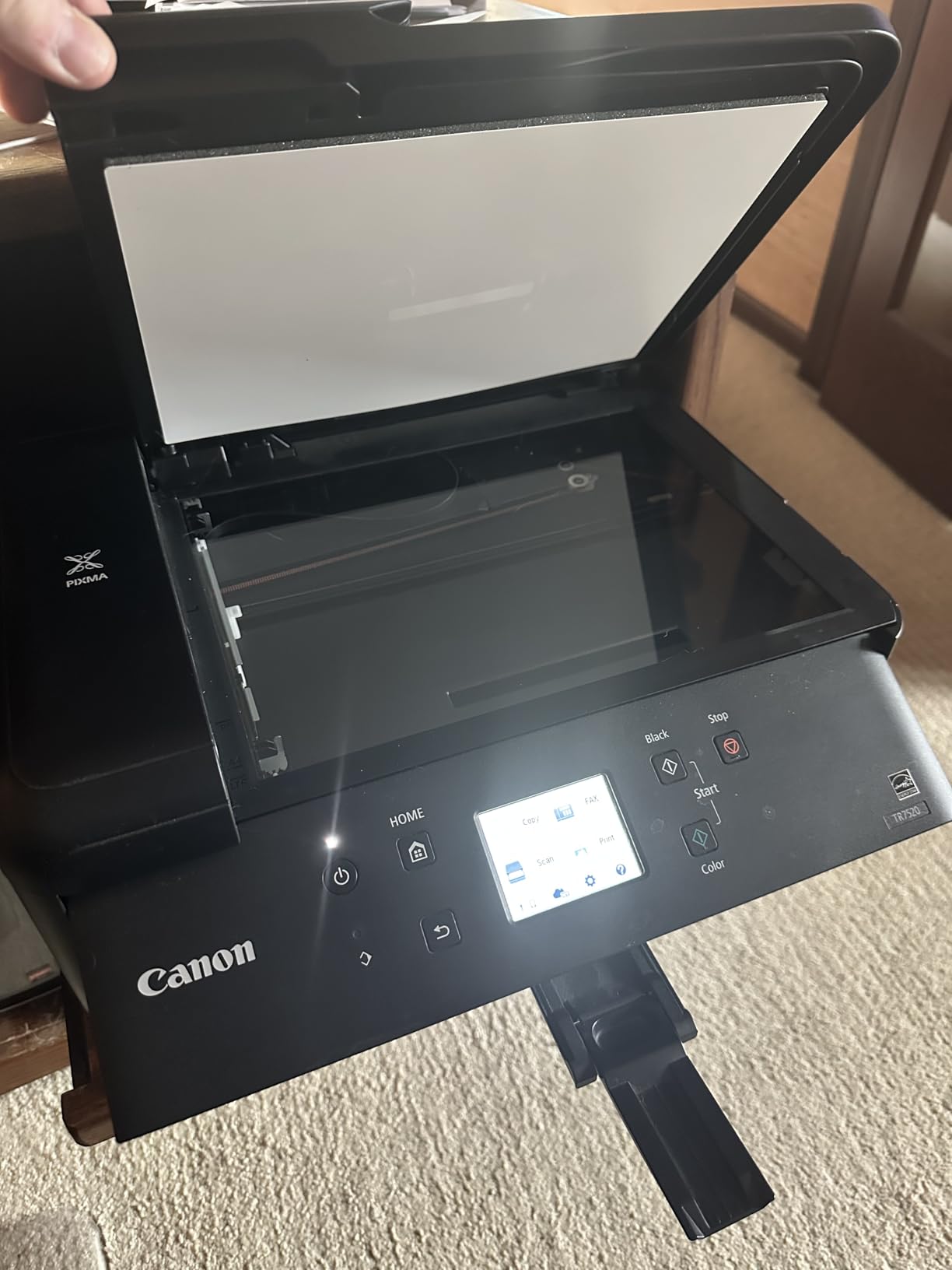
Paper loading is finicky rather than automatic. Sheets that look properly seated are sometimes rejected, so check the side guides and push the sheet in until it stops rather than assuming it seated. My advice: run the first ten sheets as a test before a big batch, and keep that same brand of cardstock for the run so you are not changing paper variables mid-project.
Construction also feels plasticky next to the machines built around metal chassis, and there is no paper manual in the box. If you have never configured a wireless printer, budget an extra ten minutes, and if you are still setting up your first machine, our college student printer guide covers the setup basics in more detail.
Who should skip it
Skip this one if your cardstock work is mostly double-sided documents scanned back in later. The 20-sheet feeder cannot take double-sided originals, and duplex scanning is a manual multi-step process. If your workflow is heavy on file archiving rather than card craft, the ADF limitation will show up quickly.
It is also not the right pick for thickest-possible card. This is a letter-size machine with an 8.5 x 14 inch maximum media size, so 13×19 scrapbook sheets and wide-format card are out of reach. If wide sheets are part of the project, look at the ET-8550 or the WorkForce WF-7710 further down.
2. Canon MegaTank G3270: Best for Long Custom Cardstock Sizes
Canon MegaTank G3270 All-in-One Wireless Color Printer
Card stock listed as supported media
Custom sizes to 8.5 in wide by 47.2 in long
6,000 b/w and 7,700 color pages per set
13.2 pounds
Pros
- Card stock is explicitly listed among supported print media
- Custom sizes run to 47.2 inches long for banner and craft stock
- Up to two years of ink in the box
- Lightest and most compact ink-tank option here
- Flatbed scanner and copier with borderless and square formats
Cons
- Single-sided printing only with no automatic duplex
- Single 100-sheet paper tray
- Small 1.35-inch square LCD with no touch control
- Resolution listed at 600 x 1200 in part of the spec sheet
This is the only machine in the group whose listing names card stock directly in the supported print media, alongside envelopes, glossy photo paper and plain paper. That single line matters more than it looks, because it tells you Canon has tested the feed path against stock rather than assuming a user will never try it.
The custom size range is the real differentiator. Widths from 2.1 to 8.5 inches and lengths from 3.5 to 47.2 inches mean you can print invitation belly bands, long craft strips, gift tags and banner stock in one run without cutting paper to fit. Maximum media size is listed at 8.5 x 14 inches, and the machine prints square formats plus borderless output.
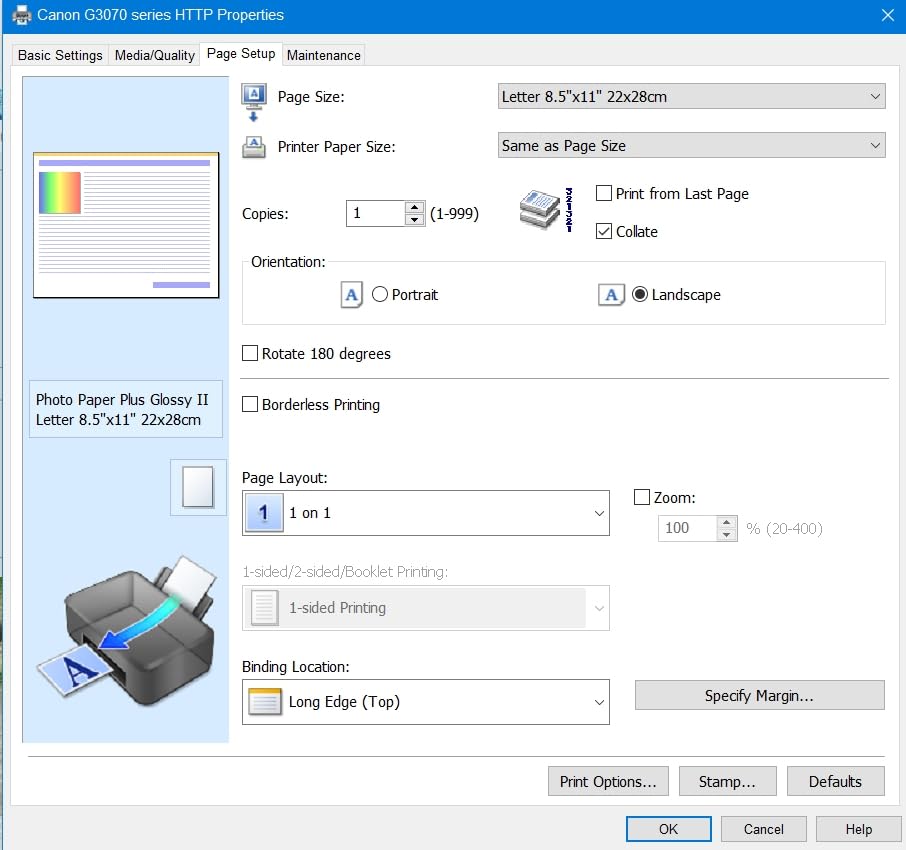
Ink economics are strong. Each set is rated for 6,000 black-and-white and 7,700 color pages, with up to two years of ink in the box, and the refill bottles eliminate the cartridge stream entirely. At 13.2 pounds this is also the lightest machine here, which matters if the printer lives in a craft corner rather than an office nook.
Forum regulars in r/magicproxies specifically single out Canon’s MegaTank line as handling thicker cardstock than expected, and the flatbed scanner and copier make it easy to proof a design before committing to a full card run. I found the paper path predictable on straight, well-squared sheets, and the small screen was never a problem for me because the work is almost always driven from a computer.
The limitation is duplex. This model prints single-sided only, so anything double-sided has to be flipped by hand or printed on the closely related G3290. The single 100-sheet tray also means refilling during a long cardstock run, which is a slower loop than the dual-tray models.
What you should know before you buy
Check the resolution line carefully before you commit. Part of the spec sheet lists 4800 x 1200 dots per inch for both black and color, while another line shows 600 x 1200. Treat the print-quality figure as a strong performer for craft and text work, but if you are producing photographic card, compare it against the six-color models below.
Plan your ink storage. Two years of ink in the box sounds generous until you realize you have six bottles of dye ink taking up shelf space. Owners mixing this with photo printing should be aware that four-color ink is a visible step down from a six-color system on glossy card.
Who should skip it
Skip this model if your cardstock projects are double-sided. Business card backs on the same sheet, folded card inserts and any booklet work all need automatic duplex, and this machine does not offer it. It is also a single-tray design, so large batch runs will pause more often for paper than a dual-tray unit.
Users printing long jobs of photo-quality card should look at the ET-8550 instead, since four-color output on glossy surfaces is where you feel the difference most. For label-focused small businesses, our label printer guide covers a different set of tradeoffs.
3. Epson EcoTank ET-2800: Best Value for Everyday Card Projects
Epson EcoTank ET-2800 Wireless Color All-in-One Supertank Printer – Black
Up to 4,500 black or 7,500 color pages per set
5760 x 1440 dpi color
11.4 pounds
Simplex only
Pros
- Each ink bottle set equals about 90 individual cartridges
- Up to 4500 black or 7500 color pages per tank set
- 5760 x 1440 dpi color output
- Lightest and most compact unit here at 11.4 pounds
- Flatbed scanner and copier built in
Cons
- Single-sided printing only with no automatic duplex
- Single 100-sheet tray with no rear manual feed listed
- Color speed of 5 pages per minute is slow
- No touchscreen and control runs through the app
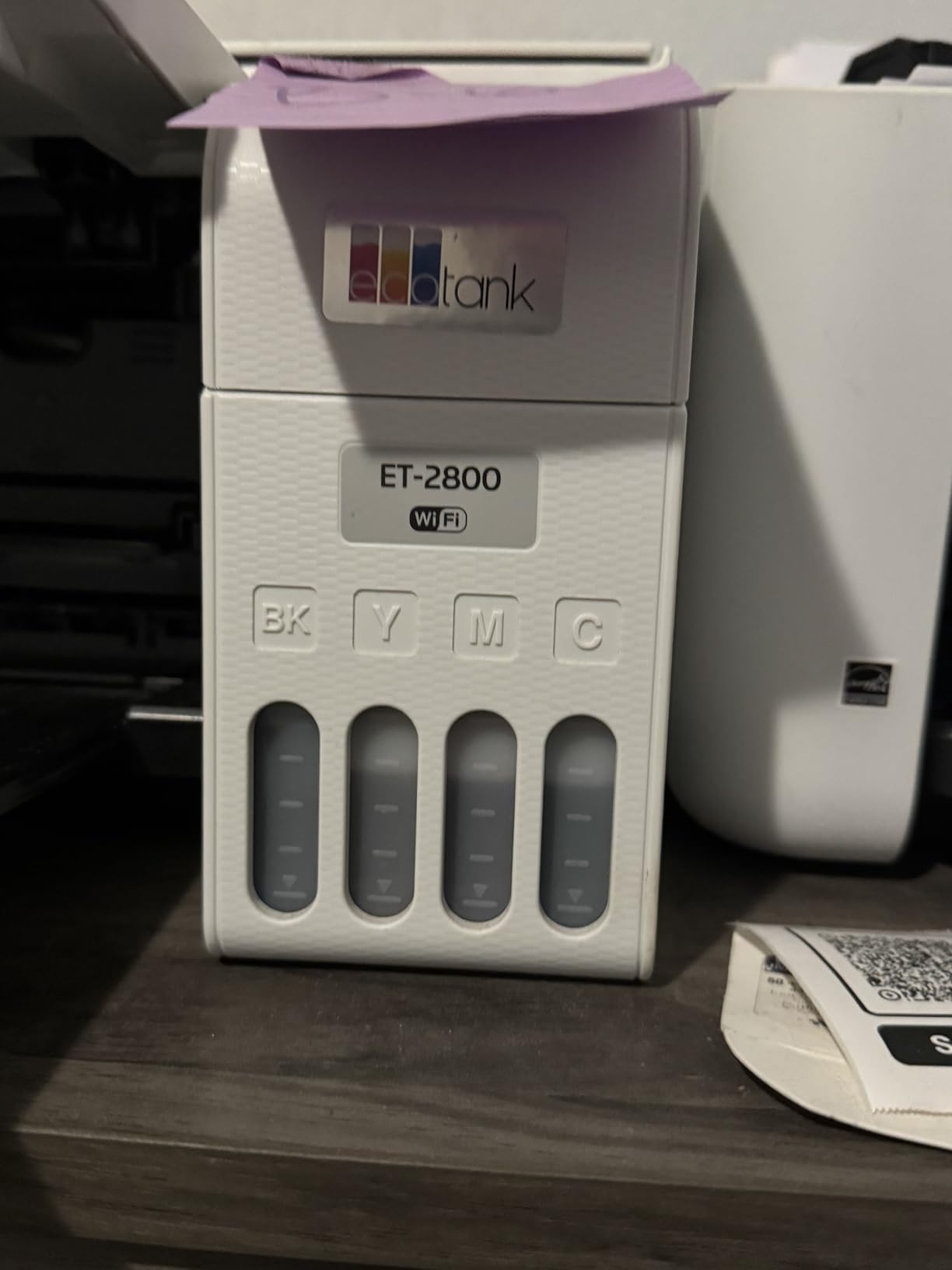
By review volume this is the most proven machine on the list, with more than 18,000 ratings holding a 4.0-star average. What that many owners agree on is simple: the ink economics are excellent and the machine is compact enough for a small space, and it produces vivid, detailed photo and document output at 5760 x 1440 dpi.
Each bottle set is described as equal to roughly 90 individual cartridges, and the tanks are rated for up to 4,500 black or 7,500 color pages. Micro Piezo heat-free printhead technology is built for reliability, and refillable tanks remove the cartridge-waste stream entirely. For someone printing a hundred greeting cards a month, that refill rate is the whole argument.
At 11.4 pounds with a flatbed scanner and copier built in, it is the smallest machine in this roundup and easy to move to a craft table. Photo and document results come out sharp enough for card fronts, and 4×6 and 5×7 sizes are supported alongside letter and legal.
Be realistic about the paper path. The listed media support covers envelopes, glossy photo paper and plain paper, and this unit has a single 100-sheet tray with no rear manual feed called out. That means cardstock is going through the main tray, which is exactly the configuration that struggles as weight climbs. It will handle moderate card reliably. For the heaviest stock, one of the rear-feed machines is a better tool.
Color throughput of 5 pages per minute is genuinely slow for photo-heavy work, and duplex is not available. Owners who need double-sided documents at this ink cost usually step up a size.
What you should know before you buy
There is no touchscreen here. Setup and printing run through the Epson app and a basic LCD, which is fine once configured but slower for anyone making frequent changes. If you like to tweak a card layout directly on the machine, expect a longer path.
Also note the ink policy. Epson recommends genuine ink, and non-genuine ink use is not covered under the limited warranty. On a high-volume cardstock printer that sees a lot of use, that warranty point deserves a read before you buy third-party bottles.
Who should skip it
Skip it if you print on 300 gsm card regularly or in large batches. Without a rear feed and with a single 100-sheet tray, this is a home craft machine, not a production device. The 5 ppm color speed also makes it a poor fit for anyone batching photo card.
Dual-sided projects are out as well, since duplex is simplex only. Anyone setting up a first home office machine can compare it against our best home printers guide, which covers where an entry tank model fits and where it does not.
4. Epson EcoTank Photo ET-8550: Best for 13×19 Cardstock Projects
Epson EcoTank Photo ET-8550 Wireless Wide-Format All-in-One Tank Printer
13x19 maximum media size
6-color Claria ET Premium inks
5760 x 1440 dpi
24.5 pounds
Pros
- Handles 13x19 wide-format media
- 6-color ink set for vibrant photos and sharp text
- Up to 6200 color pages per tank set
- Large color LCD touchscreen
- Flatbed scanner owners find genuinely useful
- Up to two years of ink in the box
Cons
- Rear manual feed is finicky and rejects sheets often
- Automatic paper-tray selection is unreliable
- Flatbed scanner has no document feeder
- Initial setup is lengthy
- Output tray is flimsy and jam-prone
This is the machine for scrapbook pages and large-format card. Maximum media size is 13 x 19 inches, and supported sizes run from 3.5 x 5 inches all the way up through 8×10, 11×17, A3 and 13×19, so one device covers every common craft sheet size. It weighs 24.5 pounds and measures 29.8 by 20.6 by 16.9 inches, so give it a real shelf.
Color quality comes from a six-color Claria ET Premium set, with 5760 x 1440 dpi black-and-white resolution and 1440 dpi color. Owners running long-term heavy 13×19 jobs report excellent results, and the large color LCD touchscreen makes copying and setup easy without a computer.
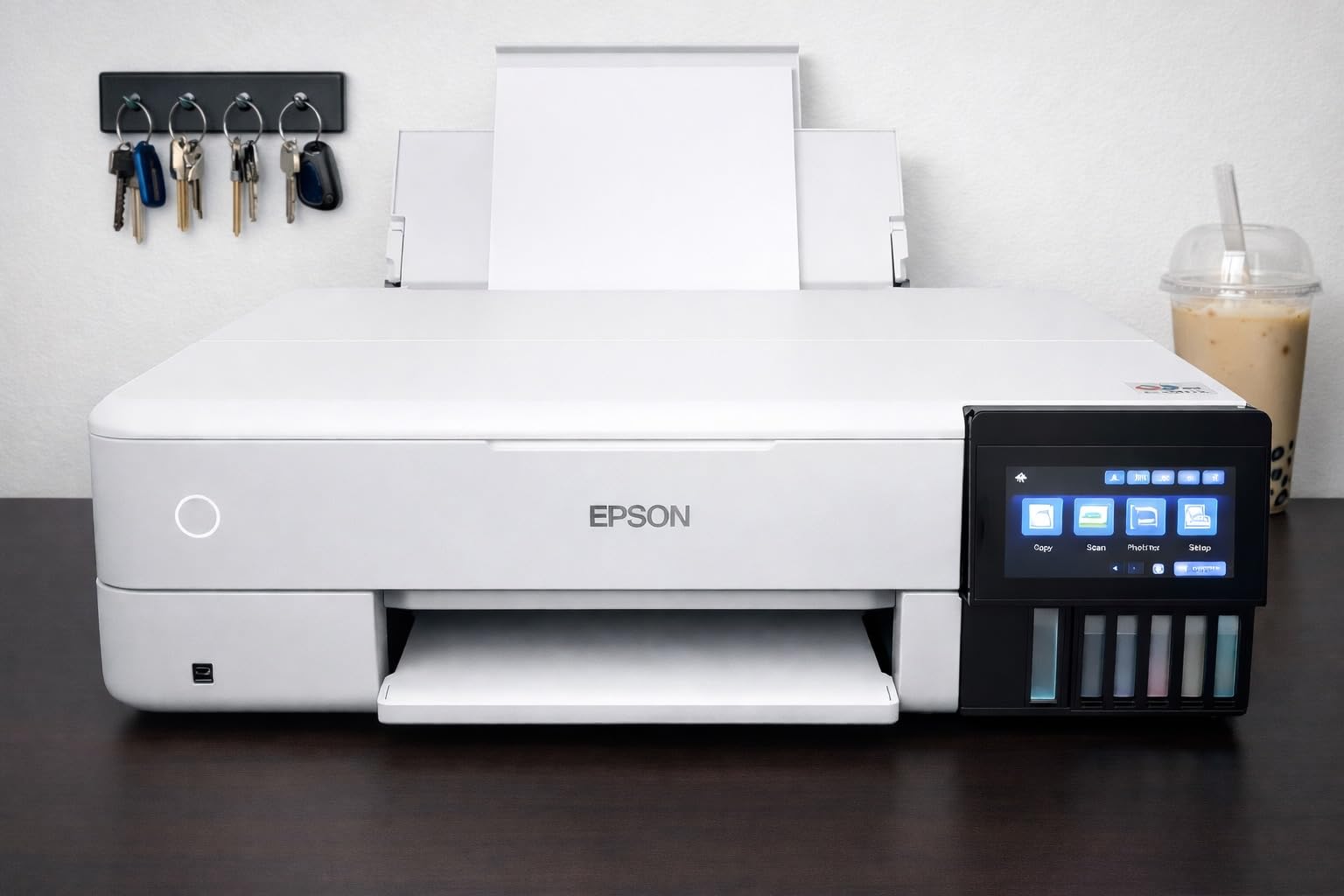
Ink supply is generous: up to 6,200 color pages per tank set and up to two years of ink in the box, with refill bottles replacing roughly 100 individual cartridges per set. A 100-sheet maximum sheet capacity and 50-sheet output tray handle a working stack of card.
Paper handling is the trade-off. The rear manual feed is described as finicky, rejecting sheets often, and the print-head alignment routine only runs from that one feed. Automatic paper-tray selection is also unreliable, so you will usually choose the tray manually. In a roundup where the rear feed is the main event, that is worth weighing carefully. A torn-paper sensor error can also persist and need a manual paper pull to clear it.
Setup takes real time. Owners describe unboxing tape, priming all six tanks and software installation as lengthy but straightforward. A handful of machines reportedly arrived dead or stopped powering on within months, which is the main reason this 4.0-star average carries a 19 percent one-star band.
What you should know before you buy
The scanner is a limitation. It is flatbed with no document feeder, and it cannot scan 11×17 originals. If you plan to reprint layouts by scanning a full-size sheet, you will be working at a reduced size.
Because the rear feed is central to cardstock work, learn it before a deadline. Run test sheets, keep the alignment routine in mind, and do not assume the automatic tray setting will pick the right source. Owners also note the output tray feels flimsy and jam-prone, so take finished 13×19 prints off promptly rather than letting the stack grow.
Who should skip it
Skip it if your cardstock is letter-size and your volume is modest. The wide-format capability and six-color ink set are wasted on small card fronts, and this machine carries a noticeably higher price than the letter-size options in this list.
It is also a poor match for anyone who needs automatic duplex at odd sizes, and the finicky manual feed makes it a stressful choice for a shared office machine where other people load paper. For photo printing generally, our photo printer roundup has the detail.
5. Epson EcoTank ET-15000: Best for Small Office Cardstock Runs
Epson EcoTank ET-15000 Wireless All-in-One Wide-Format Supertank Printer
11x17 maximum media size
250-sheet paper capacity
Auto duplex and ADF
Ethernet and Wi-Fi
Pros
- 250-sheet capacity and a dual-size black tank for document volume
- Owners report flawless handling on 12x18 and other oversize jobs
- Auto duplex
- ADF
- Ethernet and Wi-Fi in one box
- Accepts heavy and unusual stock including canvas sheets
- Setup works from the panel if Wi-Fi pairing fails
Cons
- 11x17 sheets load only into a rear paper holder with no dedicated tray
- Only 4-color ink limits serious photo printing
- Duplex is automatic only at 8.5x11
- Some units have recurring paper jams
- Some units arrived with a failed priming system
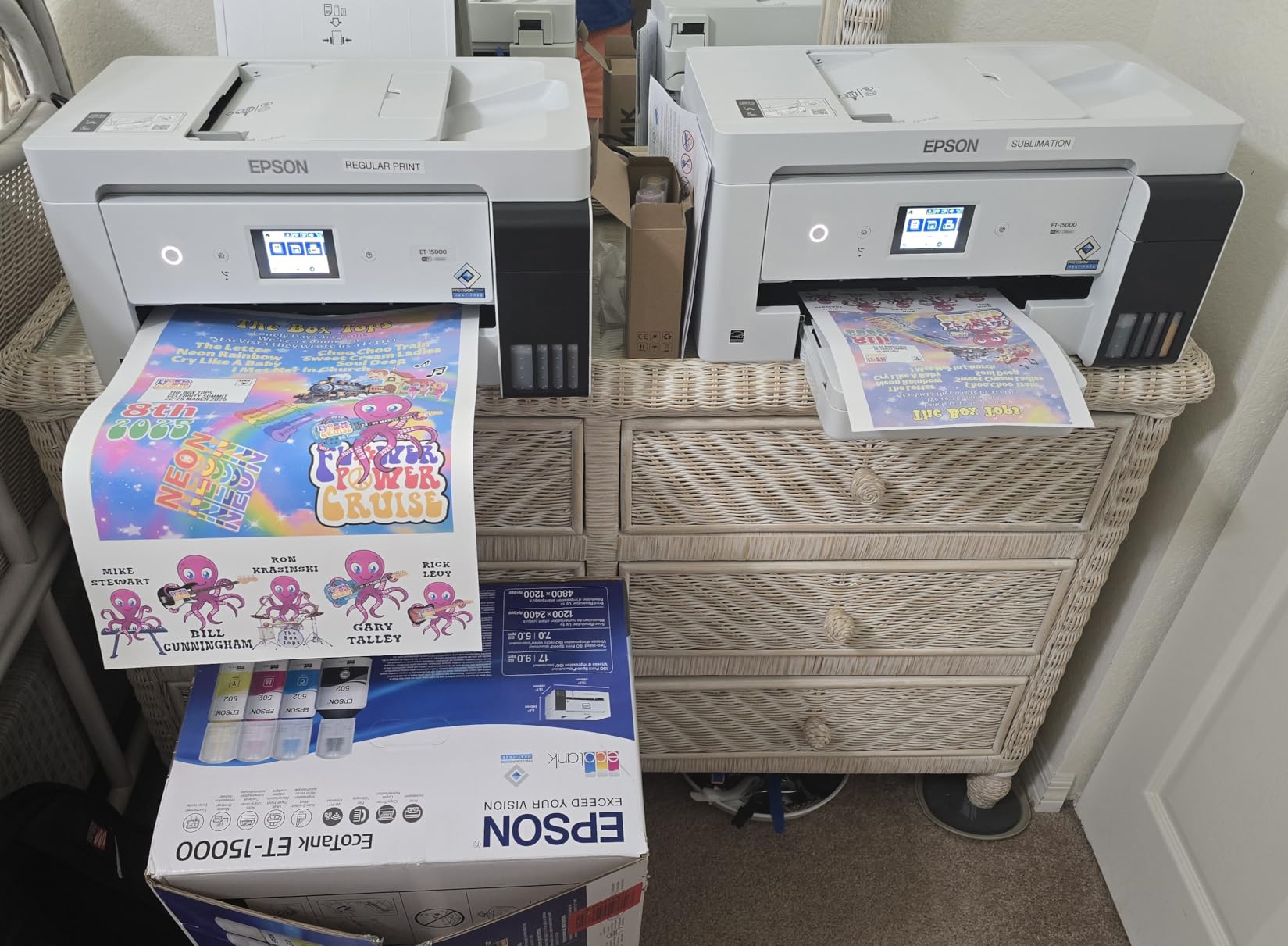
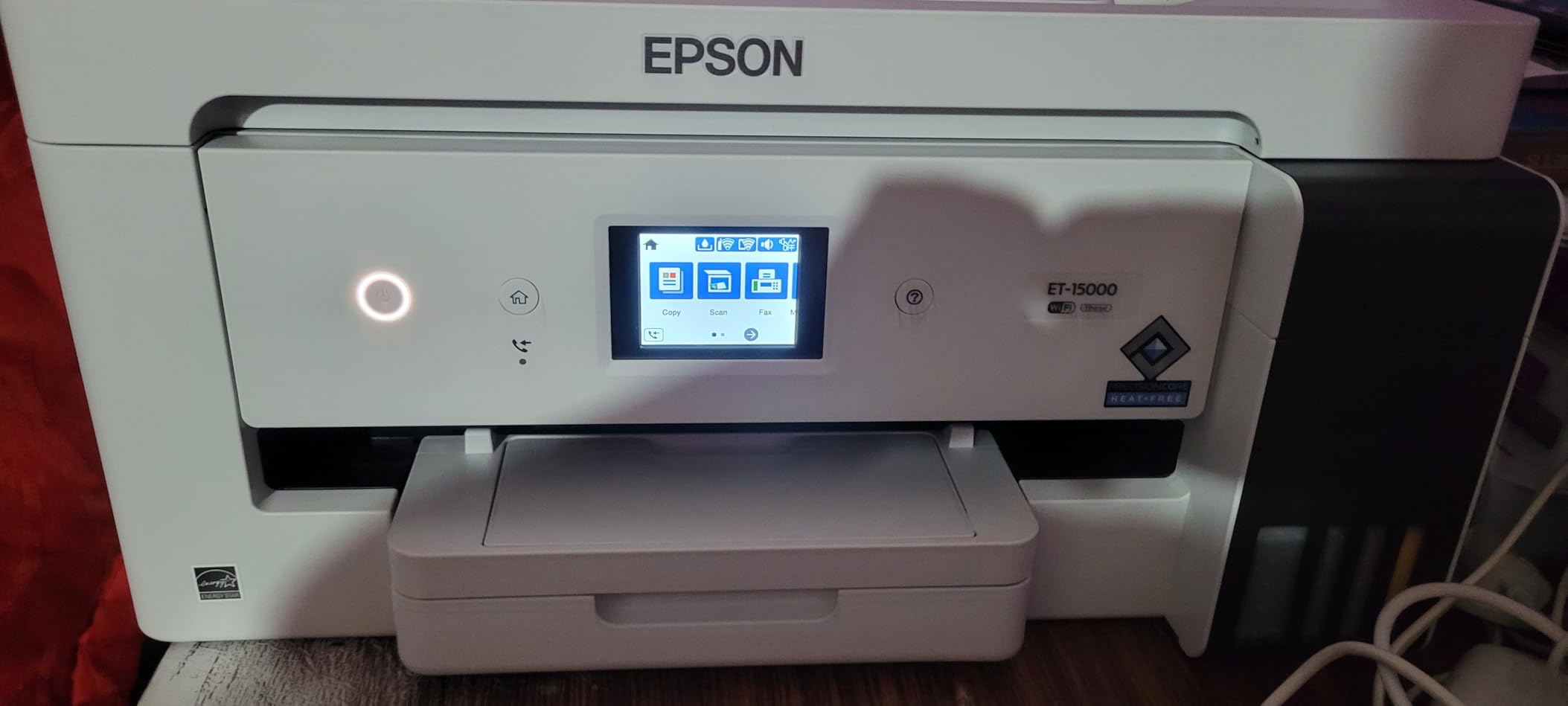
This is the office-shaped answer. Maximum media size is 11 x 17 inches, the main tray holds 250 sheets, output capacity is 125 sheets, and it prints at 17 pages per minute in black and 9 in color. Auto duplex, an automatic document feeder, Ethernet and Wi-Fi are all standard, so it covers a small business printing stationery without a second machine on the desk.
Owners report flawless paper handling on 12×18 and other oversize jobs, including manual duplex for booklet work. The machine also accepts heavy and unusual stock well, with cardstock, canvas sheets and printable iron-on all called out as working media. That flexibility is what separates it from a plain document printer.
Running cost is the quiet strength here. Reviewers put ink cost per page roughly comparable to laser once the cheaper black bottles are factored in, which changes the math entirely for someone printing a few hundred cards a month. There is a dual-size black tank for exactly this reason: most business printing is black text on white stock.
The catch is the wide-format path. 11×17 sheets load into a rear paper holder rather than a dedicated wide-format tray, so wide paper is a manual-feed activity. The ink set is four-color, so it is not the right choice for serious photo printing compared with the ET-8550, and duplex is automatic only at 8.5×11 inches.
Two failure reports are worth knowing about. Some owners see recurring paper jams and unclear paper-selection prompts, and a number of units arrived with a failed ink-priming system that no cleaning cycle can fix. Support experiences are mixed, especially on machines bought through third-party sellers.
What you should know before you buy
At 26.5 pounds and 29.6 by 19.6 by 14.3 inches, this is a full-size machine. Plan a dedicated spot, and check the monthly duty cycle of 33,000 pages against your real volume before committing.
Test your 11×17 workflow early. Wide sheets in a rear holder are fine for occasional posters and large card, but they are not a bulk tray. If wide paper is a daily requirement rather than an occasional one, the two 13×19 machines on this list are the better fit.
Who should skip it
Skip it if photo quality on glossy card is the goal. Four colors cannot match a six-color set, and glossy surfaces show the difference immediately. Card makers producing photo-heavy pieces should look at the ET-8550.
It is also the wrong machine for a home crafter who prints a few cards a week. The size, weight and office feature set are overkill, and setup takes longer than a compact tank model. If you are building a workspace for a student, our college printer guide covers smaller options.
6. Epson WorkForce WF-7710: Best Wide-Format All-in-One on Cartridges
Epson Workforce WF-7710 Wireless Wide-Format Color Inkjet Printer with Copy, Scan, Fax, Wi-Fi Direct and Ethernet, Amazon Dash Replenishment Ready
Borderless 13x19 printing
250-sheet main tray
Print scan copy fax
40.8 pounds
Pros
- Prints borderless up to 13x19 with PrecisionCore
- 250-sheet tray also holds 20 sheets of photo paper or 10 envelopes
- Automatic two-sided printing at 8.7 ppm black and 6 ppm color
- Print scan copy and fax in one wide-format unit
- Flatbed scanner with up to 999 copies per run
Cons
- DURABrite Ultra cartridges rather than a tank system so ink costs run high
- Heavy 40.8-pound chassis with a 32-inch-wide footprint
- Only Wi-Fi 802.11n with no Wi-Fi 5 or 6 support
- Cartridge-based design costs more per page than tank models
Hold the line for a second, the highest-rated machine here. Owners hand out 4.3 stars with 73 percent five-star ratings, and the appeal is obvious on paper: 13×19 borderless printing with PrecisionCore technology, a 250-sheet main tray that also holds 20 sheets of photo paper or 10 envelopes, and print, scan, copy and fax in a single wide-format unit.
Automatic two-sided printing runs at 8.7 ppm black and 6 ppm color, and the flatbed scanner handles up to 999 copies per run. It prints 18 pages per minute black and 10 in color at up to 1200 x 2400 dpi color resolution. For an office producing wide-format card and full multi-function capability in one footprint, it is hard to argue with the feature list.
The real trade-off is running cost. This uses DURABrite Ultra ink cartridges rather than a refillable tank system, so cost per page runs meaningfully higher than the EcoTank models on this list. Buyers weighing this machine against the ET-15000 are really choosing cartridge convenience and borderless 13×19 output against ongoing ink expense.
Physical size is the other factor. At 40.8 pounds and 32.2 inches wide, it is the largest machine here by a wide margin and needs a dedicated spot with clearance. Connectivity is also dated: Wi-Fi 802.11n only, with no modern Wi-Fi 5 or 6 support, plus wired Ethernet and USB.
Setup is straightforward and well-liked. That 4.3 average is the highest of the six, and the recurring complaints are about ink cost and footprint rather than output quality.
What you should know before you buy
Do the ink math before anything else. Multiply your monthly card count by your average color coverage, then compare the cartridge yield against a tank model. If you print fewer than a few hundred cardstock sheets a month, the cartridge convenience may win. If you print a lot of solid-color invitations, it will not.
Measure the spot before ordering. You need real clearance for a 32-inch-wide body that weighs over 40 pounds, plus room to open the rear feed and pull the output tray. Rearranging furniture later is a common regret with wide-format inkjets.
Who should skip it
Skip it if you are setting up a craft corner rather than an office. The size alone rules out most small rooms, and the running cost is wrong for someone printing a few dozen cards a month. If your workspace also needs a machine for physical projects, our beginner 3D printer guide covers that side of the bench, but the wide-format inkjet is the piece you should size first.
Older Wi-Fi hardware is another reason to pass if you are building a fresh setup on a modern mesh network. In every other respect, this is the strongest wide-format office machine in the group.
What Cardstock Weight Means: gsm, lb and the Conversion Trap
Cardstock is sold in two systems that do not map cleanly onto each other. Pound weight is a North American convention tied to the thickness of a ream of 500 sheets, while gsm, grams per square meter, measures actual mass. They run roughly in parallel, which is exactly where the confusion starts.
The practical tiers most craft buyers encounter are 80 lb (about 200 gsm), 110 lb (about 300 gsm), 130 lb (about 350 gsm) and 140 lb (about 380 gsm). 80 lb is what most people mean when they say “cardstock” casually, and it is the easiest tier to feed. 110 lb is the classic business card weight and the point where many home printers start to struggle. 130 lb and 140 lb are specialty territory for layering, boxes and heavy die cuts.
The trap is assuming a printer rated for one weight in pounds handles the same number in gsm, or that a spec listed for the manual feed also applies to the main tray. The common ownership story on forums is consistent: someone buys 110 lb paper expecting the printer to take it, the machine jams or curls, and the paper gets blamed instead of the rating. If you own 110 lb stock, buy for 300 gsm, and treat anything past the manual feed rating as a test project rather than a production run.
Why Cardstock Jams and How to Print It Without Jams
Jams on cardstock are almost always a paper path problem. A standard front tray forces the sheet to travel horizontally, then turn around a set of rollers inside the machine. Stiff stock resists that turn, buckles, and either creases permanently or jams outright. Media heavier than the printer’s rating makes it worse because the rollers cannot generate enough grip to keep moving it at a steady speed.
A rear feed or manual feed slot fixes this by letting the sheet enter from the back and travel on a much straighter, flatter path. That is why the rear tray is the single most-cited buying heuristic for this category, and why the TR8620a wins here on layout rather than on paper weights.
Setup makes a measurable difference. Choose the heavy cardstock or plain paper media setting in the driver rather than leaving it on automatic, load sheets one at a time in the rear feed, and make sure the side guides touch the edges without pinching them. Do not bend the stack to force it in. And allow dry time before stacking finished output, because ink on non-absorbent card needs longer to set than on plain paper.
One more practical rule: test ten sheets of your exact cardstock brand before a full run. Brands vary in coating and caliper more than the weight label suggests, and a return policy is easier to use in the first week than the third month.
Inkjet or Laser for Cardstock
Inkjet wins on thick cardstock. Liquid ink needs no heat to fuse, so it lays down on heavy, textured and coated stock without the cracking you get when toner is pulled onto a rigid surface. Inkjet also handles photographic card and borderless output far better, and it is the only realistic option for 13×19 craft sheets in this group.
Laser wins on runs. Toner is a powder that fuses with heat, prints fast, does not smudge the moment it leaves the machine, and gets cheaper per page as volume rises. If you are producing hundreds of identical business cards, a business color laser with a manual feed is the economical route.
But the laser cardstock story comes with a warning that forum users repeat constantly. In r/printers threads about printers for thick cardstock, business laser models marketed for office use are described as repeatedly failing on heavy media, with users chasing dedicated machines and finding the cheaper laser performs better. The recurring complaint is that pushing media past the rated weight causes misfeeds, roller slippage and toner flaking rather than a clean failure. The rule for any laser you consider is the same: verify the manual feed rating, use it one sheet at a time, and test your own stock before trusting it.
For dyed or glossy card specifically, note that inkjet output can smudge if stacked too soon. Pigment black inks are more permanent, while dye inks give a wider color range. Give glossy finishes a longer dry time and lay prints flat rather than stacking them immediately.
Paper Size and Ink Cost: Two Decisions That Shape Your Project
Paper size narrows the list faster than any other choice. Letter size handles business cards, postcards, invitations and A5 cards, which covers most small-business stationery. 11×17 covers folded card, larger scrapbook layouts and half-sheet projects. 13×19 is the true craft size, needed for 12×12 scrapbook paper, full-sheet art prints and large layered pieces. Three of the machines here top out at 13×19, one reaches 11×17, and two stop at letter or legal.
Ink cost is the decision most people get wrong, because cost per page is a meaningless number for cardstock. What matters is cost per finished project. A tank model with refill bottles rated for 6,000 to 7,700 color pages per set behaves completely differently from a cartridge machine once you are coating full sheets of 13×19 card.
A rough way to think about it: an average 5×7 card front uses a fraction of a full sheet, while a full 13×19 sheet is one full sheet of coverage. Multiply your project size by the number of projects, and compare that against yield per tank set rather than per page. If your projects are mostly text on white with small color accents, dual-size black tanks and cheap black bottles matter most. If you are printing full-bleed images, total color capacity matters most, and a six-color system is worth the extra cost.
One last consideration: die cutting. If you feed printed cardstock through a Cricut or Silhouette, ink bleed-through and warping are real problems. Print with slightly lighter coverage, let the sheet dry fully, and matte finishes hold up better than gloss under a cutting blade’s pressure.
Frequently Asked Questions
Do you need a special printer for card stock?
For 80 lb cardstock (about 200 gsm), most modern inkjets and office lasers will cope. For 110 lb (about 300 gsm) and heavier, you do want a printer with a rear or manual straight-through feed and a rated maximum media weight that matches your stock. That combination, not resolution or color count, is what determines whether cardstock feeds cleanly or jams.
Will 80 lb cardstock go through a printer?
Yes, 80 lb cardstock (roughly 200 gsm) runs through most current inkjets and laser printers without special settings. Printers in this roundup all handle this tier comfortably. Set the media type to plain or cardstock in the driver and keep the rear feed loaded for the heaviest sheets.
Can 110 lb cardstock go through a printer?
Only on printers whose rated maximum media weight reaches about 300 gsm, and ideally through the rear or manual feed rather than the main tray. 110 lb is the classic business card weight. If the machine you own lists a lower rating, use the manual feed and test ten sheets of your specific brand before a full run.
What is the best printer for printing on thick cardstock?
The Canon PIXMA TR8620a is our pick for most people because it pairs a 100-sheet rear feed with a 100-sheet cassette, automatic duplex, and a 20-sheet document feeder. For the thickest specialty stock, the Epson EcoTank Photo ET-8550 and the WorkForce WF-7710 reach 13×19 and handle wide heavy card. Verify the manual feed rating before any run.
Is inkjet or laser better for cardstock?
Inkjet is better for thick, coated and photographic cardstock because liquid ink needs no heat to bond and cannot crack on a rigid surface. Laser is better for long runs of identical pieces, such as hundreds of business cards, where speed and cost per page win. For textured or heavy stock, choose inkjet.
Conclusion: The Best Printers for Cardstock in 2026
The Canon PIXMA TR8620a is the best printer for cardstock for most people, because a 100-sheet rear feed and a 100-sheet cassette let you run heavier stock without swapping paper every time you change projects. It adds automatic duplex and a 20-sheet feeder, and at 4.0 stars across more than 6,300 reviews it is the most battle-tested option here.
Pick the Canon MegaTank G3270 if long custom cardstock sizes matter, the Epson EcoTank ET-2800 if ink cost per project is your main concern, and the ET-8550 or WorkForce WF-7710 if you need 13×19 sheets. Whatever you choose, match the printer’s rated media weight to your stock, load heavy card one sheet at a time in the rear feed, and test ten sheets before a full run.